
A customer books on your website. A staff member sees it on a tablet. The payment lands in your accounting. Several computers did one job together. That is a distributed system, and you may run one without using the name.
This guide explains what a distributed system is, in plain words. It shows how to tell if you already run one and why businesses build them. It also covers what goes wrong, what uptime means in real hours, and what to ask before you build.
Key takeaways
- A distributed system is many computers working together over a network as one system.
- If your website, apps, payments and accounting share data, you likely run one already.
- Spreading work helps a system keep running and grow. It also adds new ways to fail.
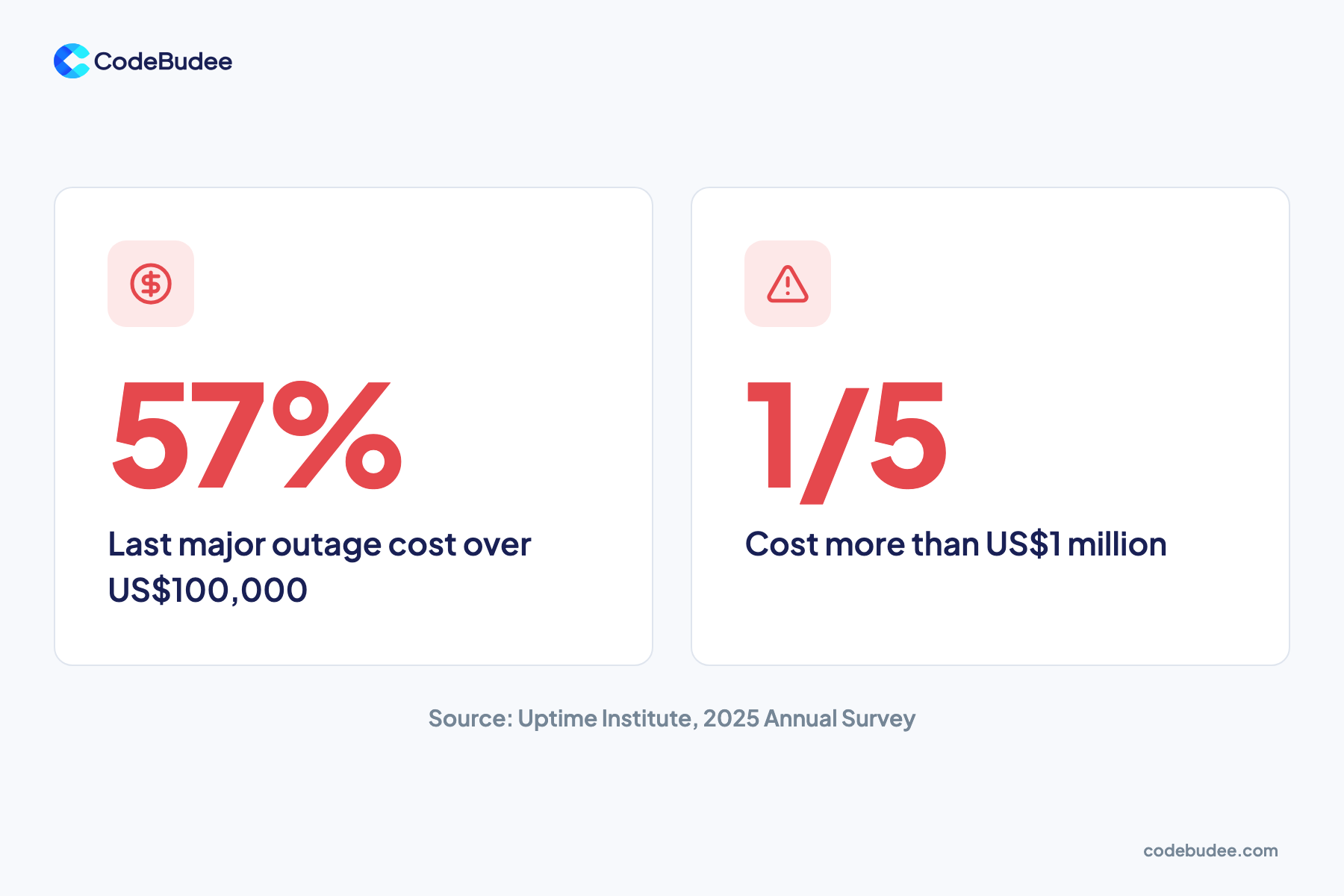
- In Uptime Institute's 2025 survey, 57% said their last major outage cost over US$100,000.
- Even 99.9% uptime allows 8.76 hours of downtime a year, so decide what each part can afford.
What is a distributed system?
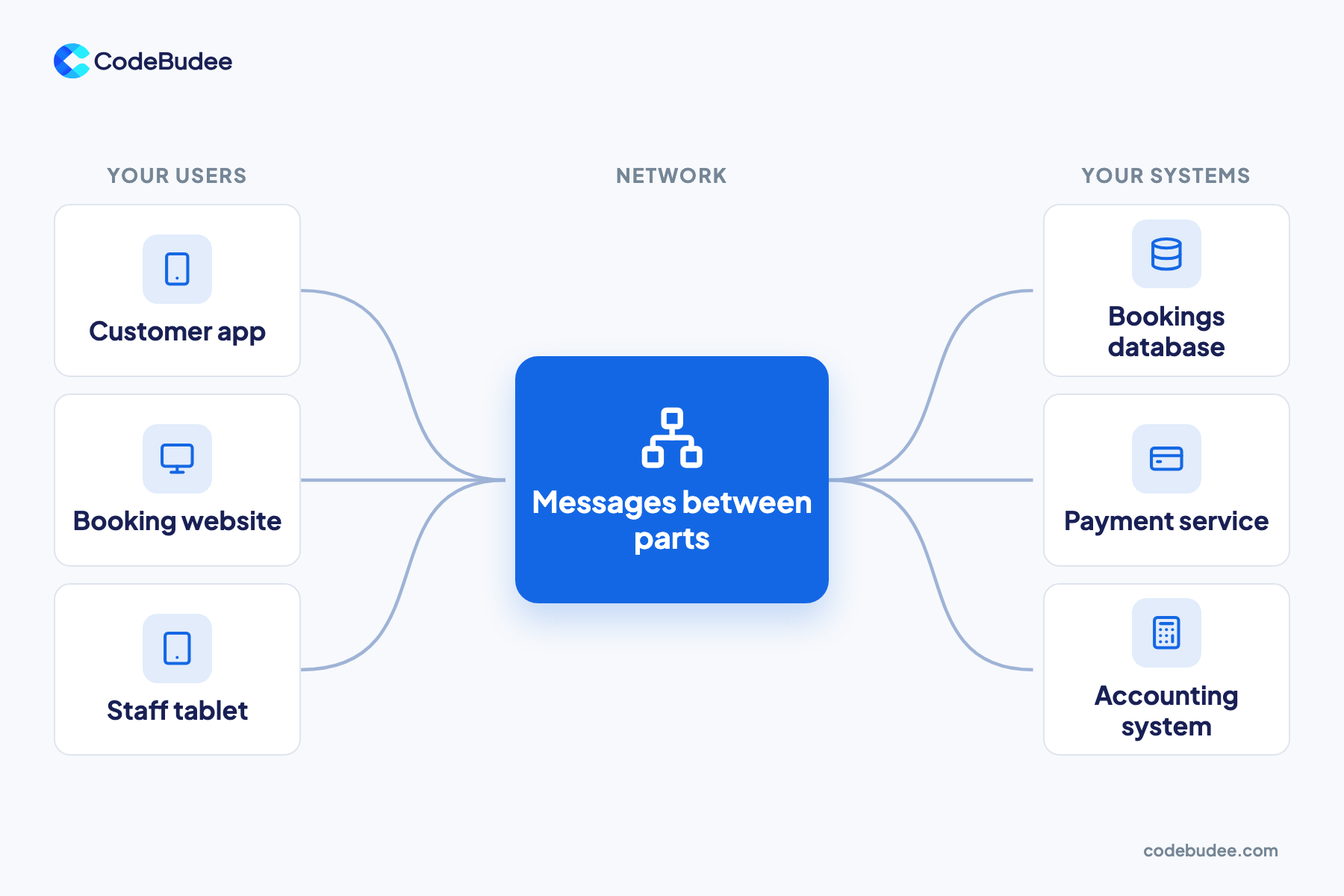
A distributed system is a group of computers that work together over a network to do one job. Each computer handles part of the work and shares results through messages. To the people using it, the whole thing looks and feels like one system. Large cloud platforms and online banking work this way.
The opposite is a centralised system, where one computer does everything. That is simpler to run. But if that one computer stops, everything stops.
Every distributed system has three basic parts:
- Nodes: the computers, each doing part of the work.
- The network: the links that carry messages between nodes.
- Shared data: records that several nodes read and update, such as bookings or stock counts.
Does your business already run a distributed system?
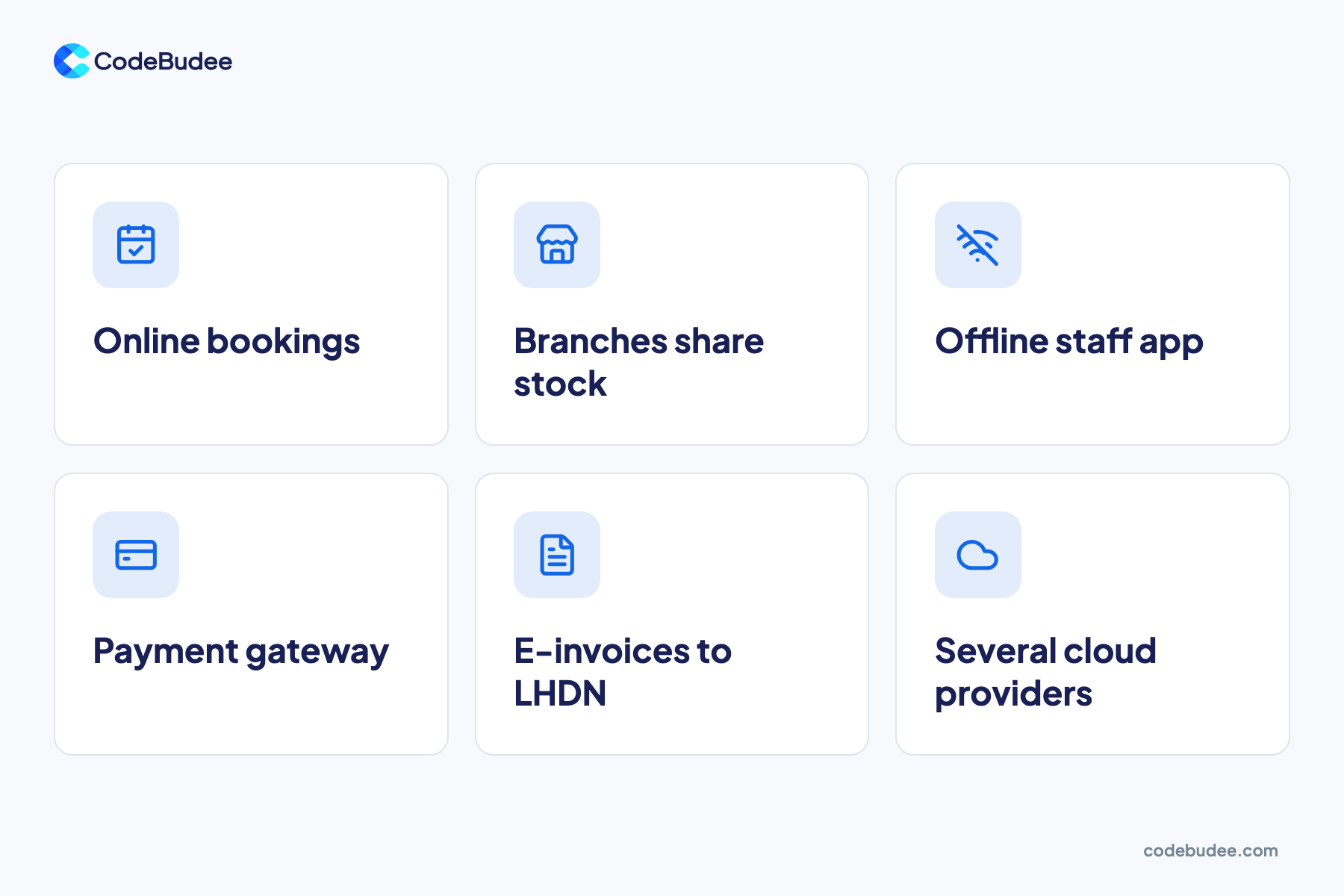
Your business likely runs a distributed system if its data lives in several places and moves between them. A booking website, a staff app, a payment gateway and your accounting each run on different computers. Together they do one job, so they must agree on the same facts.
Signs you run one:
- Customers book or buy online, and staff see it in a separate app.
- Several branches see the same stock, bookings or customer records.
- A staff app works with no signal, then syncs later.
- Payments go through a payment gateway, an outside service that processes card payments.
- Invoices flow to a government system, such as LHDN MyInvois for e-invoicing in Malaysia.
- You use cloud services from more than one provider.
For Wise World, an Australian property agency, we built a mobile app that works on site with no wifi. Staff capture signed agreements and move-in and move-out photos. The website and system stay in sync. That is a small distributed system: several computers, one set of records. You can see other projects in our work.
Our guide to cloud-based systems for business explains how cloud services fit into this picture.
Why do businesses spread work across many computers?
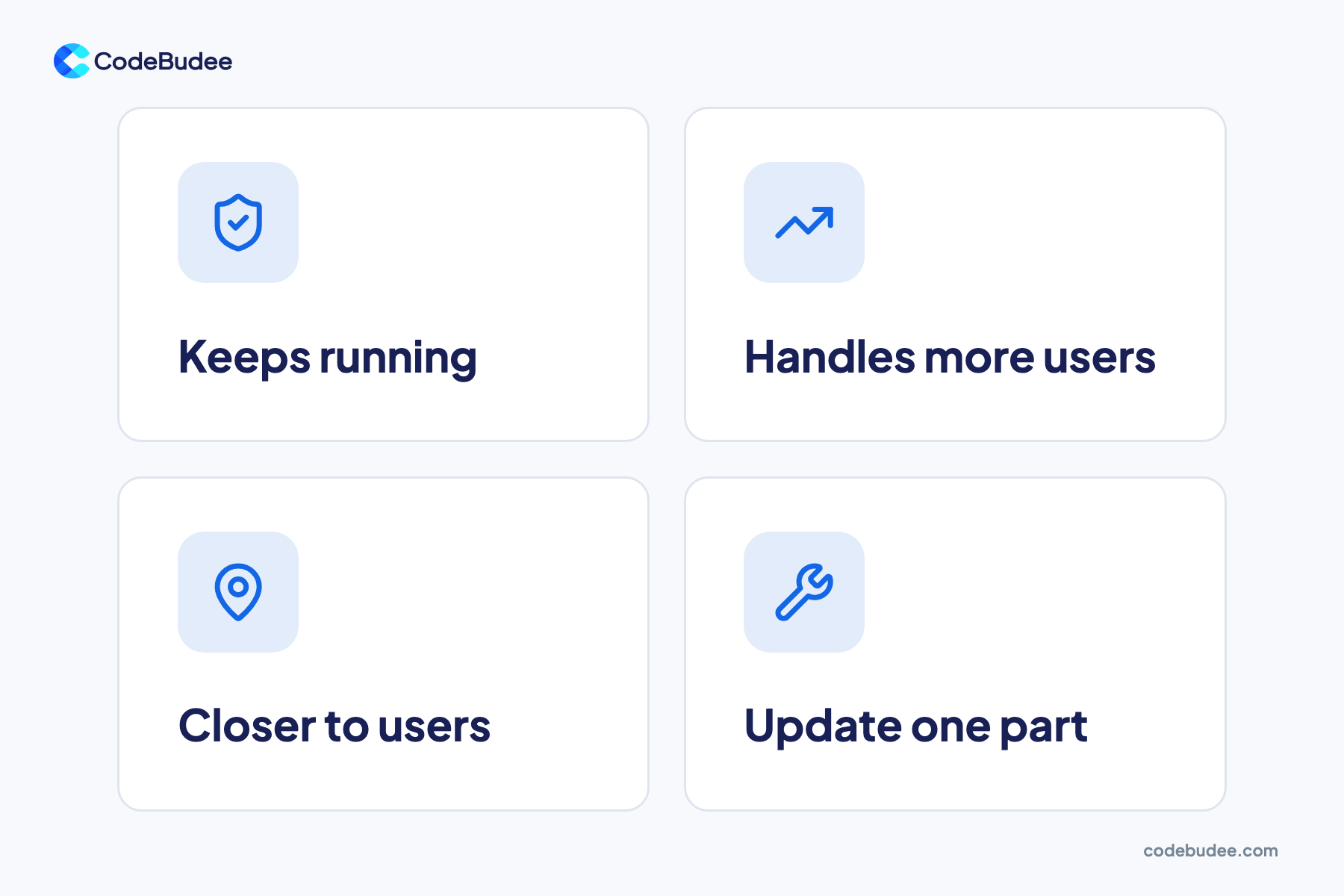
Businesses spread work across many computers so the system keeps running when one part fails. It also lets the system grow, because more computers can serve more users. Servers placed near users can answer faster. Teams can also update one part without stopping the rest.
- It keeps running. If one computer fails, another copy takes over, and customers may not notice.
- It grows with demand. You add computers when traffic rises, such as during a sale.
- It answers faster. Servers near your users cut the time messages spend travelling.
- It changes in parts. A team can update the payment part without touching bookings.
The trade-off is more moving parts. Each extra computer and link is one more thing to watch.
What goes wrong in a distributed system?
Distributed systems fail in ways a single computer does not. Networks drop messages. Two copies of the same data can disagree. One slow part can hold up everything that depends on it. A small fault can also spread from one service to many, which makes outages longer and harder to trace.
Common failure points:
- The network. A link breaks or slows, so parts cannot reach each other.
- Copies that disagree. Two branches sell the last item at the same time.
- Hidden dependencies. One service fails, and every service that needs it fails too.
- Silent faults. Something breaks, but nobody knows until a customer complains.
Big providers face this too. On 19 and 20 October 2025, AWS had a long disruption in its N. Virginia region. AWS's own summary says it was "triggered by a latent defect" in DynamoDB's automated DNS management. DynamoDB is an AWS database service, and DNS is the internet's address book. The disruption lasted about 14 and a half hours.
Outages cost real money. In Uptime Institute's 2025 Annual Survey, 57% said their most recent major outage cost more than US$100,000. One in five reported costs above US$1 million. Uptime also reports that fibre and connectivity outages are rising.
How much downtime can your business accept?
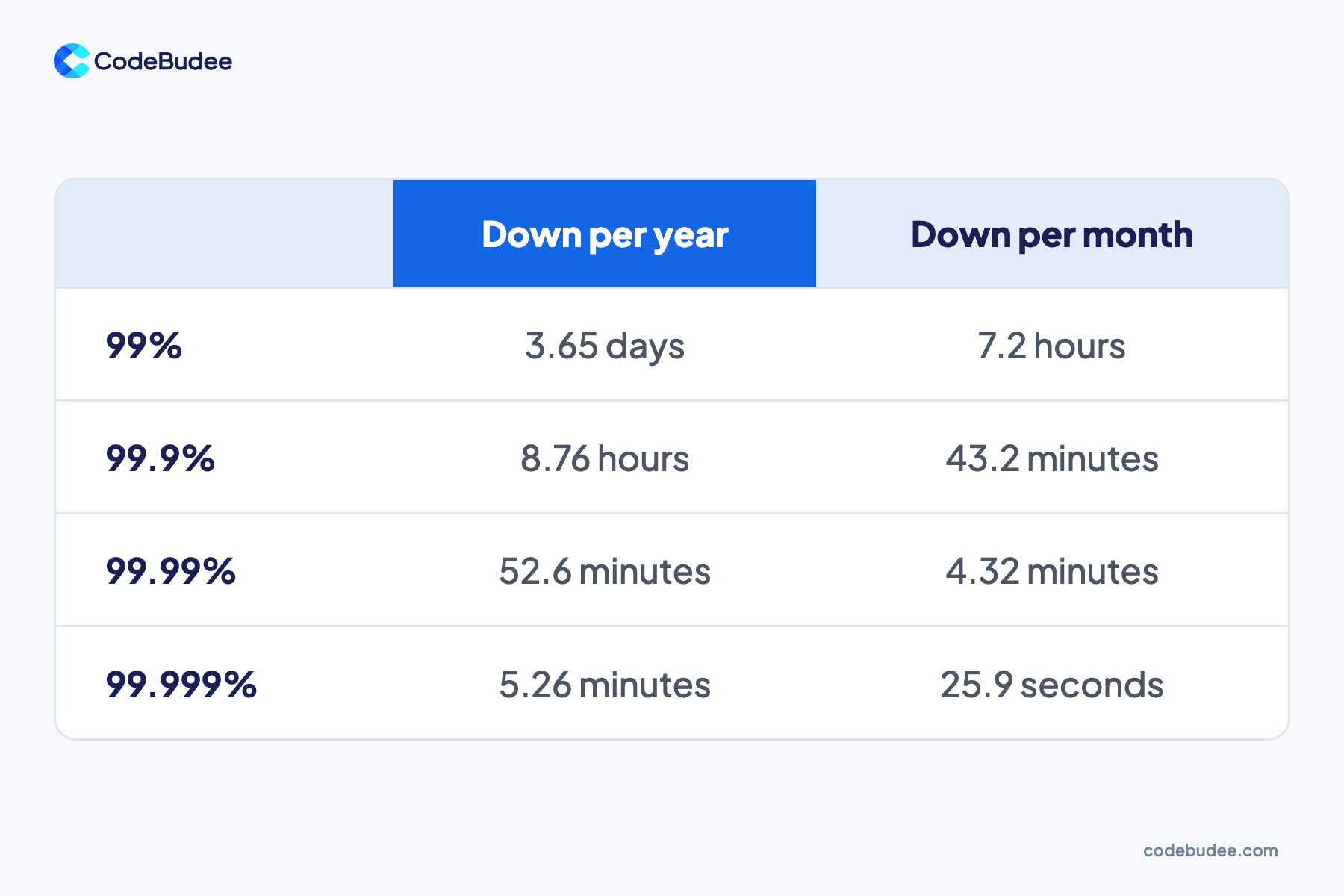
Uptime is the share of time a system works. Each level sounds close to perfect, but it still allows real downtime. At 99.9% uptime, a system can be down 8.76 hours a year. At 99.99%, it can be down 52.6 minutes. Each extra "nine" takes more work to reach.
Google's Site Reliability Engineering book lists what each level allows:
- 99%: 3.65 days a year, or 7.2 hours a month.
- 99.9%: 8.76 hours a year, or 43.2 minutes a month.
- 99.99%: 52.6 minutes a year, or 4.32 minutes a month.
- 99.999%: 5.26 minutes a year, or 25.9 seconds a month.
Not every part needs the same level. Your booking or payment flow may need 99.99%. A monthly report can sit at 99%. Decide per part, then build only what each part needs.
What to ask before you build or change a distributed system

Before you build or change a distributed system, agree on how it should behave when things go wrong. Ask which parts must never stop and which copy of the data is the truth. Also ask how you will know when something breaks. Clear answers here save costly surprises later.
Six questions to ask your team or vendor:
- Which parts must never stop? List them, and set an uptime target for each.
- What happens when the network drops? The app can queue work and sync later, or show an error.
- Which copy of the data is the truth? Decide which system wins when two disagree.
- How will we know something broke? Monitoring tools watch the system and send alerts before customers notice.
- Who fixes it, and how fast? Agree on support hours and response times in writing.
- Could a simpler setup do the job? If a short outage costs little, one well-run server with good backups may be enough.
Data that moves between many systems also needs protecting at each stop. Our guide to cloud data protection lists the jobs your cloud provider leaves to you.
Our custom web app development team designs and supports connected systems built around these answers, for the long term.
Frequently asked questions
Is the cloud a distributed system?
Yes. Cloud platforms such as AWS run your apps on many computers across data centres, linked by networks. When you use cloud services, your system becomes part of a larger distributed system. That brings scale. It also ties you to the provider's outages, as the October 2025 AWS disruption showed.
Is a distributed system the same as microservices?
No, but they are related. Microservices are one way to build a distributed system. The software is split into small services, each doing one job, and they talk over a network. It can also be built in other ways, such as a few large services or a server cluster.
Do small businesses need a distributed system?
If you sell online, you likely rely on one already, through cloud apps, payment gateways and booking tools. The real question is how much of it you build and own. A single location with few users may only need one well-run system. Several branches, apps or partners sharing data point towards a planned, connected design.
What is an example of a distributed system?
Picture a multi-branch booking platform. Customers book on a website, and staff check bookings on tablets in each branch. Payments go through a separate gateway. Each part runs on different computers but works from one set of records. Online banking works the same way at a larger scale.
Your next step
In short, a distributed system is many computers working as one. If your website, apps and payments share data, you likely run one already. The goal is a system that keeps working when one part fails, and tells you when it does. Start by listing your parts and how much downtime each can take.
When you are ready to plan a connected system that fits how your business works, book a free consultation. We will talk through your setup and the right next step.
