
You type a few lines about the app you want. Minutes later, a working version opens on your phone. That is what an AI app builder like Newly does.
Then a harder question comes up. Is this app ready to run part of your business? This guide explains what an AI app builder is and where it does well. It covers what an app needs after launch and when a software team fits better. It also shows how the two can work together.
Key takeaways
- An AI app builder turns a plain-English description into a working app, with no coding from you.
- Newly builds native iOS and Android apps and lets you export the full source code.
- An AI app builder is a strong pick for testing an idea, a first version or a simple app.
- A software team fits when the app must connect to core systems, hold sensitive data or run for years.
- You can use both: a builder to prove the idea, then a team to grow it.
What is an AI app builder?
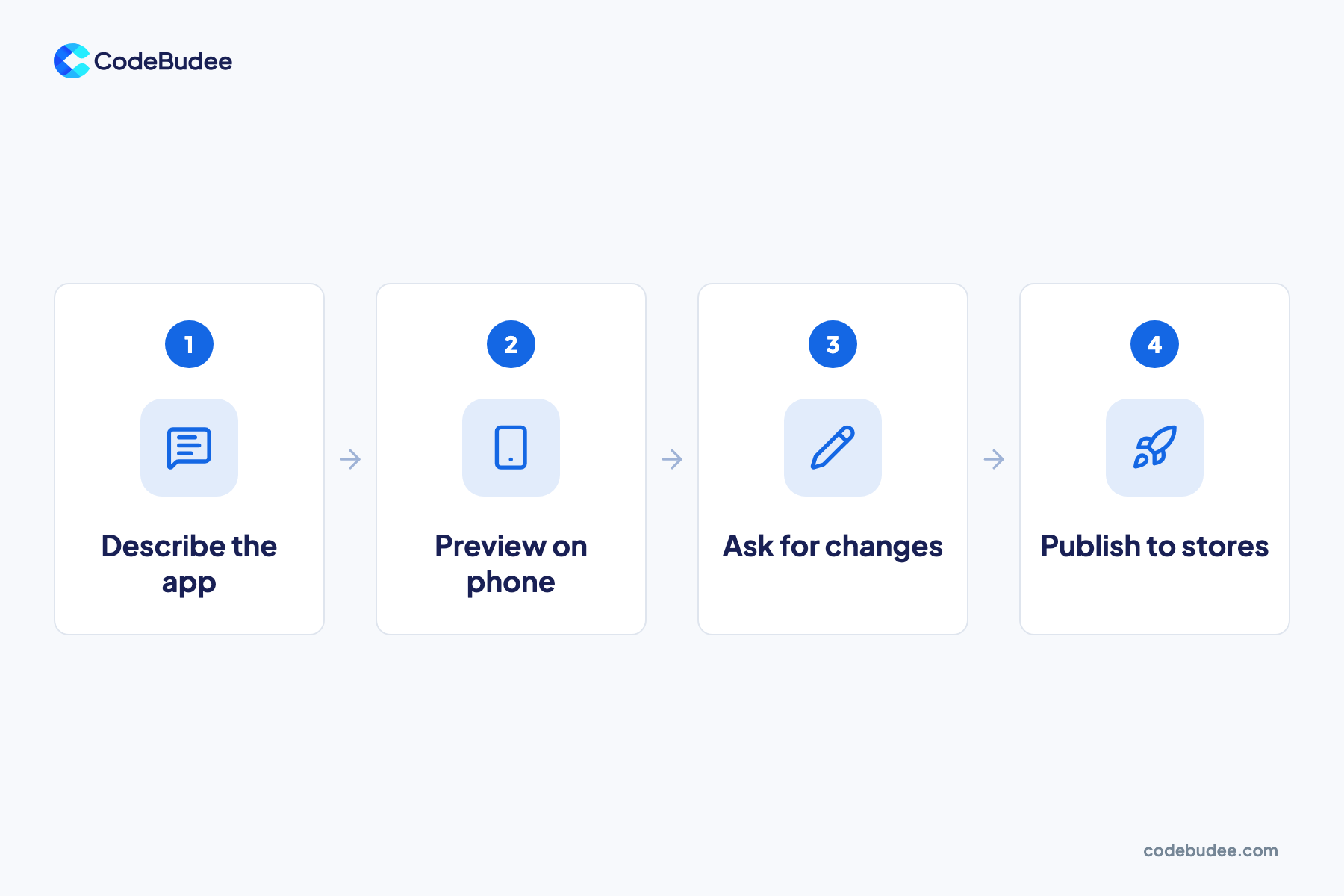
An AI app builder is a tool that creates an app from a description in plain words. You say what the app should do. The AI designs the screens, writes the code and sets up the basics behind them. You then check the result and ask for changes until it fits.
Newly is one example. Its site says you can "describe your idea in plain English". The AI then handles the rest, "from design to deployment". Newly builds apps with React Native and Expo. These are popular tools for making one app that runs on both iPhone and Android.
It also sets up a database (where the app keeps its records), user log-in and file storage. You can export the full source code, the written instructions that make the app run. Newly says you can then change it and deploy it anywhere.
What can an AI app builder like Newly do well?

An AI app builder does best when you need a working app soon and the rules are simple. It suits testing an idea with real users or showing a first version to staff. It also fits small apps with one clear job. Newly says you can get working code in minutes, so you see your idea on a real phone early.
Good fits for an AI app builder:
- Testing an idea: put a simple version in front of a few customers before you spend more.
- A first version: an MVP, or minimum viable product, is the smallest version that proves people want it.
- A simple customer app: a menu, a loyalty card or an event schedule.
- A small team tool: a checklist or form app for a handful of staff.
Newly's own first-app tutorial lists common mistakes, such as building before you test the idea. It cites CodeBudee among its sources, linking our guide to mistakes to avoid when building your first mobile app.
What does an app need after launch?
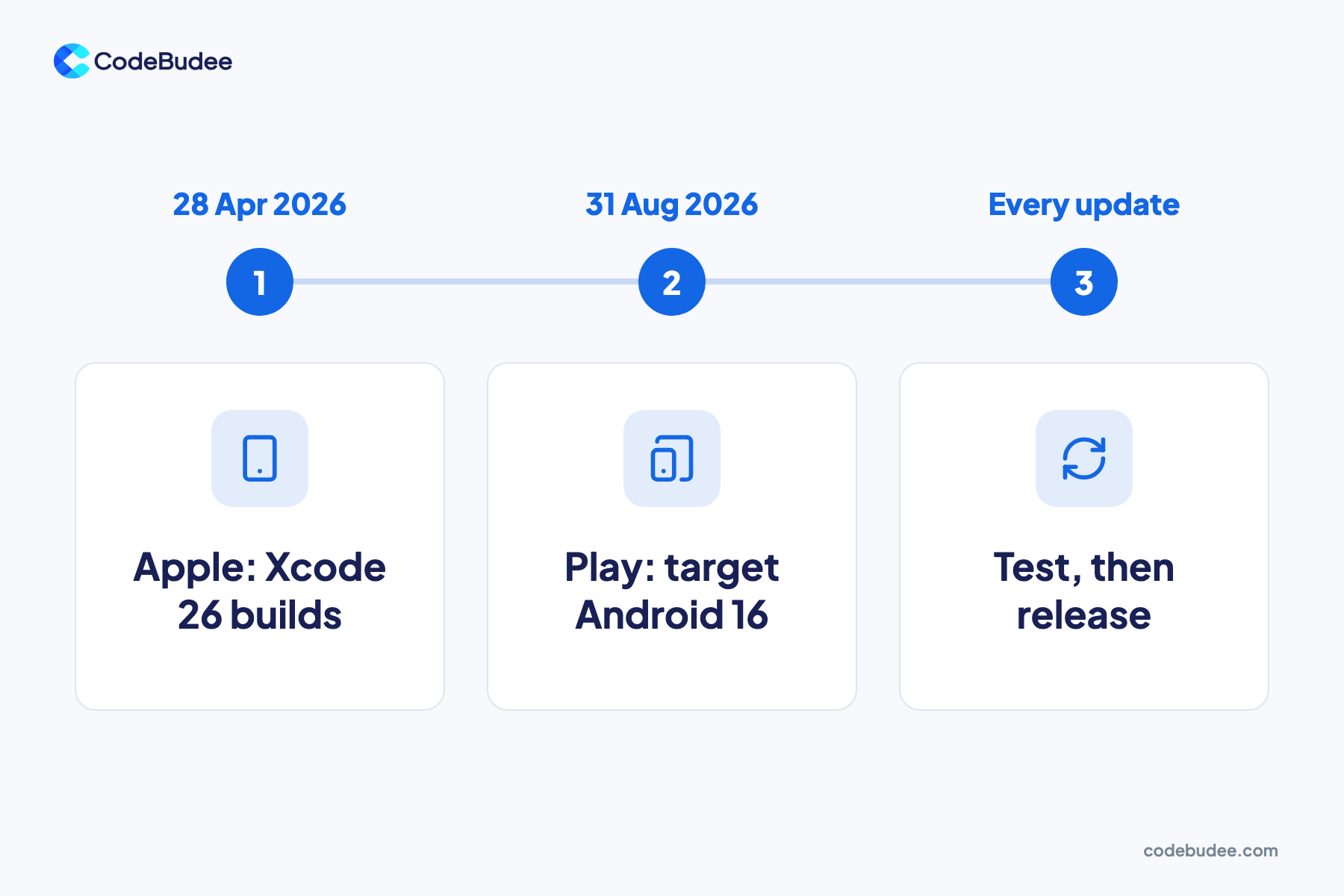
Every app needs regular updates after launch, whoever built it. Apple and Google raise their technical rules for new apps and updates each year. An app that falls behind can be refused in the stores or stop showing to new users. So plan for upkeep from day one, as part of the cost of owning an app.
Two current rules show the pace:
- Apple: since 28 April 2026, apps uploaded to App Store Connect must be built with Xcode 26 or later. Xcode is Apple's tool for building apps.
- Google Play: from 31 August 2026, new apps and updates must target Android 16 (API level 36) or higher. Older apps stop showing to new users on newer Android versions.
Who does the upkeep depends on the app:
- With Newly, you ask for changes in plain words and publish the update yourself.
- With a software team, the team plans each update, tests it against your other systems and releases it.
A simple app may need little upkeep. An app tied to accounting, bookings or customer records needs a clear plan for it.
When does an app project need a software team?
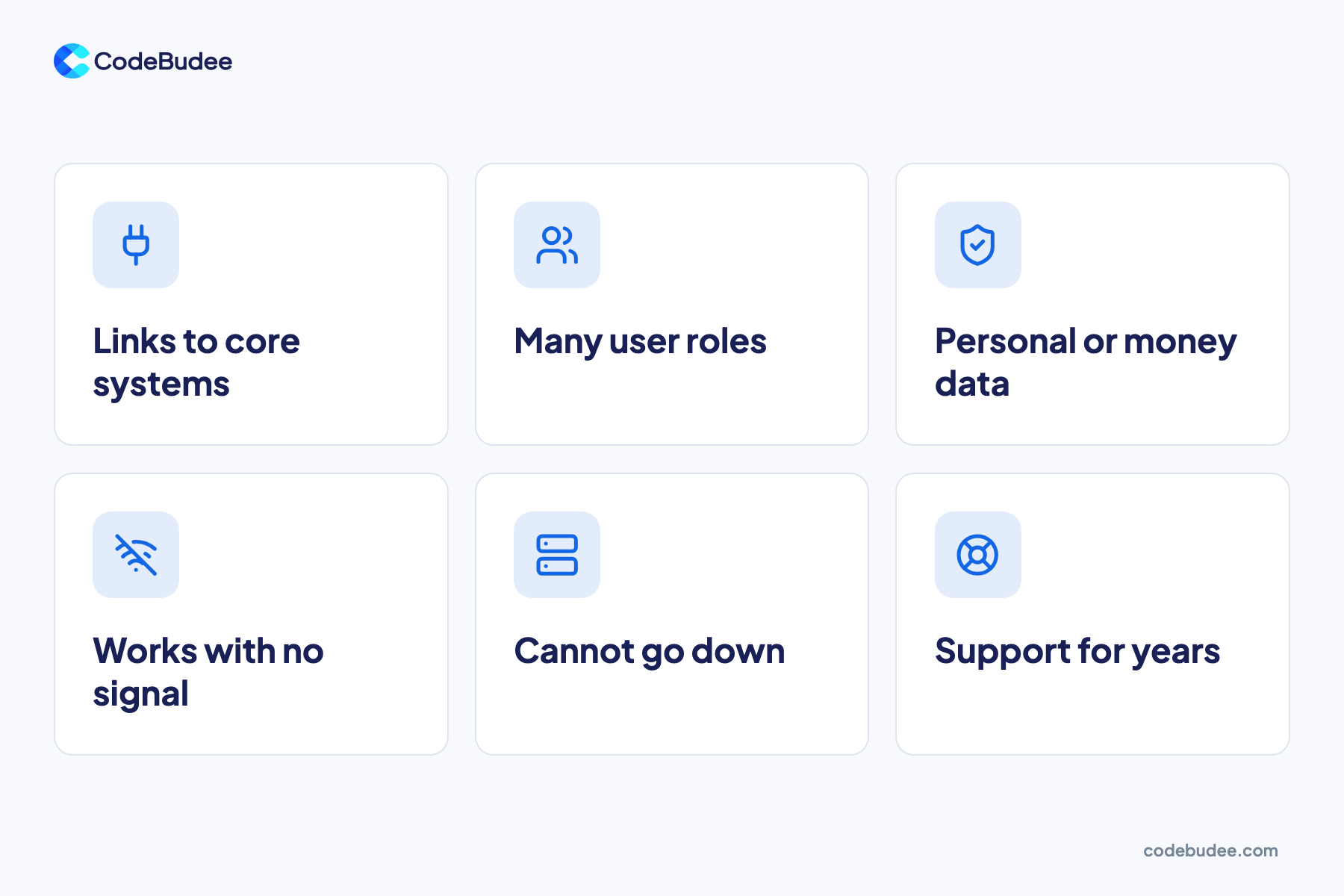
A project needs a software team when the app becomes part of how your business runs. Usually it connects to other systems or holds personal or money data. It may also serve many kinds of users or need to work every day. These needs call for planning, testing and support that last for years.
Six signs to watch for:
- It links to your core systems. Orders, stock or invoices must flow into your accounting or ERP with no retyping. ERP (enterprise resource planning) is the system that runs your operations.
- Many people use it in different roles. Staff, managers, branches and customers each see different data and actions.
- It holds personal or money data. A leak becomes a legal and trust problem. Our guide to what a data breach is explains the reporting rules.
- It must work with no signal. Field staff use the app on site, and it syncs later.
- Downtime costs you money. If bookings or payments stop, you lose sales that day.
- You need support for years. Phones, store rules and your own processes keep changing.
Two of our projects show what this looks like. For Wise World, an Australian property agency, we built a mobile app that works on site with no wifi. Staff capture signed agreements and move-in and move-out photos, and the website and system stay in sync. For a Malaysian moneylender, we built MyLoans, a loan platform with LHDN MyInvois e-invoicing. Statutory reporting went from about a week by hand to instant. You can see more in our work.
When to use Newly, and when to call a software team
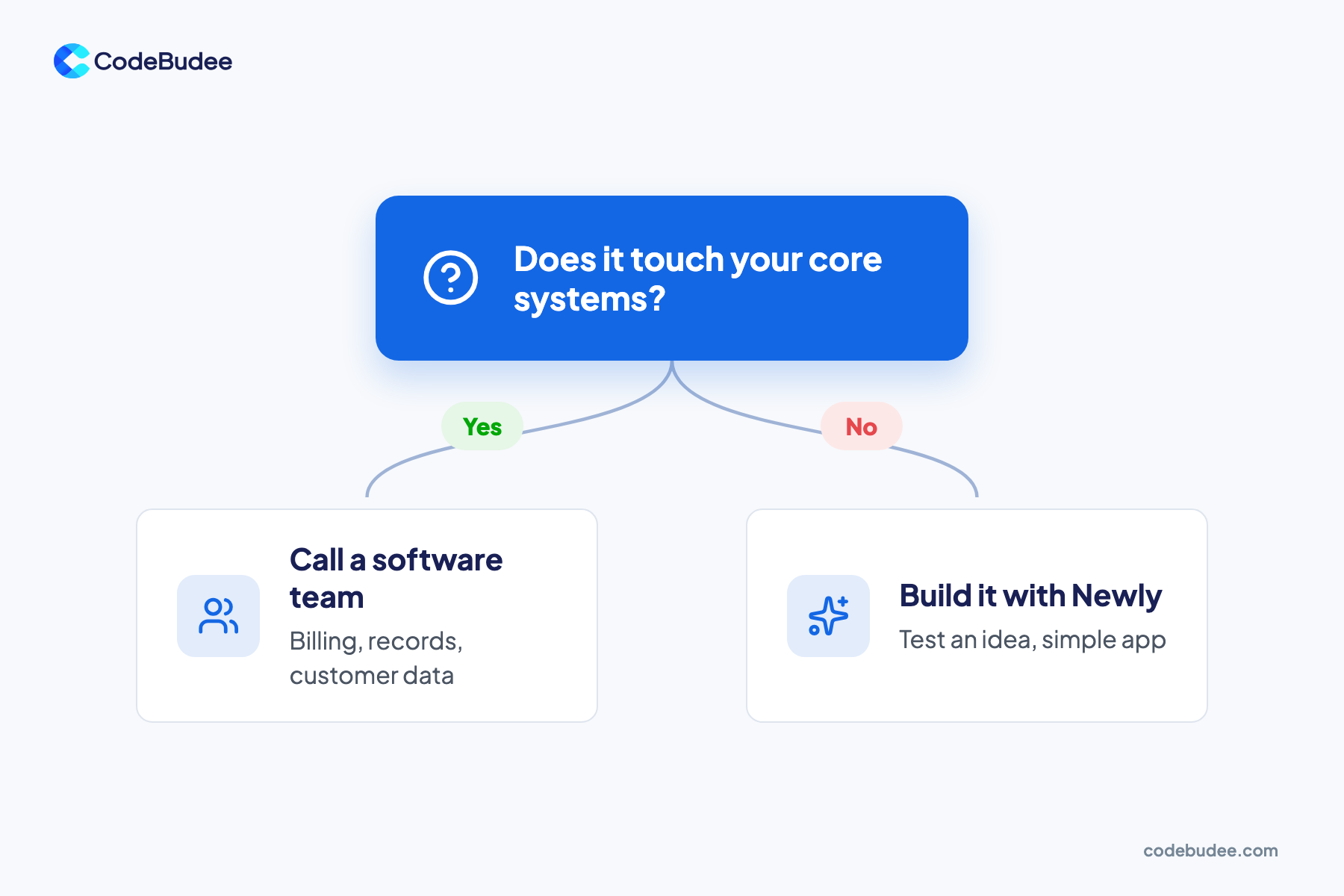
Use Newly to test an idea, launch a first version or run a simple app on its own. Call a software team when the app must connect to core systems or protect sensitive data. The same goes for an app that supports daily work for years. You can also use both, one after the other.
Use Newly when:
- You want to see your idea on a real phone soon.
- The app stands alone and does not need your accounting, ERP or booking system.
- A few user types are enough, such as customers and one admin.
- You want to learn what users like before a bigger spend.
- You want to make changes yourself, in plain words.
Call a software team when:
- The app must share data with systems you already run.
- It handles personal, health or payment data under privacy laws.
- Staff in many roles or branches depend on it every day.
- It must work offline in the field and sync later.
- You want a partner to plan, test, support and improve it for years.
Bottom line: ask one question. Does the app touch your core systems or your customers' private data? If not, start with Newly. If it does, bring in a software team, and use your Newly version to show them what you want.
Can you start with Newly and bring in a software team later?
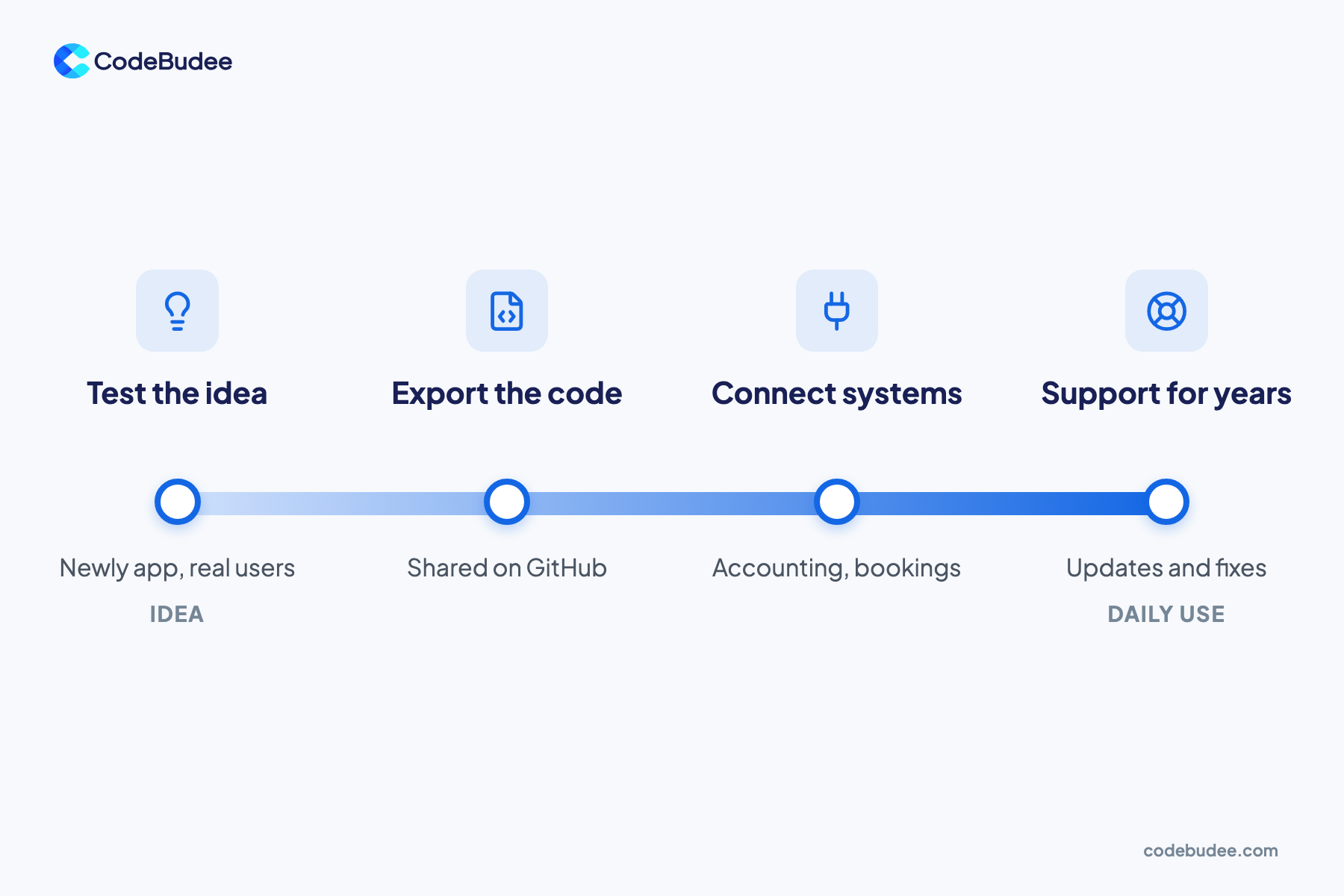
Yes. Newly lets you export the full source code, so a software team can read what you built. The team can keep the parts that work and add links to your systems. Then it makes the app ready for daily use. Your tested version also shows the team what users want, which saves guesswork.
Software teams use AI too. In the 2025 Stack Overflow Developer Survey, 84% of developers use or plan to use AI tools. So both routes use AI. The real choice is who designs, checks and supports the system.
Here is a simple handover:
- Prove the idea with your Newly app and real users.
- Write down what worked: the screens people used, the steps they skipped, the data they needed.
- Export the code to GitHub and share it with the team.
- Map your systems: list what the app must connect to, such as accounting or bookings.
- Agree the plan: the team decides what to keep, what to rebuild and how to support it.
Our guide on taking an MVP to production covers what to fix before real users arrive. When you are ready for the next stage, our custom mobile app development team can help you plan it.
Frequently asked questions
Can an AI app builder replace a software team?
For many simple apps, yes. An AI app builder can create, change and publish a standalone app with no code. A software team adds the most when the app must connect to other systems and protect sensitive data. It also helps when the app must run every day for years. You can also start with a builder and bring in a team as your needs grow.
How much does it cost to build an app with Newly?
Plans start at $25 a month, according to Newly's tutorial. Add the store fees: US$99 a year for Apple and a US$25 one-time fee for Google Play. Also budget for the time you spend testing and fixing. Check the Newly website for current plan details, because prices can change.
Do I own the code if I build with Newly?
Newly says you get full access to your app's source code. You can export it, change it and deploy it anywhere. That matters if you later work with a software team, because they can start from what you built. As with any tool, read the plan terms before you sign up.
How long does it take to launch an app on Google Play?
Google asks new personal developer accounts to run a closed test with at least 12 testers. The test must last 14 days in a row. Only then can you apply for production access, which makes the app public. The rule covers personal accounts created after 13 November 2023. So plan for at least two weeks between a finished build and launch.
Your next step
AI app builders like Newly make it easy to turn an idea into a working app. Use one to test, learn and launch simple apps. Some apps start to carry orders, records or private data. Those apps need the planning and support of a software team. You can use the two routes together.
If your app idea must connect to the systems you already run, let's talk it through. Book a free consultation to map out the right route for your business.
