
A facial chain had grown to 20 branches while bookings were still keyed in by hand. A standard booking tool did not fit how it takes bookings. When software does not fit how people work, the problem is often its user experience.
This guide explains user experience design in plain words, for the person who pays for the software. You will learn what it covers and what poor design costs. You will also see the signs to look for, and the questions to ask before your next build.
Key takeaways
- User experience design (UX design) shapes how easy your software is to use, from first click to done.
- The look of the screens is only one part. Steps, words, speed and error handling matter as much.
- In a 2025 WalkMe study, employees lost an average of 36 working days a year to technology frustrations.
- In 2000 Nielsen Norman Group research, a first test with five users found 85% of usability problems.
- Good UX starts with watching how your staff and customers work, before any screen is drawn.
What is user experience design?
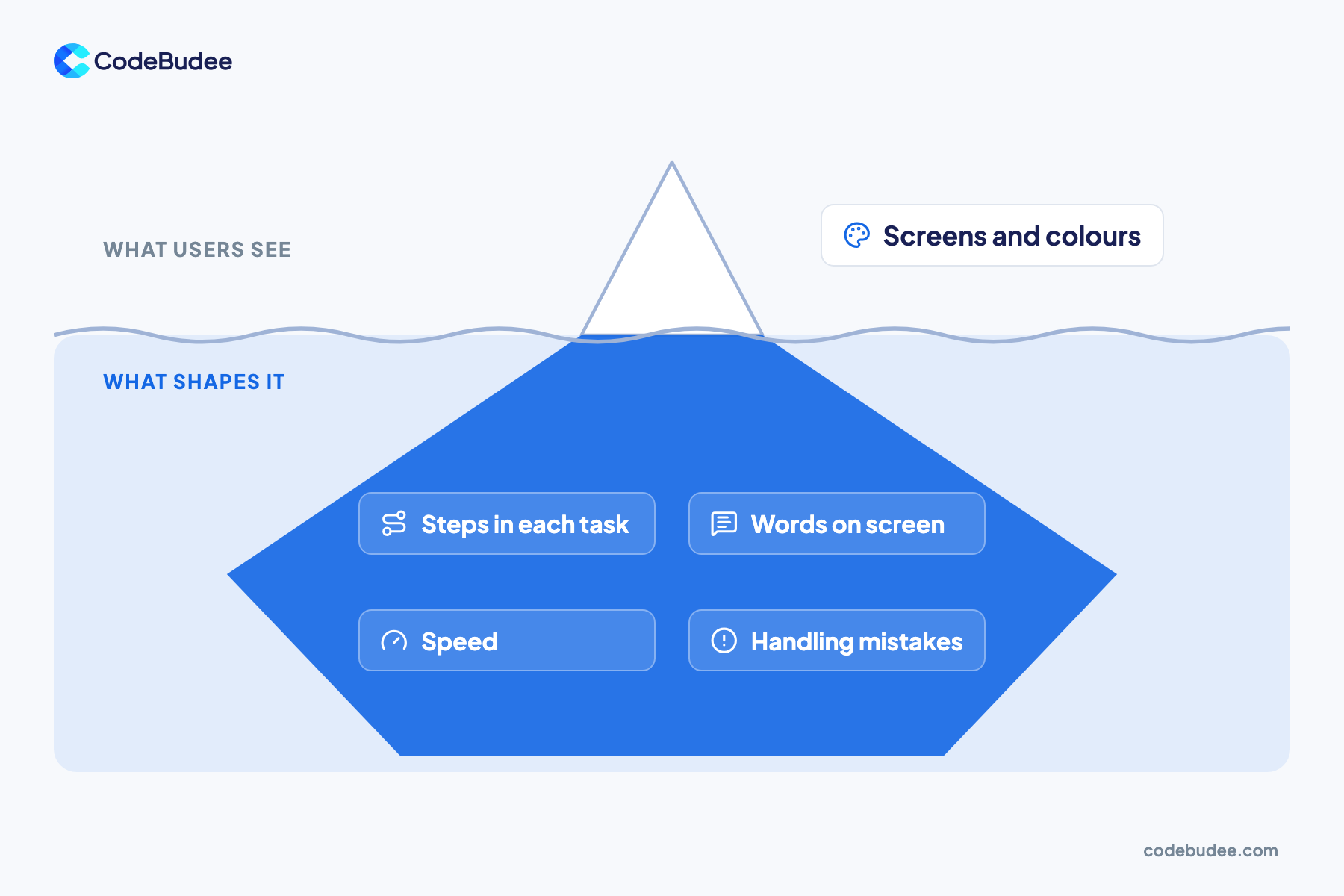
User experience design means making a product easy to use for the people who rely on it. It covers the whole journey. That means the steps in a task, the words on each screen, the speed, and how mistakes are handled. The goal is simple. People finish what they came to do, without help.
Nielsen Norman Group defines user experience as all of a person's dealings with a company, its services and products. So UX is wider than an app's screens. It includes how a booking flow feels and how clear an invoice is. It also covers how a staff tool fits the daily routine.
People often mix up UX and UI. UI means user interface: the buttons, colours and layout you see. UX is the whole experience, and the interface is one part of it. A good-looking screen can still have poor UX if a task takes ten steps instead of three.
Why does user experience design matter to your business?
Hard-to-use software costs you twice, which is why user experience design matters. Staff lose hours working around it, and customers leave before they pay. Both costs are easy to miss, since nobody files a report saying "the screen confused me". They show up as slow work, extra support calls and lost sales.
On the staff side, a 2025 WalkMe study surveyed 3,700 senior executives and employees. Employees wasted an average of 36 working days a year on technology frustrations. Enterprises lost over $104 million in 2024 from underused technology and poor productivity practices.
On the customer side, Baymard Institute's 2025 data puts the average online cart abandonment rate at 70.22%. Some reasons are about price or delivery. Others are design problems. In Baymard's survey of US online shoppers:
- 18% abandoned an order because the site wanted them to create an account.
- 17% abandoned it because checkout was too long or complicated.
- 17% abandoned it because the website had errors or crashed.
Baymard estimates the average large online store can gain a 35.26% increase in conversion rate through better checkout design. Conversion rate means the share of visitors who buy. The same thinking applies to a booking form, a quote request or a staff approval screen.
What are the signs your software has poor UX?
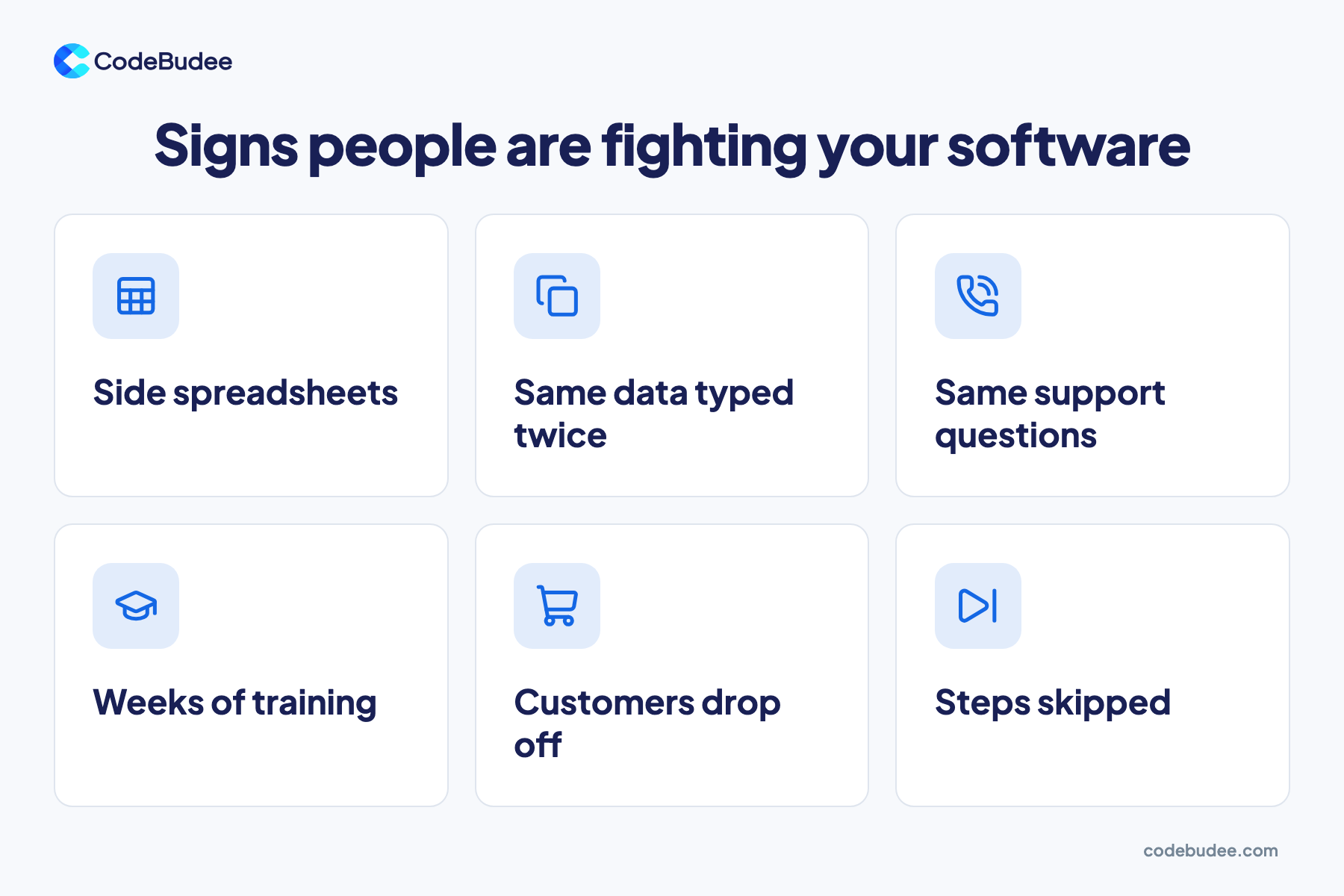
The clearest signs of poor UX are workarounds. Staff may keep a side spreadsheet, type the same data twice or skip steps. That means the software does not fit their work. When customers drop out halfway, or call to ask the same question, the design is in their way. You can spot most of these without design training.
Look for these six signs:
- Side spreadsheets: staff track things outside the system because it is quicker.
- Same data typed twice: a customer's details go into two screens or two systems.
- Same support questions: people keep asking how to do one task.
- Weeks of training: new staff need long training for simple daily jobs.
- Customers drop off: many start a booking, sign-up or checkout but never finish.
- Steps skipped: staff skip fields or checks because the flow is too slow.
One sign alone may only be a training gap. If a ready-made tool is the cause, read when no-code platforms fall short.
How does UX design work in a software project?
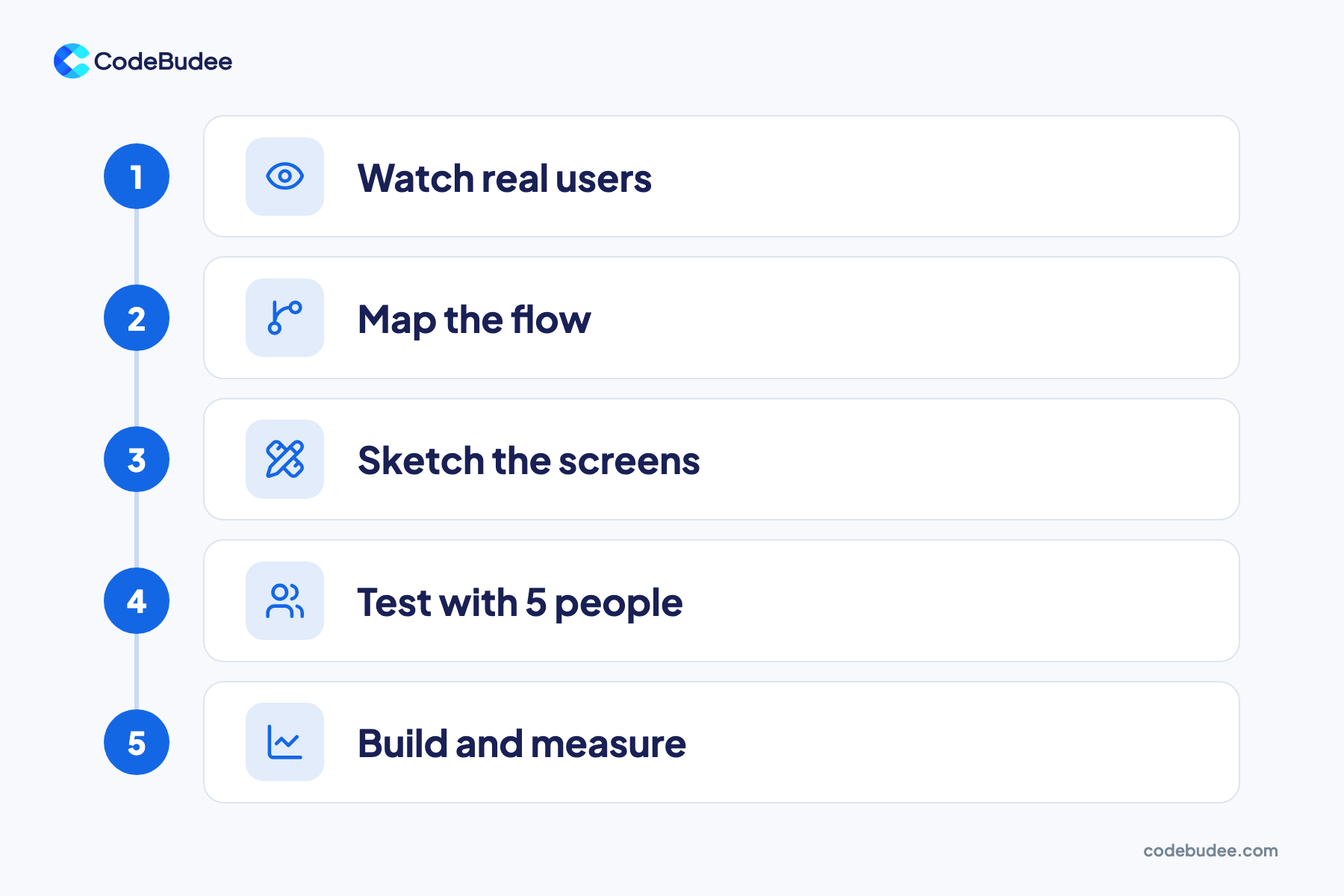
UX design in a software project follows a simple loop. You watch real users, map the flow and sketch the screens. Then you test with a few people, build and measure. Each step catches problems while they are still cheap to fix. Most of it happens before the main build, so it saves rework later.
- Watch real users: see how staff and customers do the task today, including the workarounds.
- Map the flow: write down each step, who does it and what information they need.
- Sketch the screens: draw simple screens for each step. Clickable sketches are called prototypes.
- Test with 5 people: ask a few real users to try the prototype while you watch quietly.
- Build and measure: build the tested design, then track where people still slow down or stop.
Small tests work better than you might expect. In Nielsen Norman Group's research from 2000, a first test with five participants found 85% of the usability problems. Usability means how easily someone can use a product. Fix those problems, then test again with a few new people.
What should you ask a software team about UX?

Ask any software team how they will learn the way your people work. Then ask how they will test the design before building it. A good team will want to meet your staff and customers. They will show you screens early. Then they will change them based on what real users do, not only what managers say.
Use these questions in your next meeting:
- Who will you talk to? The people who use the system daily, not only the managers.
- When will we see screens? Ask for clickable prototypes before the main build starts.
- How will you test them? Ask how many real users will try the design, and when.
- What happens on a phone? Check how each task works on a small screen.
- How will we know it works? Agree on a few measures, such as time per task or finished bookings.
- What happens after launch? Ask how the team will fix the slow spots users find.
A team that cannot answer these may still build software that works. But software that works and software that is easy to use are two different results.
How CodeBudee approaches this
We start with how your business works, then shape the software around it. For that 20-branch facial chain, we built a multi-branch booking website. Customers now book online themselves, instead of every booking being keyed in by hand. You can see it in our work.
Every project of custom web app development we take on starts with the people who will use it daily. For a closer look at bookings, see how a custom booking system helps service businesses.
Frequently asked questions
Is UX design only for apps that customers use?
No. Staff tools need it as much. A stock system, an approval screen or a field app gets used many times a day. Small delays add up across every person and every shift. Staff also cannot pick another tool, so poor design turns into workarounds and errors instead of complaints.
Can you fix the UX of an existing system?
Often, yes. Start by watching people use it and listing where they slow down or give up. Some fixes are small, such as clearer words, fewer fields or better error messages. Some problems come from how the system stores data or links to other tools. Then a deeper rebuild may be the better choice.
Does UX design add a lot to the cost of a project?
UX work is a normal part of building software well. Most of it happens early, in sketches and small tests. Moving a box in a sketch takes minutes. Changing a finished screen means new code and new testing. For what sets the total price, see how much custom software costs.
Can AI tools do UX design?
AI tools can draft screens and suggest layouts quickly, which helps with early sketches. But they do not know how your staff and customers work. That still needs watching real people and testing with them. An AI-built prototype is not a production system your business can depend on. See what to fix before real users arrive.
Your next step
Whether people can finish their work with your software, quickly and without help, comes down to user experience design. Look for the signs: side spreadsheets, double typing, repeat questions and customers who drop off. Then ask any team you hire how they will watch and test with real users.
If your staff or customers keep working around your system, book a free consultation. We can talk through where your current tools slow people down.
