

A key staff member is on leave, and a client calls with a question only they can answer. The answer is somewhere in a chat thread, an inbox or a shared drive. Nobody knows which one, so the client waits.
Knowledge management systems keep what your business knows in one place your team can search. This guide explains what these systems are and the common types. It shows when to buy a tool and when to build knowledge into the systems your staff already use. It also covers what AI changes, and how to get started.
Key takeaways
- A knowledge management system is software that stores what a business knows, so staff can find and reuse it.
- In a 2025 Coveo survey, employees said they spend about three hours a day searching for information.
- A standalone tool suits reference material that changes slowly, such as policies and how-to guides.
- Knowledge tied to daily records, like customer history, works best inside the system staff already use.
- AI search gives good answers only when the knowledge it reads is current, checked and owned.
What is a knowledge management system?
A knowledge management system is software that captures what a business knows and makes it easy to find. It holds documents, how-to guides, past decisions and answers to common questions. The aim is that staff find an answer in seconds, without waiting for the one person who knows.
Knowledge comes in two kinds. Explicit knowledge is written down, like a policy or a price list. Tacit knowledge lives in people's heads, like how a long-time client likes their reports. A good system captures both, so the know-how stays when a person leaves.
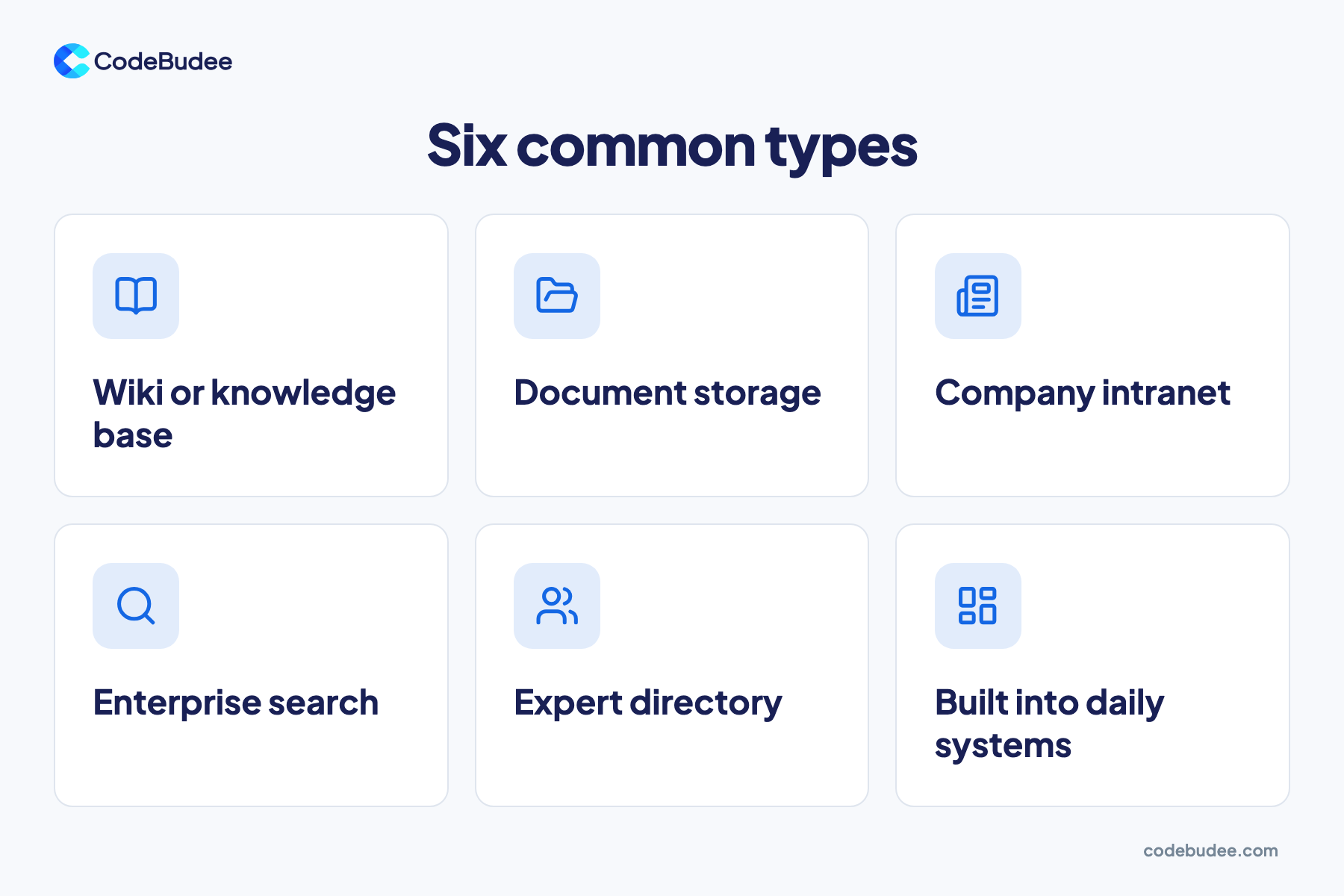
Common types of knowledge management system include:
- Wiki or knowledge base: pages of guides and answers that staff write and edit.
- Document storage: shared folders for files, with version history.
- Company intranet: an internal website for news, policies and forms.
- Enterprise search: one search box that looks across many tools at once.
- Expert directory: a list of who knows what, so staff ask the right person.
- Built into daily systems: notes and history kept on each customer or job record.
Many businesses use a mix of these. The question is which knowledge belongs where.
Why can't your team find what it already knows?
Teams struggle to find what they know because it is spread across too many places. Answers sit in chats, inboxes, shared drives and people's heads. Each new app adds one more place to look. Searching them all takes time, and the answer you find may be old or wrong.
Recent surveys show how much time this costs:
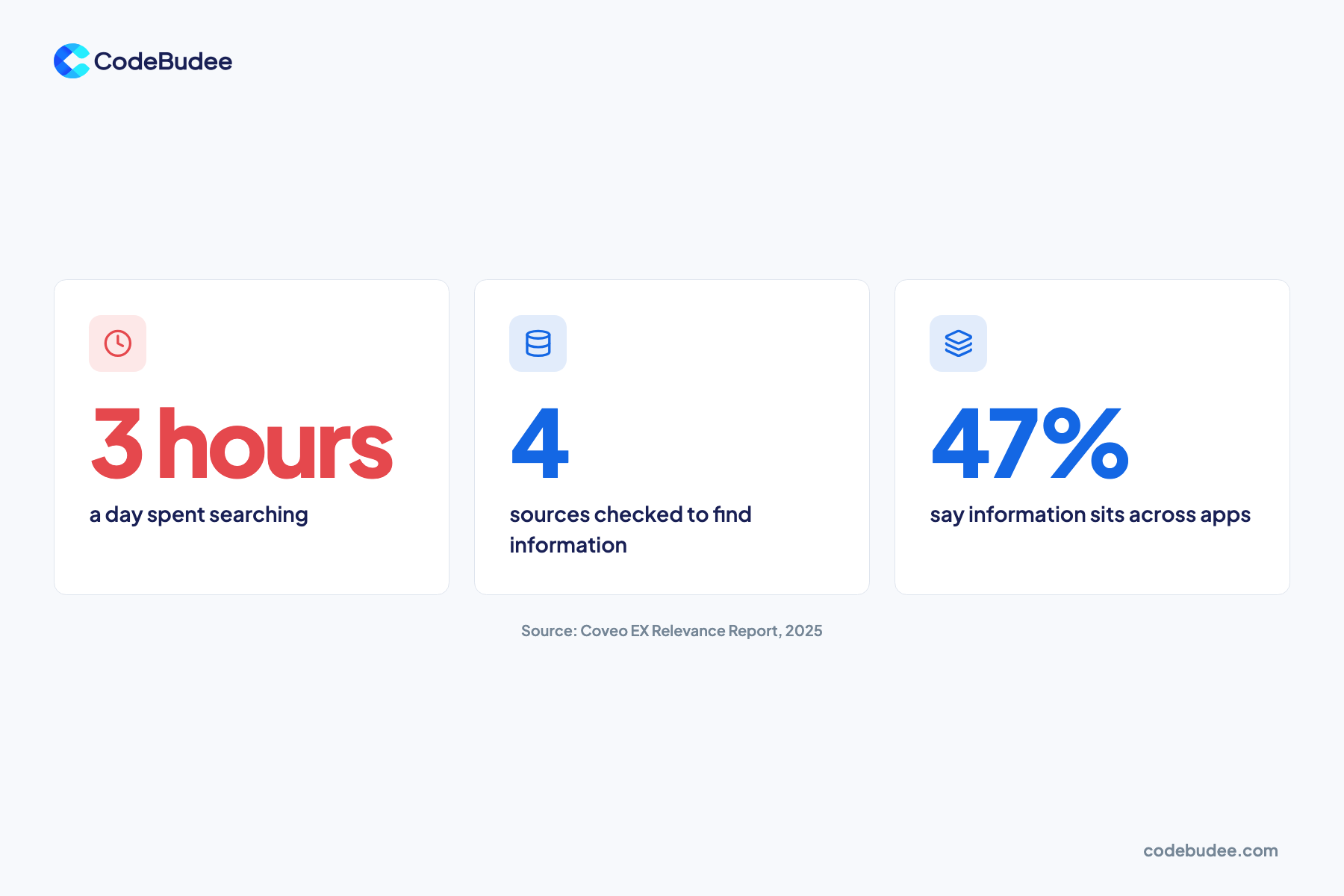
- Employees report spending an average of three hours a day searching for information. That figure comes from Coveo's 2025 EX Relevance Report. It surveyed 4,000 staff at large US and UK firms.
- In the same Coveo survey, staff searched four different data sources to find information. Also, 47% said what they need is stored across many apps, and 25% did not know where to begin.
- Atlassian's State of Teams 2025 surveyed 12,000 knowledge workers and 200 executives. It found leaders and teams waste 25% of their time searching for answers.
- In Microsoft's 2023 Work Trend Index, 62% of people said they spend too much time searching for information.
None of these surveys covers Malaysia alone, so treat them as a guide. The pattern still holds for most growing teams: more tools mean more places to look. Spreadsheets passed around by email add to it, because each copy can differ. See why businesses move from Excel to a web app.
Should you buy a knowledge tool or build knowledge into your systems?
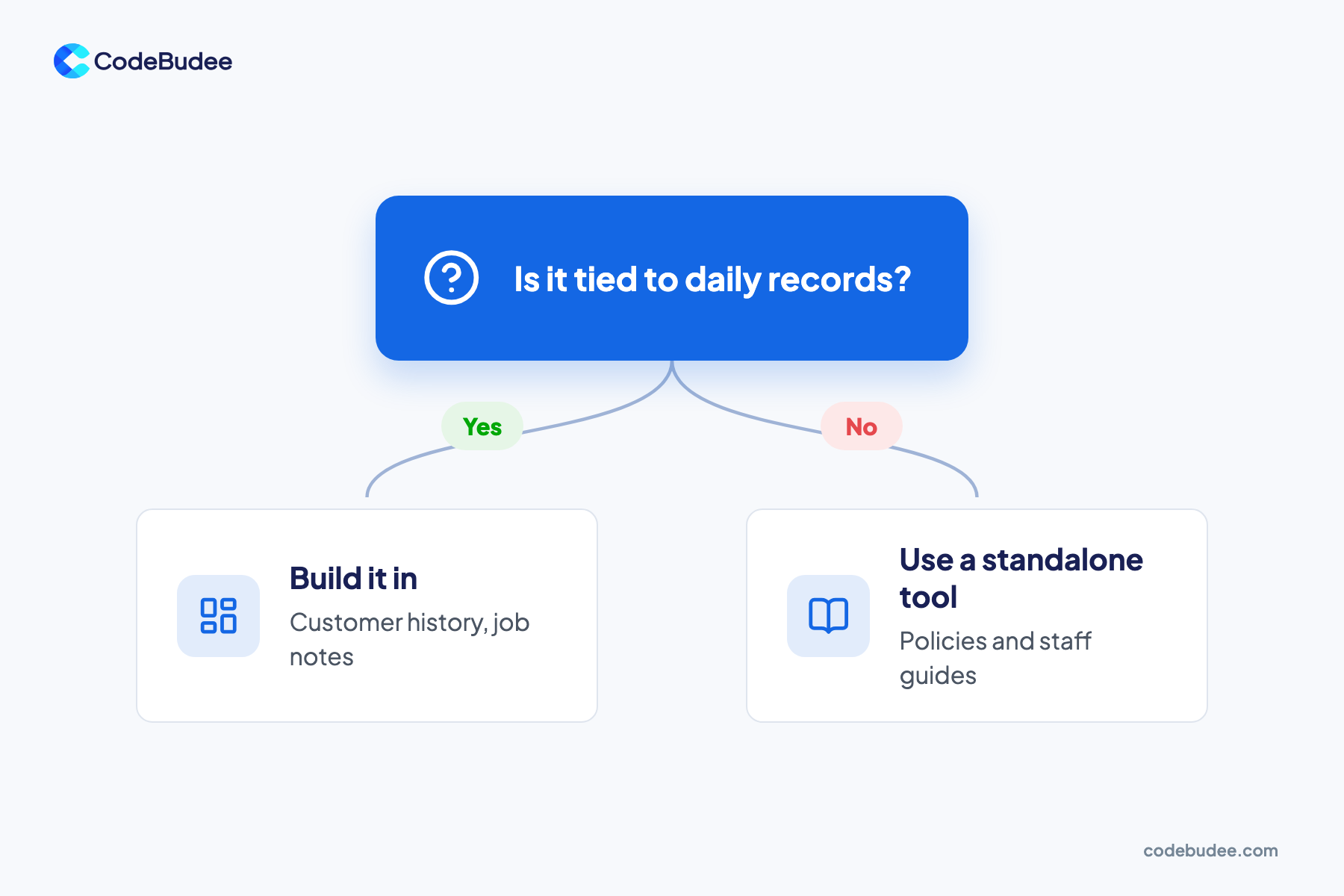
Buy a standalone tool when the knowledge is reference material that changes slowly, such as policies and how-to guides. Build it into your own system when it is tied to daily records, like customer history or job notes. Staff then find it where they already work, at the moment they need it.
Here is how the two compare:
- Standalone tool (wiki or knowledge base): quick to start, and fine for guides, policies and training. Staff must leave their main system to look things up. Pages also go out of date when nobody owns them.
- Built into your system: notes, files and history sit on the customer, job or property record itself. Staff add knowledge as part of the work, so it stays current. This needs a system you can change, which some off-the-shelf software does not allow.
Bottom line: keep reference documents in a standalone tool. Keep working knowledge inside the system where the work happens.
Here is a real example. In a property management system we built for an Australian agency, staff use a mobile app on site. They save signed agreements and move-in and move-out photos there, even with no wifi. That knowledge is captured during the work itself.
Your current tools may not hold this kind of knowledge. With custom web app development, you shape records, notes and search around how your team works.
How does AI change knowledge management?
AI lets staff ask a question in plain words and get an answer drawn from company documents. But AI is only as good as the knowledge it reads. If the source is scattered, old or wrong, the AI answer will be too. Clean, owned knowledge has to come first.
Most AI search tools use a method called RAG (retrieval-augmented generation). AWS explains that RAG points a large language model at a company's own knowledge base. It does this "all without the need to retrain the model". A large language model is the kind of AI behind chat tools like ChatGPT.
AI does not fix messy knowledge. In Coveo's 2025 survey, 49% of employees said they had seen AI hallucinations. A hallucination is an answer that sounds right but is false.
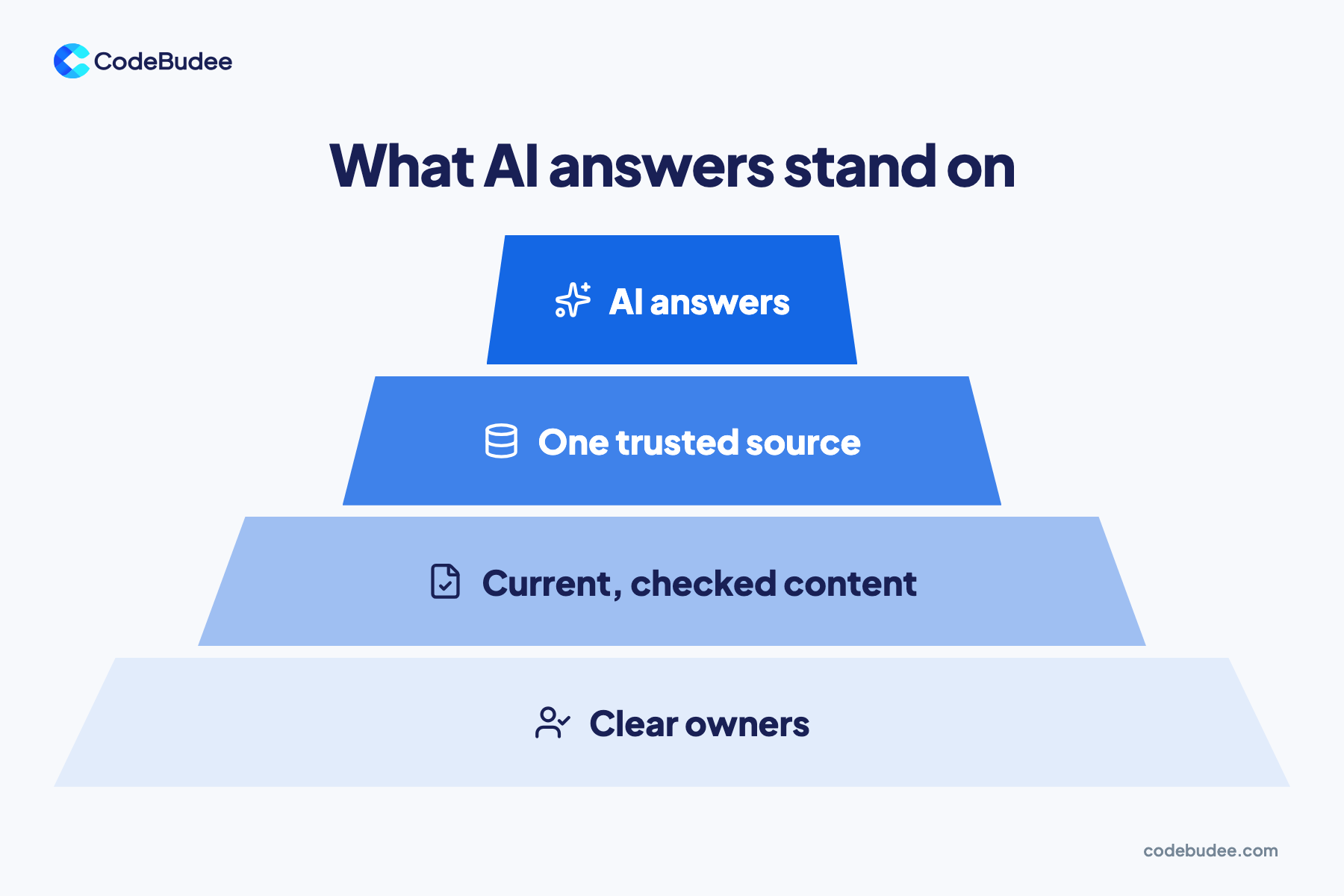
Before adding AI, check four layers, from the base up:
- Clear owners: each topic has a named person who keeps it right.
- Current, checked content: old pages are removed or updated.
- One trusted source: each answer lives in one place, not in five copies.
- AI answers: only now does AI search have something solid to read.
To check where you stand, see six signs your data is not ready for AI. For the build choice, read when to use RAG instead of training your own model.
How do you set up a knowledge management system?

Start small, with the questions staff ask most. Decide where each kind of knowledge should live and give each topic an owner. Then make adding knowledge part of daily work, and check whether people find answers faster. These steps work whether you buy a tool or build one in.
- List the top questions: ask each team for the questions they answer most often.
- Map where answers live now: note each chat group, drive, inbox and person that holds them.
- Sort the knowledge: reference documents go to a standalone tool. Working knowledge goes into your main system.
- Name an owner per topic: one person keeps each topic current and removes old pages.
- Capture knowledge during the work: add notes and files to the record as soon as the job is done.
- Review it monthly: look for questions that still go unanswered, and fill those gaps first.
Frequently asked questions
What is an example of a knowledge management system?
The most familiar example is a company wiki. Staff write guides and answers that others can search. Other examples include shared document storage, an intranet and an enterprise search tool. Knowledge can also live inside a business system. One case is notes and history on each customer record in a CRM. A CRM is the system that holds your customer details.
Is a knowledge management system the same as a document management system?
No, though they overlap. A document management system stores and controls files, with versions and access rights. A knowledge management system covers more. It also holds answers, how-to steps, who knows what, and know-how that was never a formal document. Many businesses use document storage as one part of their wider knowledge setup.
Can AI replace a knowledge management system?
Not on its own. AI search reads from your existing knowledge, so it needs a source that is current and checked. If two documents disagree, the AI may pick the wrong one. AI works best on top of a knowledge system with clear owners. Treat it as a better way to search.
Does a small business need a knowledge management system?
Yes, once key knowledge starts living in a few people's heads. Even a team of ten feels it when one key person is away. You do not need a big tool to start. A well-owned wiki, plus notes kept on customer records, covers most needs early on. Add more as the team and the number of tools grow.
Your next step
Where answers live matters more than the software you pick. Keep reference documents in one well-owned tool. Keep working knowledge on the records your team already uses. Then AI search has something solid to read.
If your team loses hours hunting for answers across many tools, book a free consultation. We can talk through where your knowledge lives today and what a connected system would look like.
