
Your board wants to know when the business will start using AI. You have a few ideas, and the tools look easy to try. Yet the AI will only be as good as the data it reads.
That data often lives in many places. Some sits in an old system, some in spreadsheets, and some in staff inboxes. Before you spend on AI, it pays to find out if your data is ready for it.
This guide explains what AI-ready data means in plain words. It gives you six signs to check this week. It also helps you decide whether to fix your data first or start AI now.
Key takeaways
- AI-ready data is data an AI can find, trust and read every day. Nobody has to tidy it by hand first.
- Few companies say their data is ready, so you are not alone if yours is not.
- Six simple signs show whether your data is ready. You can check most of them in a week.
- Fix your data first for any task where a wrong answer costs money or upsets a customer.
- Connecting your systems pays off before any AI is switched on, because staff stop typing the same data twice.
What does AI-ready data mean?
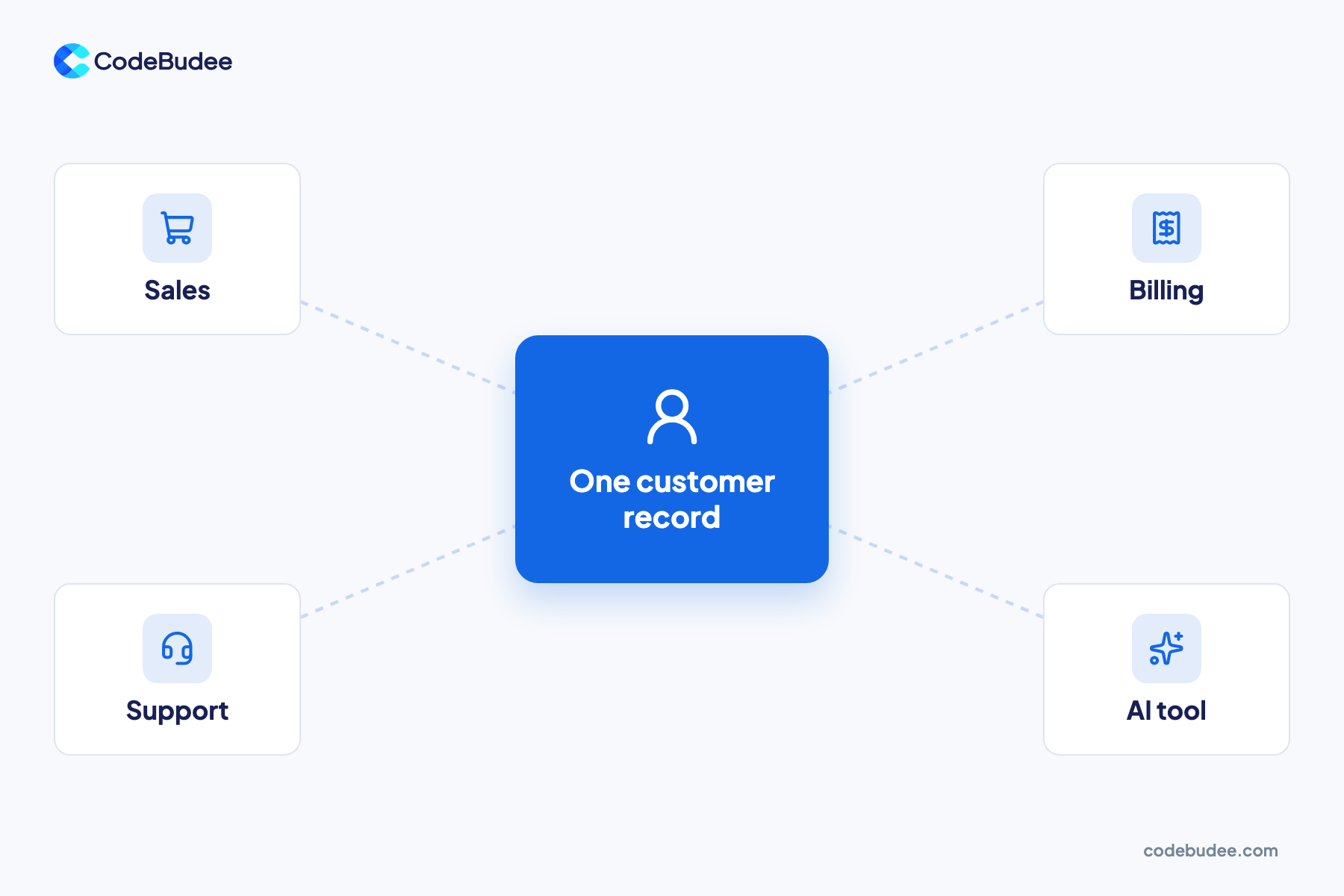
AI-ready data is business data that an AI tool can find, trust and read every day. Each record lives in one agreed place. It is complete, up to date and owned by a named person. Systems share it with each other. Nobody has to copy it by hand before the AI can use it.
A few terms first. An AI model is the part of an AI tool that reads data and gives answers. A data silo is data that other systems cannot see, like a spreadsheet on one laptop.
Many firms are not sure where they stand. Gartner surveyed 1,203 data management leaders in 2024. Of these, 63% lacked the right data practices for AI or were unsure. Gartner published the result in 2025.
How many companies have AI-ready data today?
Few companies say their data is ready for AI. Surveys of data leaders keep finding the same gap. Most firms want AI, yet only a small share trust their data enough to build on it. That is why data is one of the top things holding AI projects back.
A study by Precisely and Drexel LeBow asked over 565 data and analytics staff in 2024. Only 12% said their data had the quality and access needed for AI. Also, 67% said they did not fully trust the data they use for decisions.
Data leaders name the same problem. Informatica's CDO Insights 2025 surveyed 600 chief data officers. Data and technology tied as the top obstacles to moving generative AI pilots into production, at 43% each. Generative AI means tools that write text or answers, like ChatGPT. A pilot is a small trial.
What are the signs your data is not ready for AI?
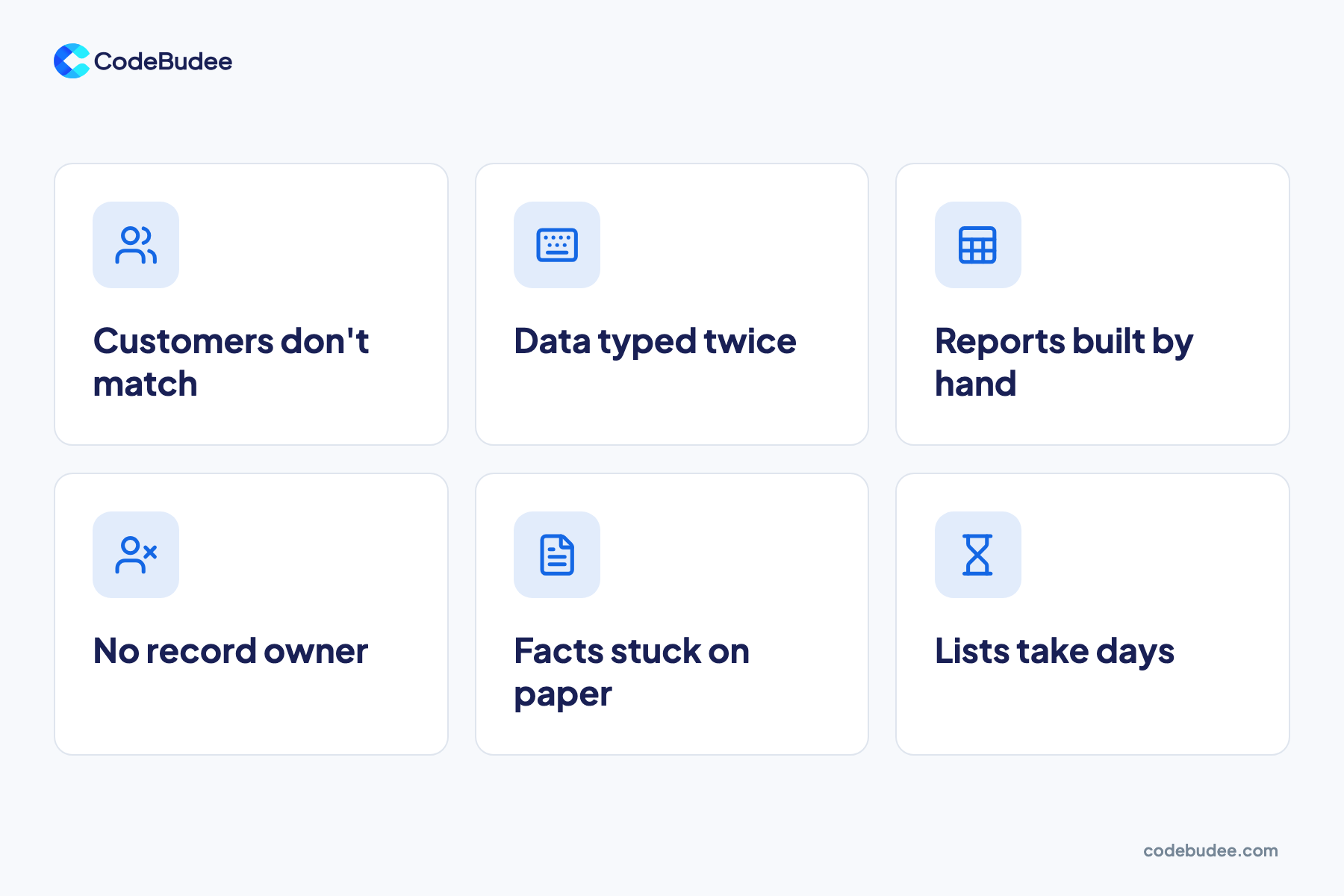
Data is not ready for AI when staff type the same details twice, or build reports by hand. Other signs are records with no owner and key facts kept on paper. Each sign means an AI would read gaps, copies or old facts, and give wrong answers.
Check your business against these six signs:
- The same customer looks different in two systems. The address or phone number does not match.
- Staff re-type data. An order is keyed into one tool, then typed again into another.
- Reports are built by hand in Excel. Someone spends hours each month joining files from different systems. Here is why teams move from Excel to web apps.
- Nobody owns a type of record. When two prices disagree, no one can say which one is right.
- Key facts live on paper or in inboxes. Signed forms, notes and approvals never reach a system.
- A clean list takes days. Asking for "all active customers" starts a long hunt.
Disconnected tools are common, even in large firms. The 2025 MuleSoft Connectivity Benchmark found the average large company runs 897 apps. Only 29% of them are connected to each other.
Should you fix your data first or start AI now?
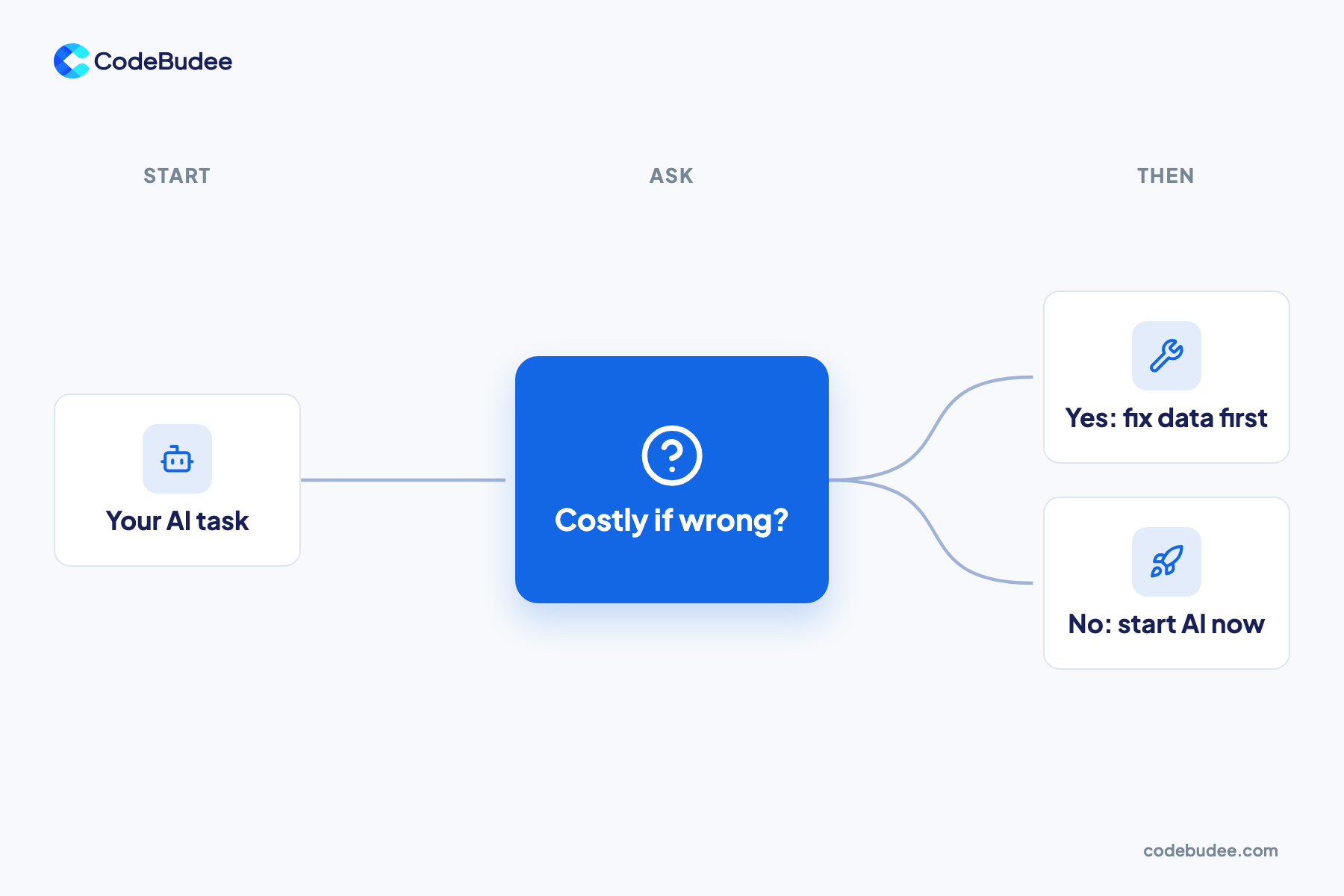
Fix your data first when the task needs data from several systems. Do the same when a wrong answer costs money. Start AI now only for small, low-risk tasks that read one clean source. When two files disagree, the AI has no way to know which one is right.
Option A: start AI now on the data you have
- Quick to try with tools you may already pay for.
- Fine for low-risk jobs, like drafting emails from your own notes.
- Answers change when two files disagree, and nobody knows which file is right.
Option B: connect and clean the data, then add AI
- Takes longer to start, because systems must be linked first.
- Each detail is typed once, so the AI reads one true version.
- Pays off before any AI, because staff stop re-typing data.
Many leaders already feel the cost of scattered tools. In the IBM 2025 CEO Study, half of 2,000 CEOs said fast spending left them with disconnected, patchy technology.
Bottom line: use Option A to learn on low-risk tasks. Choose Option B for any task your business will depend on.
How do you get your data ready for AI?

Get your data ready one task at a time. Pick a task, map where its data lives, then connect and clean only that data. Name an owner for each record type so it stays clean. Then test the AI on real data from your systems, not a tidy sample.
- Pick one task: Choose a job where a right answer saves real hours, like answering order questions.
- Map the data: List every system, spreadsheet and paper form the task needs.
- Connect it: Link those systems so each detail is typed once. Systems share data through an API (a way for two systems to talk to each other).
- Clean it: Fix copies, blanks and old records, starting with the ones this task uses.
- Name owners: Give each record type one person who decides what is correct.
- Test on live data: Run the AI on real data from your systems before you scale.
This work protects the AI budget. Gartner predicts that through 2026, firms will abandon 60% of AI projects that lack AI-ready data. CEOs see the link too. In the same IBM study, 68% called a connected, company-wide data setup critical for teams working together.
Connecting systems often means building something new. That is where custom web app development fits: one system shaped around how your team works.
How CodeBudee approaches this
CodeBudee builds new connected systems, with AI designed in from the start when it is needed. We don't add AI to software someone else built. We start by learning how your team works day to day.
Take a Malaysian moneylender we worked with. Their dated off-the-shelf system could not be changed. Reports the law requires took about a week, by hand, in Excel.
We built them a custom loan management platform. Those reports went from about a week to instant. About 10 hours a week of manual re-entry went away.
Clean, connected records like these are what any later AI feature would read. You own the code we write, so you decide what gets built next. You can see more in our work.
Frequently asked questions
How long does it take to get data ready for AI?
It depends on how many systems hold the data and how messy they are. One task with two or three systems is a much smaller job than a whole company.
Start with one task and map its data first. That map shows the real size of the work. It also gives you a fair base for any quote.
Can AI clean our data for us?
Some AI tools can help find copies and gaps in your data. They still need people to decide which version is correct.
Only your own staff know which customer address or price is the true one. So name an owner for each record type before you hand any clean-up to a tool. Then check a sample of its changes by hand.
Who should own the data in our business?
Your business should own it, not only your IT team. Give each type of record one named owner who knows what "correct" means.
An outside build partner can connect and clean your systems. Your own people still decide which record wins when two systems disagree.
How much should we budget for data work?
Treat the data work as its own line in the plan, apart from the AI build. Ask for an itemised quote with no hidden costs.
Cost depends on how many systems you link and how much clean-up they need. For a wider view, read our cost-benefit guide to custom software.
Your next step
Every AI project stands on the data it reads. Before you buy an AI tool, check your business against the six signs. Pick one task, map its data, and fix what the map shows. Connected, clean records save staff time on their own, and they make every later AI project safer.
Book a free consultation to talk through your data and your first AI task.
