
Your new AI agent can read emails, look up customer records and issue refunds. That is the point of it. But once an agent can act, a trick played on it becomes an action in your business. When a chatbot gets fooled, it says something odd. An agent that gets fooled can send data or move money.
Most companies are moving faster than their safeguards. Okta's Businesses at Work 2026 report found 91% of organisations already use AI agents. Only 10% have a well-developed strategy to manage them. This guide explains the main risks in plain words, and the six controls to build in before launch.
Key takeaways
- AI agent security means controlling what an agent can see, what it can do and who checks its work.
- The biggest risks are tricks hidden in outside content, and agents with more access than they need.
- Six controls cover the main risks. Give each agent its own identity, least access, human approval, logs and an off switch. It should also distrust outside content.
- A custom-built agent lets you set these controls yourself. A ready-made one leaves them to the vendor.
What is AI agent security?
AI agent security is the set of controls that limit what an AI agent can see and do. An AI agent is software that uses an AI model to take steps on its own. It might reply, update records or make payments. Security makes sure each step stays within the rules your business sets.
Normal software follows fixed rules written by a developer. An agent decides its next step from the words it reads. That makes it flexible, and it also makes it easier to mislead.
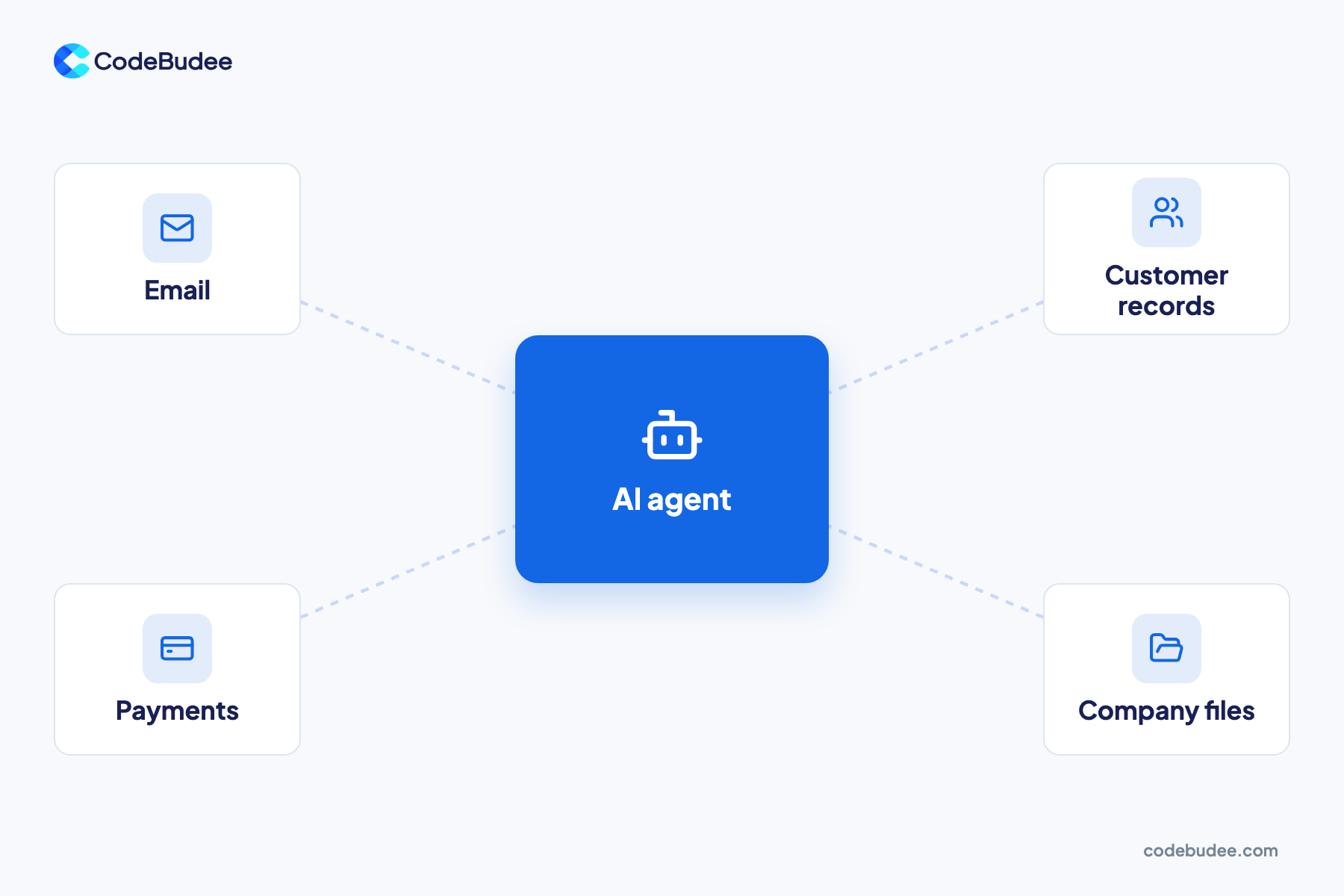
Every system an agent connects to is a door. Email, customer records, payments and company files each need their own lock. The more doors an agent can open, the more harm one mistake can do.
What are the biggest security risks of AI agents?
The biggest risks are hidden instructions in content the agent reads. Agents that hold more access than the job needs come next. Others include leaked passwords, staff using AI tools nobody approved, and missing records of what the agent did. Each one turns a small mistake into a real business problem.
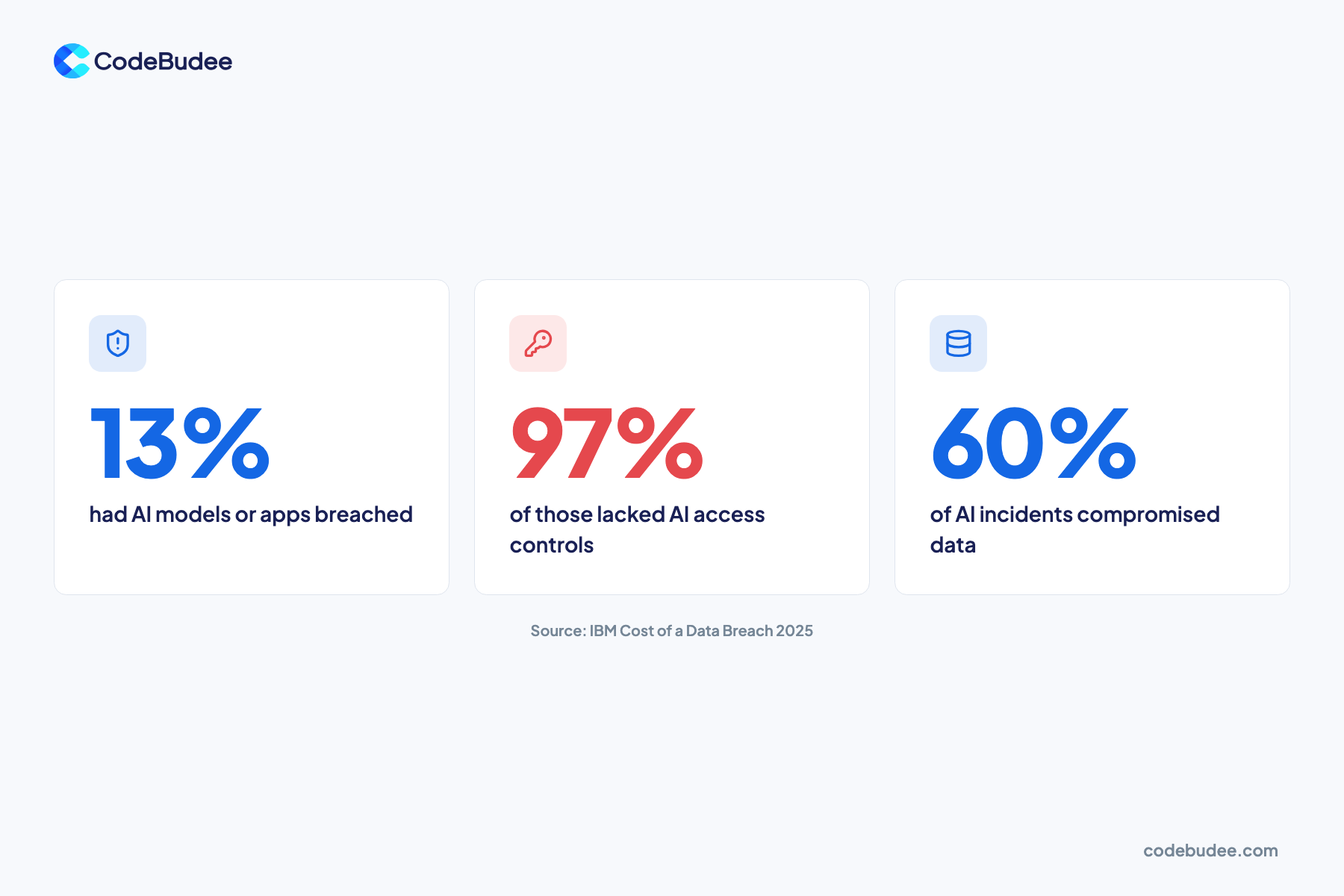
Real damage is already showing. In IBM's Cost of a Data Breach Report 2025, 13% of organisations reported breaches of AI models or applications. Of those, 97% had no AI access controls in place.
IBM also found 60% of these AI incidents led to compromised data. And 31% led to disruption of daily operations. Staff using AI tools without approval also cost money. Organisations with high levels of this "shadow AI" saw breach costs about $670,000 higher on average.
How does prompt injection trick an AI agent?
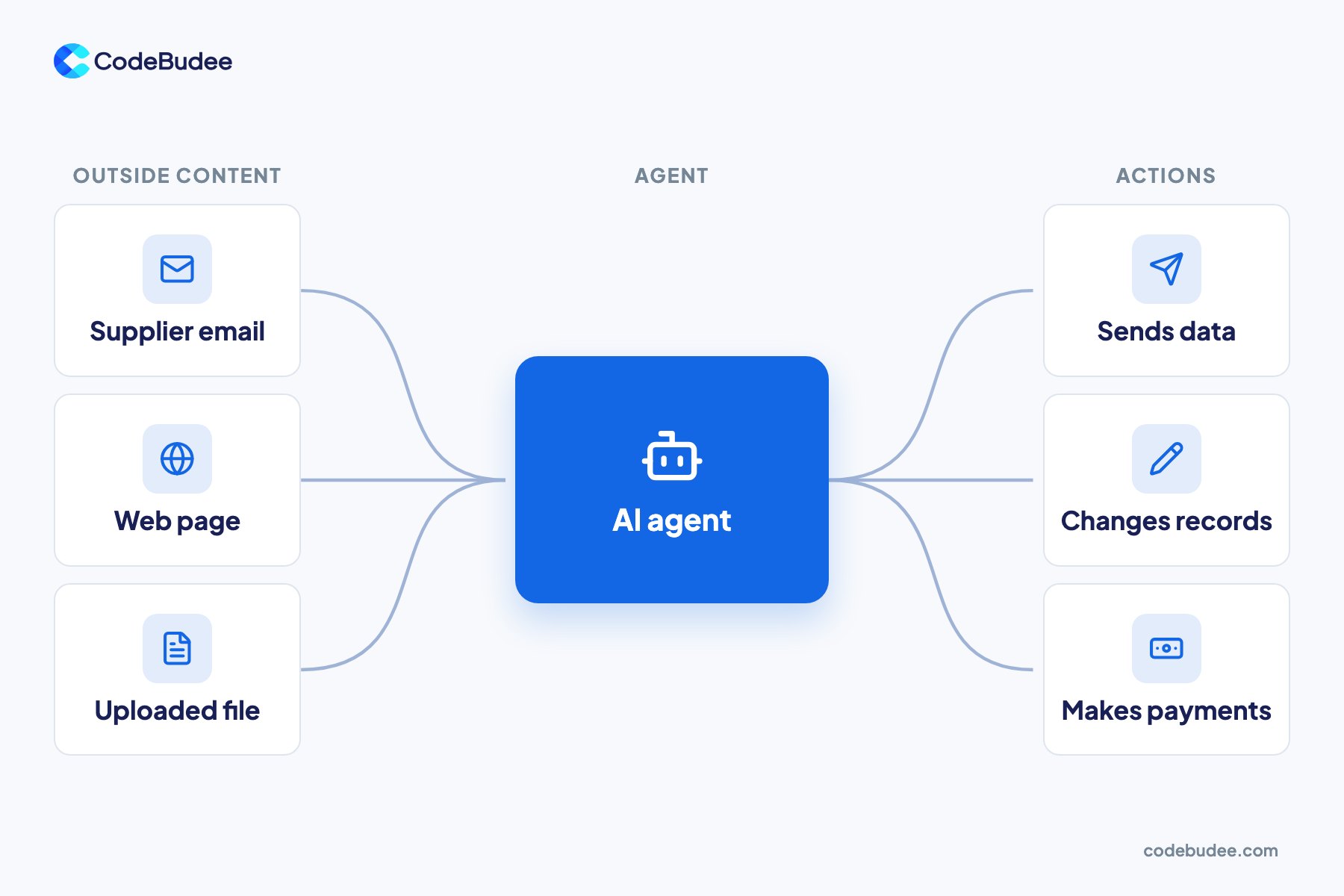
Prompt injection means hiding instructions in text an AI reads. The AI then follows them instead of yours. With an agent, those instructions can come from a supplier email, a web page or an uploaded file. The agent cannot always tell your orders apart from text it simply reads.
Security group OWASP ranks prompt injection first in its Top 10 for LLM Applications for 2025. OWASP is a non-profit that publishes free security guidance. It describes two kinds:
- Direct: a user types instructions into the agent that change how it behaves.
- Indirect: the agent reads outside content, such as a website or file, that carries hidden instructions.
Here is a simple example. An agent reads incoming supplier emails to update payment details. One email hides a line telling it to change a bank account number. If the agent can make that change alone, the trick works.
Which 6 controls should every AI agent have?

Every AI agent needs six controls. They are its own identity, least access, human approval for risky actions and distrust of outside content. Add a log of every action and a quick off switch. Together these limit what a mistake or a trick can do, even when the agent is fooled.
- Its own identity: give the agent its own account, not a staff login. Then you can see and limit exactly what it does.
- Least access needed: let it reach only the systems and records the task needs. Read-only access is safer wherever it is enough.
- Human approval: ask a person to approve high-impact actions, such as payments or bank detail changes. OWASP's guidance on excessive agency recommends this step.
- Distrust outside content: treat emails, web pages and files as data, never as orders. Keep them apart from the agent's instructions.
- Log every action: record each tool the agent used, what it changed and why. Logs let you find and fix problems fast.
- Quick off switch: make sure one person can pause the agent and remove its access in minutes.
OWASP names three root causes when agents do damage. They are too many functions, too many permissions and too much freedom. The six controls above trim all three.
Is a bought AI agent safer than one you build?
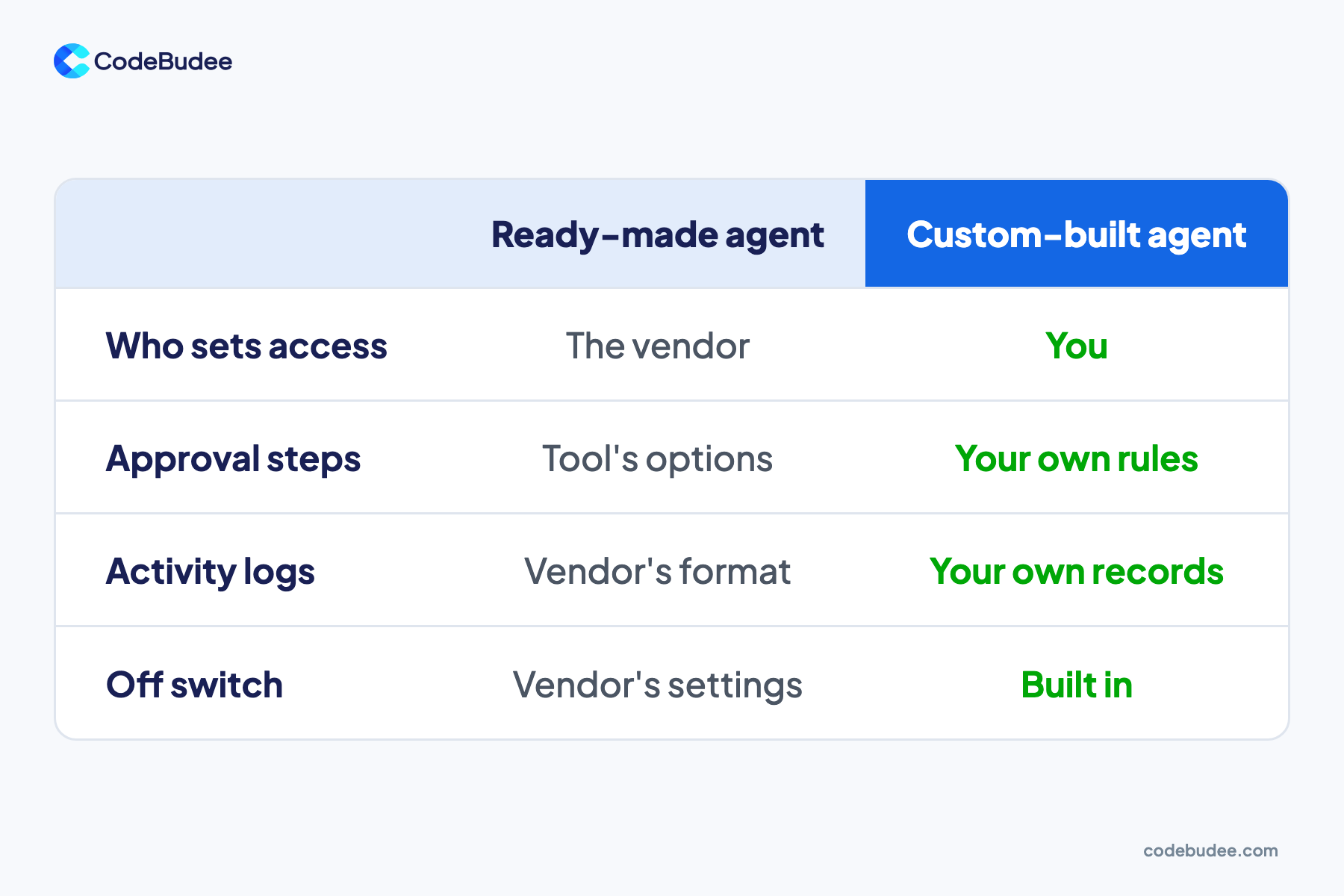
A bought AI agent is not automatically safer or riskier than one you build. The difference is who sets the controls. With a ready-made agent, you use the access limits, approval steps and logs the vendor offers. With a custom-built agent, you design those controls around your own systems and rules.
Ready-made agents suit simple jobs inside one product, such as answering questions in a help desk. Check what the vendor lets you control before you connect it to anything important.
A custom build makes sense when the agent must act across several of your systems. Then you can add approval steps where your business needs them, and keep the logs yourself. Our guide to what an AI agent costs covers the build and upkeep side of that choice. When the agent works across your systems, plan these controls into its design from the start. That is part of custom web app development.
What should you do if an AI agent goes wrong?
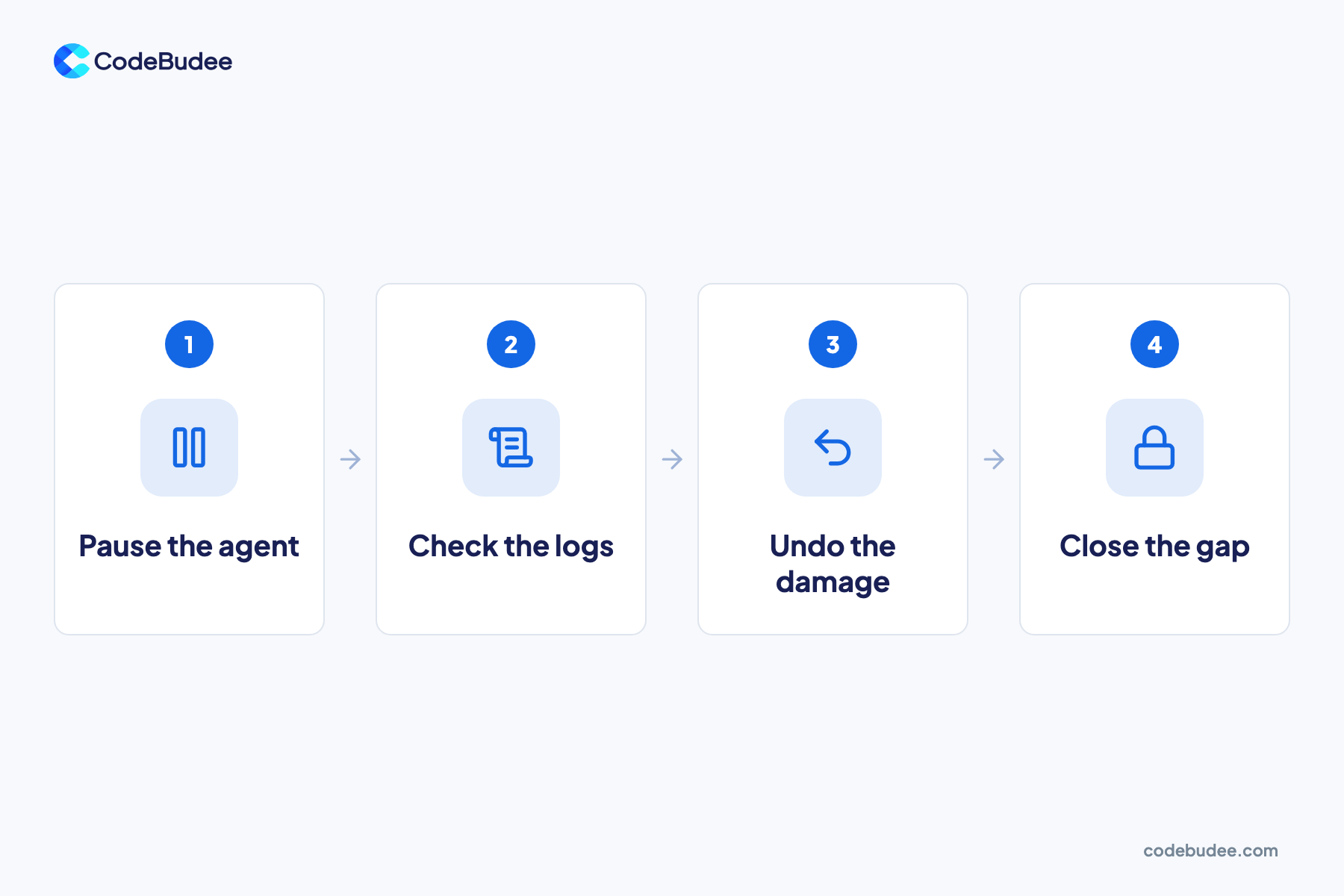
If an AI agent goes wrong, stop it first, then find out what happened. Pause the agent and remove its access. Check its logs to see what it read, changed or sent. Then fix the cause, such as too much access, before you switch it back on.
Work through these steps in order:
- Pause the agent and revoke its keys and passwords.
- Check the logs for every action it took in the affected period.
- Undo the damage, such as reversing a payment or restoring changed records.
- Close the gap that let it happen, then test again before restarting.
If personal data leaked, you may also have a legal duty to report it. Our guide to what a data breach is covers the first steps and the reporting rules. Cloud tools add their own gaps, explained in our guide to cloud data protection.
Frequently asked questions
How secure are AI agents?
An AI agent is only as secure as the controls around it. The AI model itself can be fooled. Safety comes from limits on what the agent can reach and do. An agent with read-only access and human approval for payments is far safer than one with full access. Judge an agent by its controls, not its model.
Can prompt injection be fully prevented?
Not fully, with today's AI models. OWASP notes that the way AI models work makes prompt injection hard to rule out completely. That is why the other controls matter. With limited access and approval for risky actions, a successful trick does far less harm.
Do small businesses need to worry about AI agent security?
Yes. A small business may link an agent to email, accounts and customer data. Often fewer people watch it. One wrong payment or leaked file can hurt more when margins are thin. Start with three basics: least access, human approval for payments and a log of every action.
Your next step
AI agents can save real time, but only when their access matches their job. Give each agent its own identity and the least access it needs. Add human approval for risky actions, keep logs and make sure you can switch it off fast.
Book a free consultation to talk through building an AI agent with these controls from the start.
