
A staff member leaves, and three weeks later their login still works. Finance pays for software nobody can name. A laptop goes missing, and no one knows what was on it. IT management software exists to stop these gaps, but it only covers part of the job.
This guide explains what IT management software is and which tools to set up first. You will also see what goes wrong without it, and where off-the-shelf IT tools stop. That last part matters most for growing businesses.
Key takeaways
- IT management software is a family of tools that track, fix and protect your devices, accounts and software.
- Start with an asset inventory. You cannot patch, support or secure what you have not listed.
- Software now spreads across teams. Zylo found business teams outside IT control 70% of SaaS spend.
- IT tools manage IT. The costly gaps often sit between IT tools and your HR, finance and approval systems.
What is IT management software?
IT management software is the set of tools a business uses to run its technology. It tracks devices and licences, handles staff requests, watches systems for problems and keeps software updated. Some products do one job well. Others bundle several jobs into one platform for a single IT team.
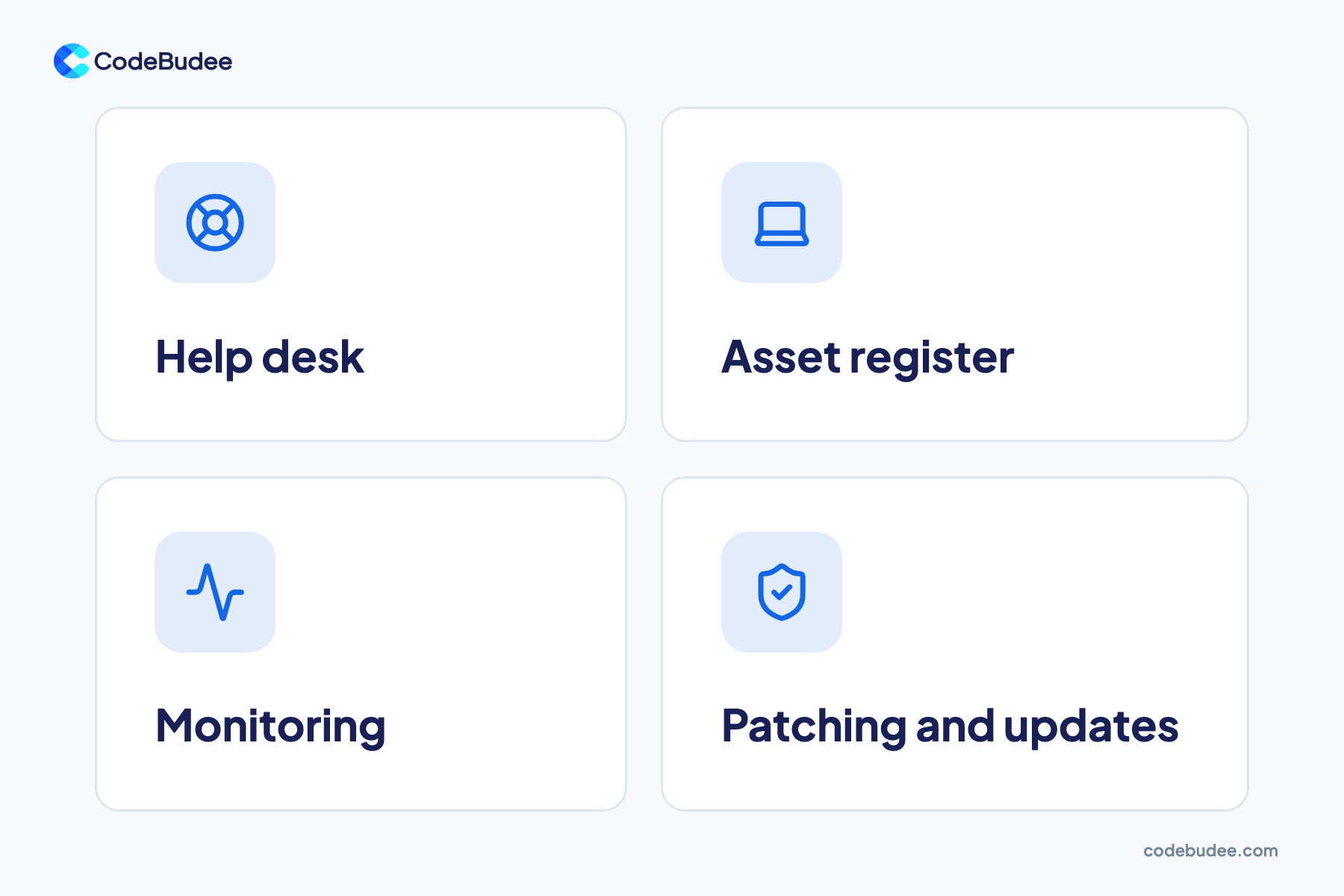
Most tools fall into four groups:
- Help desk: staff log problems and requests as tickets, so nothing gets lost in chat or email.
- Asset register: a list of every laptop, phone, server and software licence, and who has it.
- Monitoring: tools that watch servers, networks and apps, and alert someone when they fail.
- Patching and updates: tools that push security fixes to every device on a schedule.
You may also hear the term ITSM (IT service management). It means running IT as a set of services for staff, with clear requests, approvals and response times. Help desk software is usually where ITSM starts.
Why does a growing business need it?
A growing business needs IT management software because tools, devices and accounts multiply fast. Soon nobody can track them by hand. Each new hire adds a laptop and a dozen logins. Each team buys its own apps. Without one place to see it all, money leaks and security gaps open.
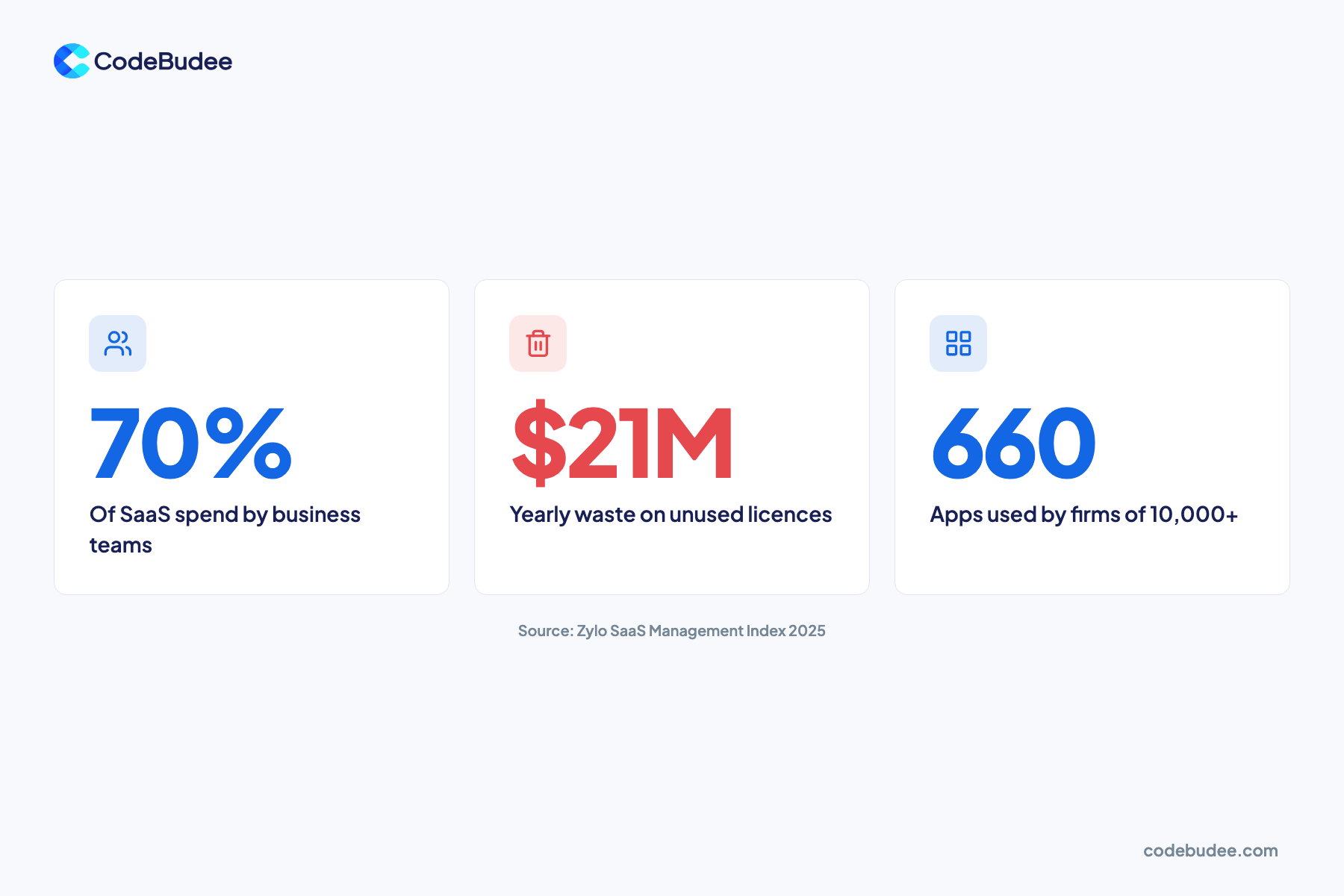
The numbers show how fast software spreads. The Zylo 2025 SaaS Management Index found SaaS spend averaged $4,830 per employee. That was a 21.9% rise in one year. Business teams outside IT now account for 70% of SaaS spend, while IT handles 26.1%.
Much of that spend is wasted. The same report found companies lose an average of $21M a year on unused SaaS licences. Smaller companies use 152 apps on average. Large enterprises with 10,000+ staff use 660.
Even a 50-person company can lose track of who pays for what. You do not need hundreds of apps to feel this. Our guide to cloud data protection shows the security jobs that stay with you in cloud tools.
What goes wrong without it?

Without IT management software, problems stay hidden until they cost you. Devices miss security updates. Old accounts stay open after staff leave. Licences renew for tools nobody uses. When something breaks, nobody knows which system it touches. Each gap is small alone, but together they raise your risk and your bills.
Missed updates are a fast-growing risk. Verizon's 2025 Data Breach Investigations Report found that exploitation of vulnerabilities rose by 34%. A vulnerability is a known weak spot in software that a patch would fix. The same report found third-party involvement in breaches doubled to 30%.
Old devices add to the risk. Microsoft ended support for Windows 10 on 14 October 2025. Those computers no longer get security updates. Without an asset register, you cannot easily tell how many of your laptops still run it.
If a gap does turn into a leak, the clock starts. Our guide to what a data breach is covers the first steps.
Which IT management tools should you set up first?
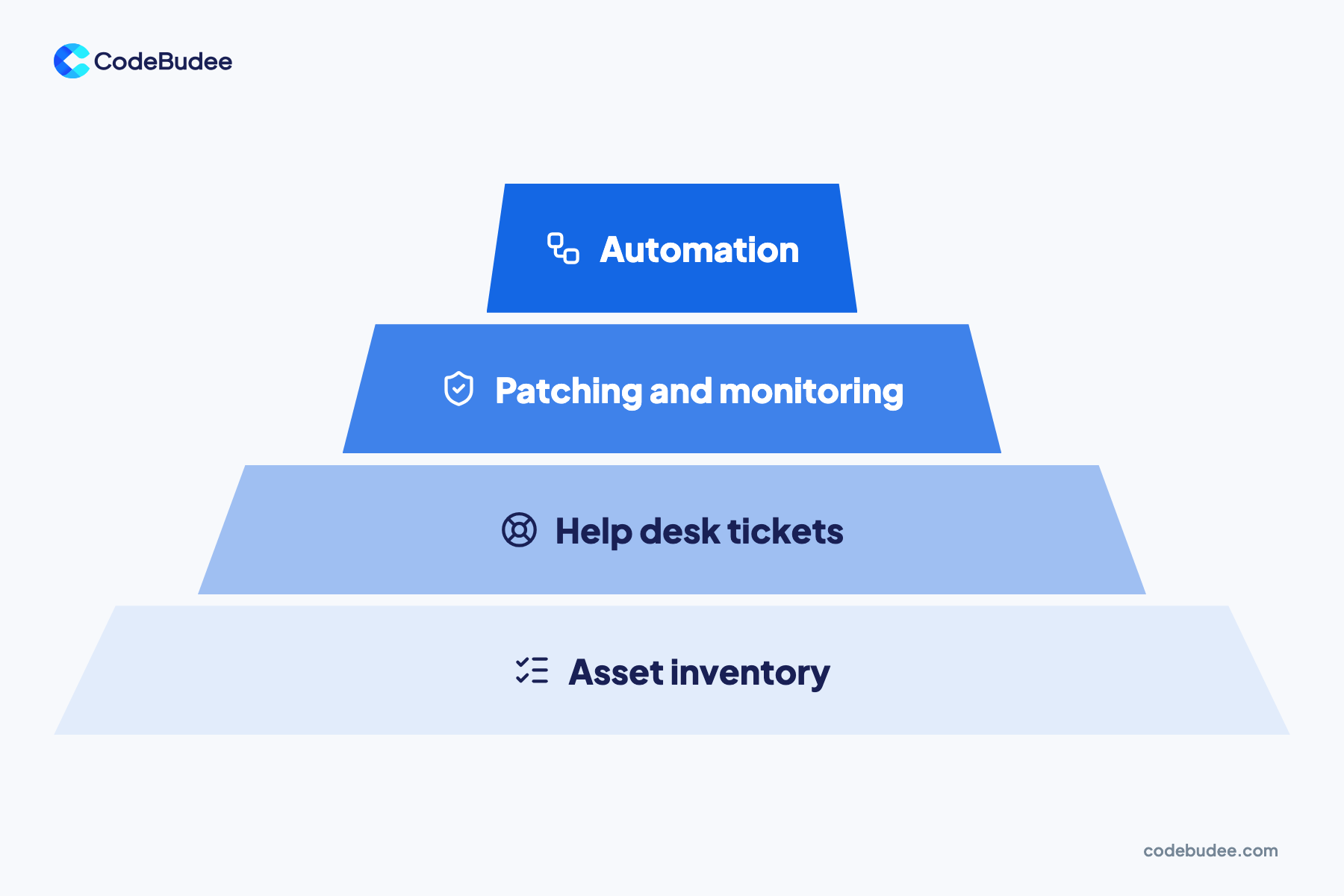
Set up IT management tools in layers, starting from the bottom. First build an asset inventory, because every other tool depends on knowing what you have. Then add a help desk for requests. Next come patching and monitoring. Automation comes last, once the basics run smoothly and your data can be trusted.
- Asset inventory: list every device, account and licence, with an owner and a renewal date.
- Help desk: give staff one place to ask for help, and track how fast requests close.
- Patching and monitoring: push updates to every device and get alerts when systems fail.
- Automation: let tools act on their own, such as removing access when someone leaves.
Skipping a layer causes trouble later. Automation built on a wrong inventory removes the wrong access or misses a device. Our guide to business process optimisation explains why you fix the process before you automate it.
Where do off-the-shelf IT tools stop?
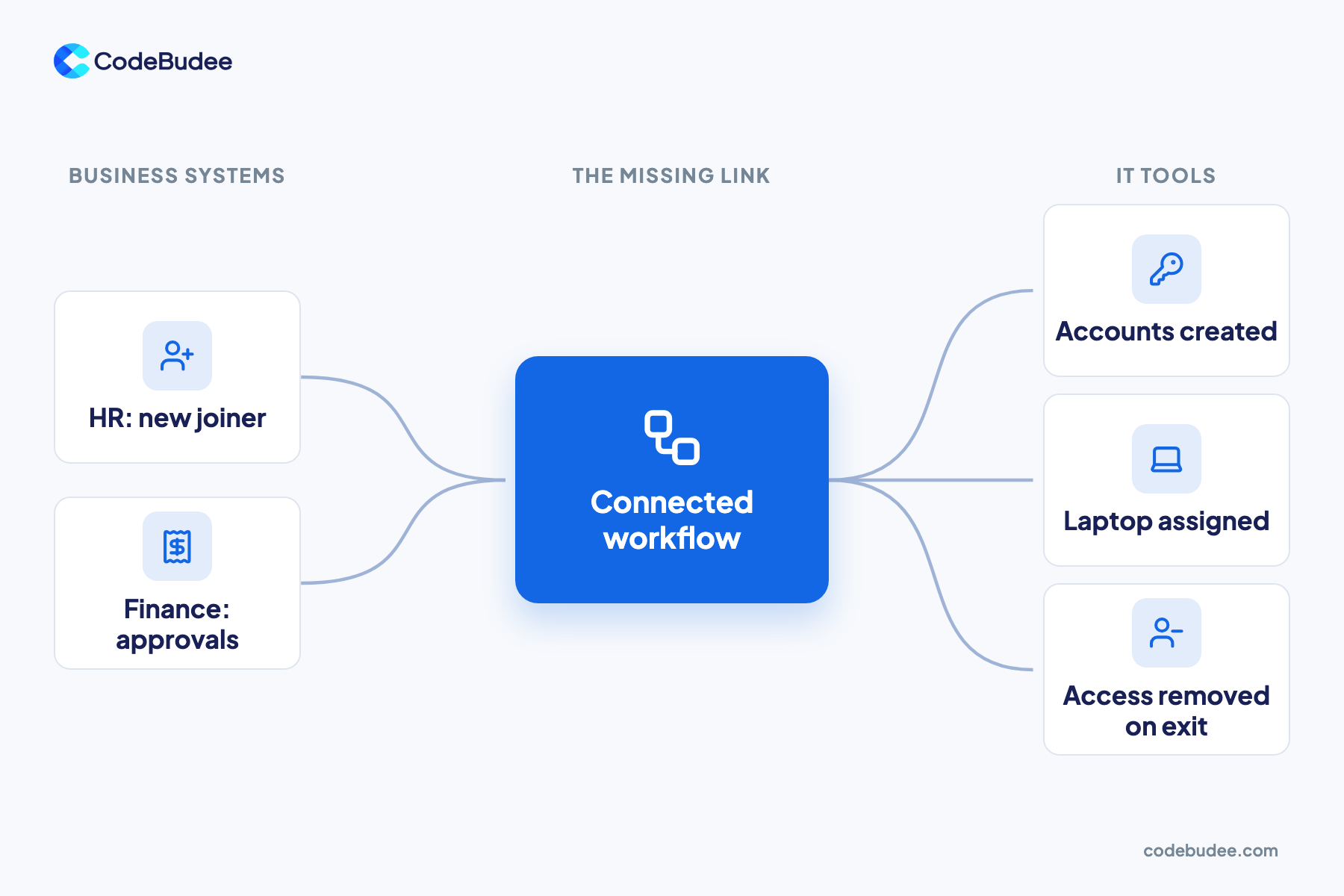
Off-the-shelf IT tools stop at the edge of IT. They manage devices, tickets and updates well. But the events that drive IT work start elsewhere. Think of a new hire in HR or an approval in finance. When those systems do not talk to your IT tools, people copy data across by hand.
Picture a new joiner. HR adds them on Monday. Someone must then tell IT, order a laptop, create accounts and set the right access. If each step is an email, steps get missed. The same happens in reverse when staff leave, and that is when open access becomes a risk.
Here is a simple rule for deciding what to do:
- Buy a tool when the job sits inside IT, such as tickets, patching or device tracking.
- Connect your systems when IT work starts in another system, such as HR or finance.
- Build a custom link when no tool fits how your business approves, assigns and removes access.
Our guide on knowledge management systems covers the same choice for company knowledge. For a workflow across teams, custom web app development can join HR, finance and IT into one flow.
Frequently asked questions
What is the difference between ITSM and IT management software?
ITSM (IT service management) means running IT as services for staff. It sets clear requests, approvals and response times. IT management software is the wider set of tools that support it. That includes help desk tools used for ITSM, plus asset registers, monitoring and patching tools. You can have the software without following ITSM, but it works better with it.
What does IT asset management software do?
An IT asset management tool keeps a list of every device, software licence and cloud account your business owns. It records who has each one, what it costs and when it renews. This lets you spot unused licences, find devices that need updates and recover equipment when staff leave. It is the base layer that other IT tools rely on.
Is IT management software only for large companies?
No. Small companies need it too, because tools and accounts pile up fast. Zylo's 2025 report found smaller companies use 152 apps on average. A small business can start with a simple asset register and a shared help desk. Add patching and monitoring as you grow, rather than buying a large platform on day one.
Can you build your own IT management system?
Yes, but most businesses should not rebuild tools that already work well. Buy proven tools for tickets, patching and monitoring. Build only the parts that are unique to you, such as joiner and leaver workflows or approval rules. Those links between HR, finance and IT are where custom software adds the most value.
Your next step
With IT management software, you can see and control your devices, accounts and licences. Start with an inventory, then add a help desk, patching and monitoring. Then look at the handoffs between HR, finance and IT, because that is where most gaps hide.
Book a free consultation to talk through how your IT tools and business systems could work as one.
