A customer pays a deposit online at night. The next morning, someone opens the bank app, finds the payment and marks the booking as paid by hand. Then they type out a receipt. Taking the payment was easy. Everything after it still runs on people.
This guide explains payment processing systems in plain words. You will learn how a payment moves, which methods Malaysians use, and what must happen after a customer pays. You will also get a simple test for when a ready-made plugin is enough.
Key takeaways
- A payment processing system moves money from your customer, through a payment provider, into your bank account.
- Each Malaysian made 538 e-payments on average in 2025, according to Bank Negara Malaysia.
- The payment is only the start. Your system must confirm it, update the booking or order, send a receipt and match the bank payout.
- A ready-made plugin suits simple one-off sales. Deposits, refunds and many branches usually need payments connected to your own system.
- Let the payment provider handle card details, so card numbers never touch your servers.
What is a payment processing system?
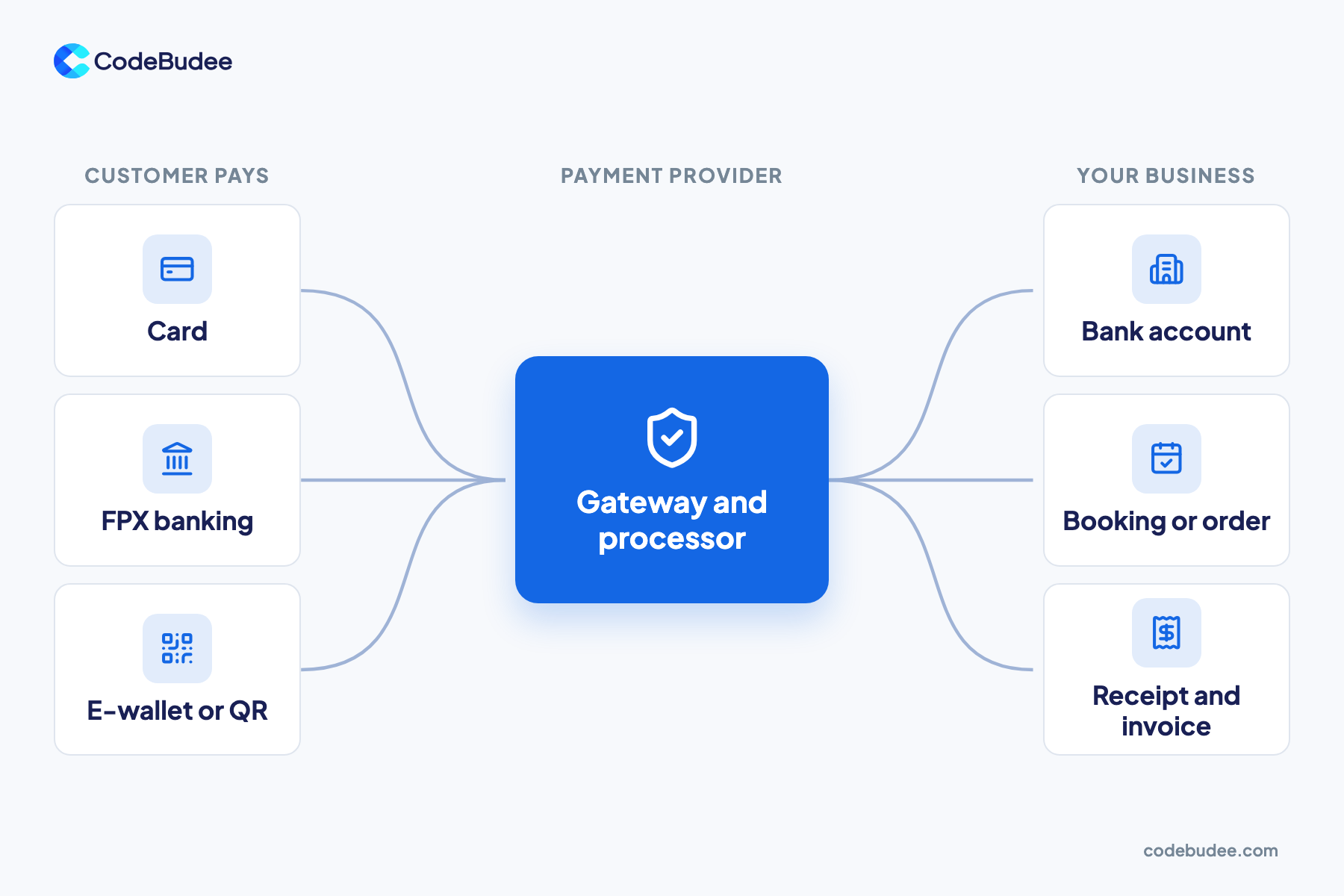
A payment processing system is the set of services that moves money from a customer to your business. The customer picks a method, such as a card or online banking. A payment provider checks and approves it. The money then lands in your bank account. Your own system should record the payment against the right order.
Most businesses meet three parts:
- Payment gateway: the secure page or screen where the customer enters payment details.
- Payment processor: the service that passes the payment to the banks and card networks. It returns an approval or a decline.
- Settlement: the provider pays the money into your bank account, usually in a batch, after its fees.
In practice, one provider often handles all three for you. What it does not handle is your side: the booking, the stock, the invoice and the report.
How do Malaysians pay today?
Malaysians now pay electronically as a daily habit. Online banking, QR codes, cards and e-wallets all see heavy use. For a business, that means customers expect to pay the way they already pay everywhere else. Offer the methods they use, or some of them will leave before paying.
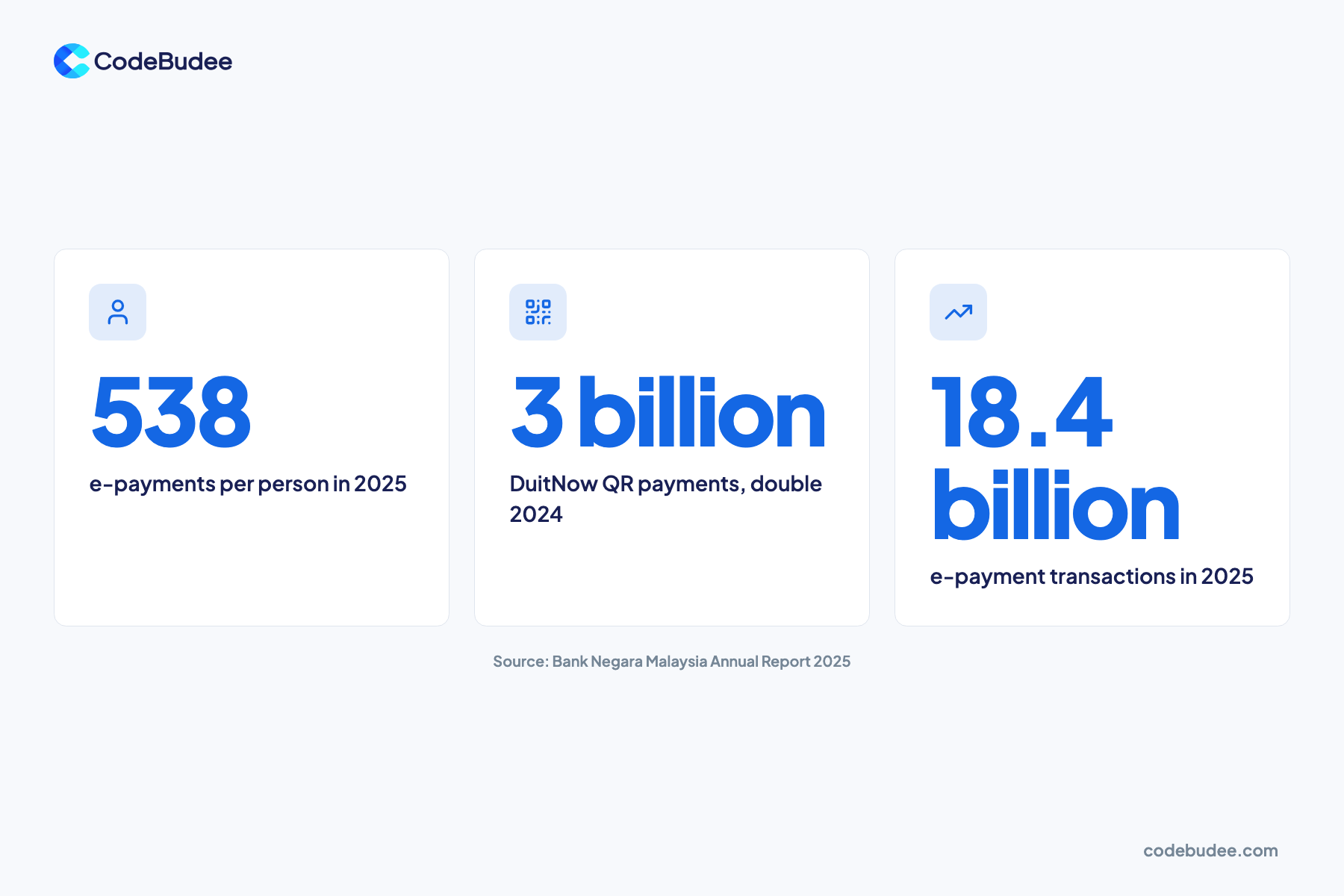
Official figures show the shift. Bank Negara Malaysia's 2025 annual report says e-payment transactions grew 25% to 18.4 billion in 2025. On average, each Malaysian made 538 e-payments, up from 432 in 2024.
QR payments grew fastest. DuitNow QR volume doubled to three billion in 2025, from 1.5 billion in 2024. PayNet calls DuitNow QR Malaysia's national QR standard. One QR code works across participating banks and e-wallets. Contactless card payments also grew 20.3%, to 2 billion.
Missing methods cost sales. See Baymard Institute's cart abandonment research, updated in September 2025. In it, 9% of abandonments happened because there were not enough payment methods.
What happens after the customer pays?
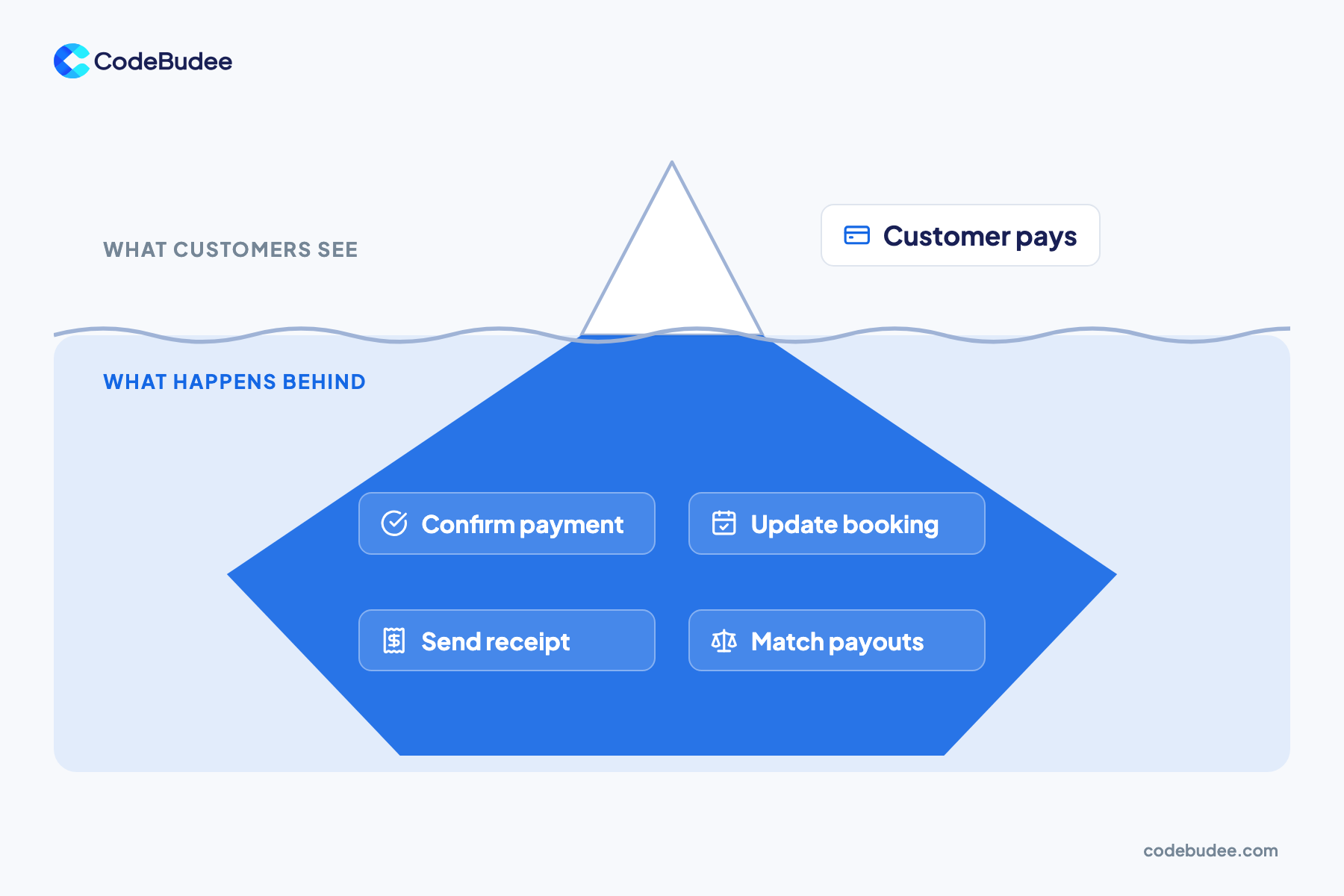
After the customer pays, your business still has four jobs. Confirm the payment went through, and update the booking or order. Then send a receipt or invoice, and match the money in your bank against your records. Refunds, failed payments and disputes add more steps. This hidden work is easy to miss when you plan.
- Confirm the payment: some payments are confirmed later, not the moment the customer clicks. Stripe's webhook guide explains that a customer's bank may confirm a payment after the checkout ends. Your system needs to listen for that message.
- Update the booking or order: mark it paid, hold the slot or stock, and tell your staff.
- Send the receipt: a receipt or invoice should go out without anyone typing it.
- Match the payout: the provider pays you in batches, after fees. Someone, or something, must match each payout to the orders inside it. This is called reconciliation.
Payment messages can also arrive twice or out of order. The same Stripe guide warns that an endpoint "might occasionally receive the same event more than once". A well-built system checks for this, so one payment never becomes two bookings.
Is a payment plugin enough, or do you need a connected system?
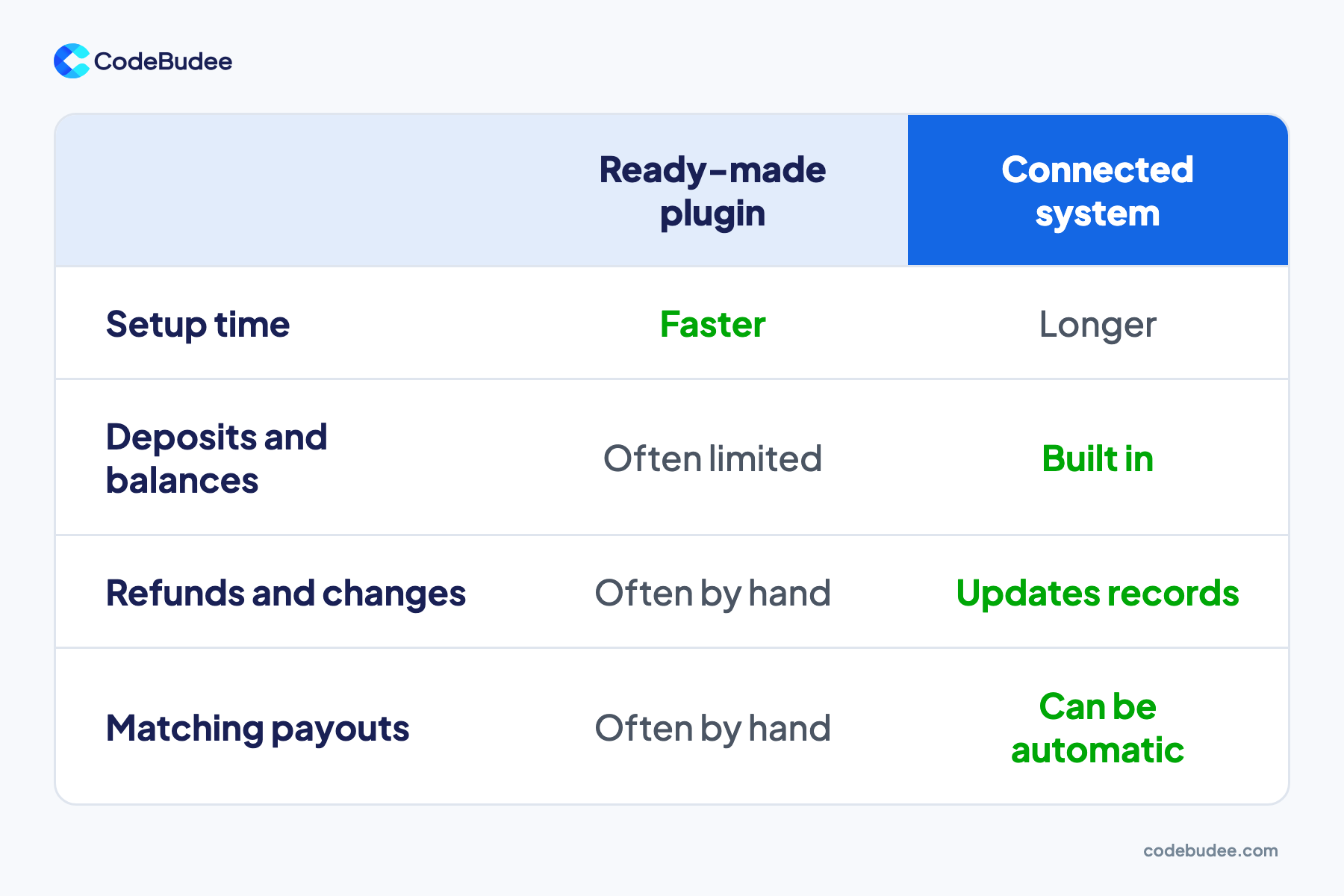
Ready-made payment plugins are enough when you sell simple items for one full payment. Online shop builders and booking tools handle that well. You need payments connected to your own system when you take deposits and balances. Frequent refunds and changes point the same way. So do many branches, or payouts you must match to invoices.
Plugin:
- Fast to set up and low cost.
- Works well for one-off sales of fixed items.
- Deposits, part payments and changes are often limited.
- Matching payouts and fixing records is often done by hand.
Connected system:
- Takes longer to plan and build.
- Each payment updates the booking, the invoice and the report in one place.
- Deposits, balances, refunds and changes follow your real rules.
- Staff see one set of records instead of checking several tools.
Bottom line: start with a plugin if your sales are simple. Move to a connected system when staff spend time each week fixing payments by hand. If spreadsheets carry that load today, read why it pays to replace Excel with a web app.
How do you keep card data safe?
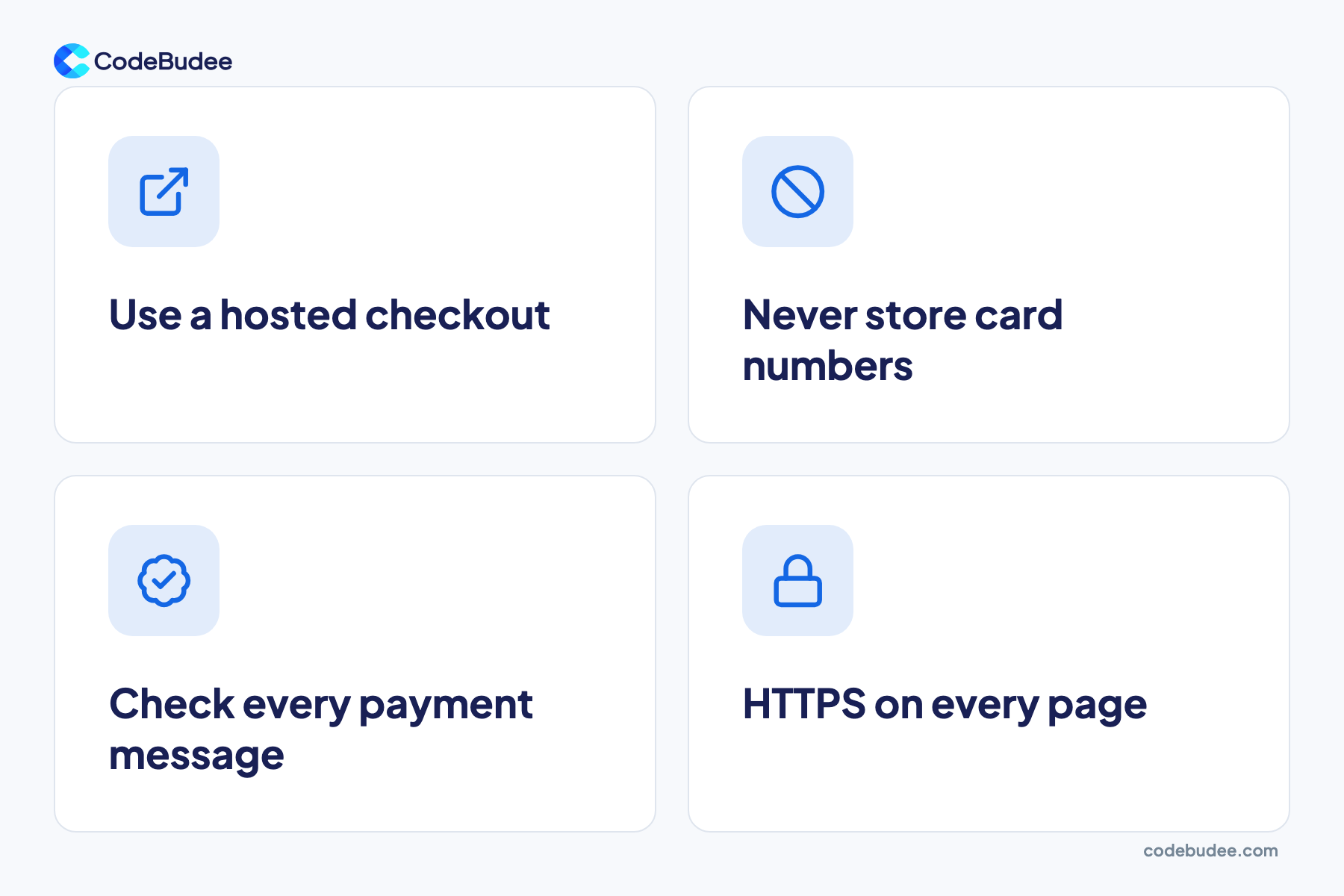
Keep card data safe by letting your payment provider collect and hold it. Use the provider's hosted payment page or secure form, so card numbers never pass through your servers. That keeps your security work small. Then check that every payment message comes from your provider before you act on it.
Any business that handles card data must follow PCI DSS (the card industry's security standard). Stripe's security guide covers businesses that handle card data directly. They "might be required to meet more than 300 security controls in PCI DSS". A low-risk set-up avoids most of that.
PCI DSS also keeps changing. The PCI Security Standards Council set new version 4.0 requirements that became effective after 31 March 2025.
Trust affects sales too. In Baymard's research, 19% of abandonments happened because shoppers did not trust the site with their card details. A familiar, secure payment page helps. For what is at stake when data leaks, see what a data breach costs a business.
What to ask before you build payments in

Before you build payments into your system, map how money moves in your business today. List every way customers pay, every rule for deposits and refunds, and who checks payments today. These answers decide whether a plugin is enough. They also show what a connected system must do.
- Which payment methods do our customers use? Cards, FPX online banking, DuitNow QR or e-wallets.
- Do we take deposits, part payments or instalments? Each needs clear rules for the balance.
- What happens on a refund or a change? Decide who approves it and how records update.
- Who matches payouts to orders today, and how long does it take? This is often the hidden cost.
- Which records must update when a payment lands? Bookings, stock, invoices and reports.
- Does the provider confirm payments to our system automatically? If not, staff will keep checking by hand.
When bookings drive your business, see how a custom booking system helps service businesses.
How CodeBudee approaches this
We build payments into the system your business already runs on. For Next Podcast Studio, we built a custom booking and payments system with a staff dashboard. It replaced manual scheduling. You can see it in our work.
Do your payments still need checking by hand? Custom web app development can connect them to your bookings, invoices and reports.
Frequently asked questions
What is the difference between a payment gateway and a payment processor?
The payment gateway is the secure page or screen where the customer enters payment details. A payment processor passes that payment to the banks and card networks, then returns an approval or a decline. Many providers offer both as one service. For a business, the more useful question is how the provider reports payments back to your system.
Which payment methods should a Malaysian business accept?
Accept the methods your customers already use. For most Malaysian businesses, that means cards, FPX online banking, DuitNow QR and the common e-wallets. Bank Negara Malaysia reported that DuitNow QR volume doubled in 2025. Check which methods your provider supports, and what each one costs, before you choose.
Do we need PCI DSS if we use a payment provider?
Yes, PCI DSS still applies, but your share of the work can be small. When the provider's hosted page or secure form collects card details, card numbers never touch your servers. That keeps your PCI DSS work much smaller. Your provider can tell you which yearly check applies to your set-up.
What is payment reconciliation?
Payment reconciliation means matching the money that reaches your bank with the orders it came from. Providers usually pay out in batches, after fees, so one bank entry can cover many orders. Matching them by hand takes time and invites errors. A connected system can match each payout to its orders for you.
Your next step
Your payment processing system moves money from your customer to your bank. The harder part is what happens next: confirming the payment, updating records, sending receipts and matching payouts. Start by mapping how money moves in your business today. If staff still do those steps by hand, it is time to connect payments to your system.
If you want payments that update your records on their own, book a free consultation. We can talk through your payment flow and where to start.