
Your web app feels fine in the morning. Then the lunch rush hits, pages crawl, and your team says the system has "too many cache misses". That means your app looked for a saved copy of some data and found none. It then had to fetch the data from the slower source.
This guide explains what a cache miss is in plain words. You will see where caches sit in your system and why misses cost you speed and sales. It also covers when caching goes wrong, and the questions to ask your software team.
Key takeaways
- A cache is a store of saved copies kept close at hand. A cache hit finds the copy. A cache miss does not, so the app goes back to the slower source.
- Caches sit in many places: the browser, a CDN, the app's own memory and the database. A miss can happen at any of them.
- Speed affects sales. A Deloitte study found a 0.1 second faster mobile site lifted retail conversions by 8.4%.
- Caching has a cost too. A badly set cache can show old prices, or even show one customer's data to another.
What is a cache miss?
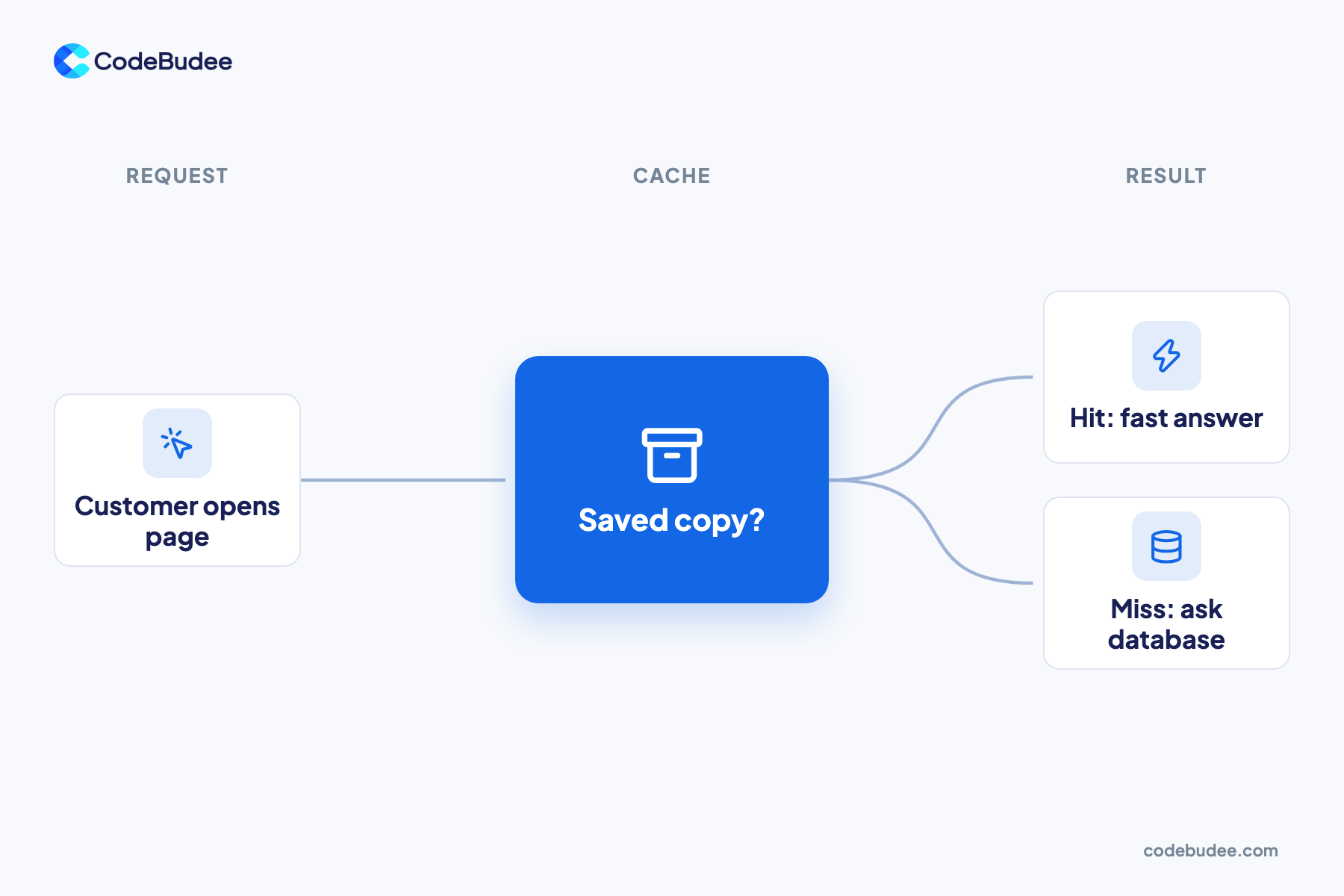
A cache miss happens when a system asks its cache for data the cache does not have. The system must then fetch the data from the original source, such as the database or another server. That trip takes longer, so the request is slower than a cache hit.
Think of a cache (a store of saved copies kept close by) as the shelf behind a shop counter. Popular items sit on the shelf, ready to hand over. Anything else means a walk to the storeroom.
- Cache hit: the saved copy is there, so the answer comes back fast.
- Cache miss: no saved copy, so the system asks the slower source. It then usually saves a copy for next time.
Some misses are normal. The first person to open a new page usually causes one. Trouble starts when misses happen on pages that many people open again and again.
Where does caching happen in your system?
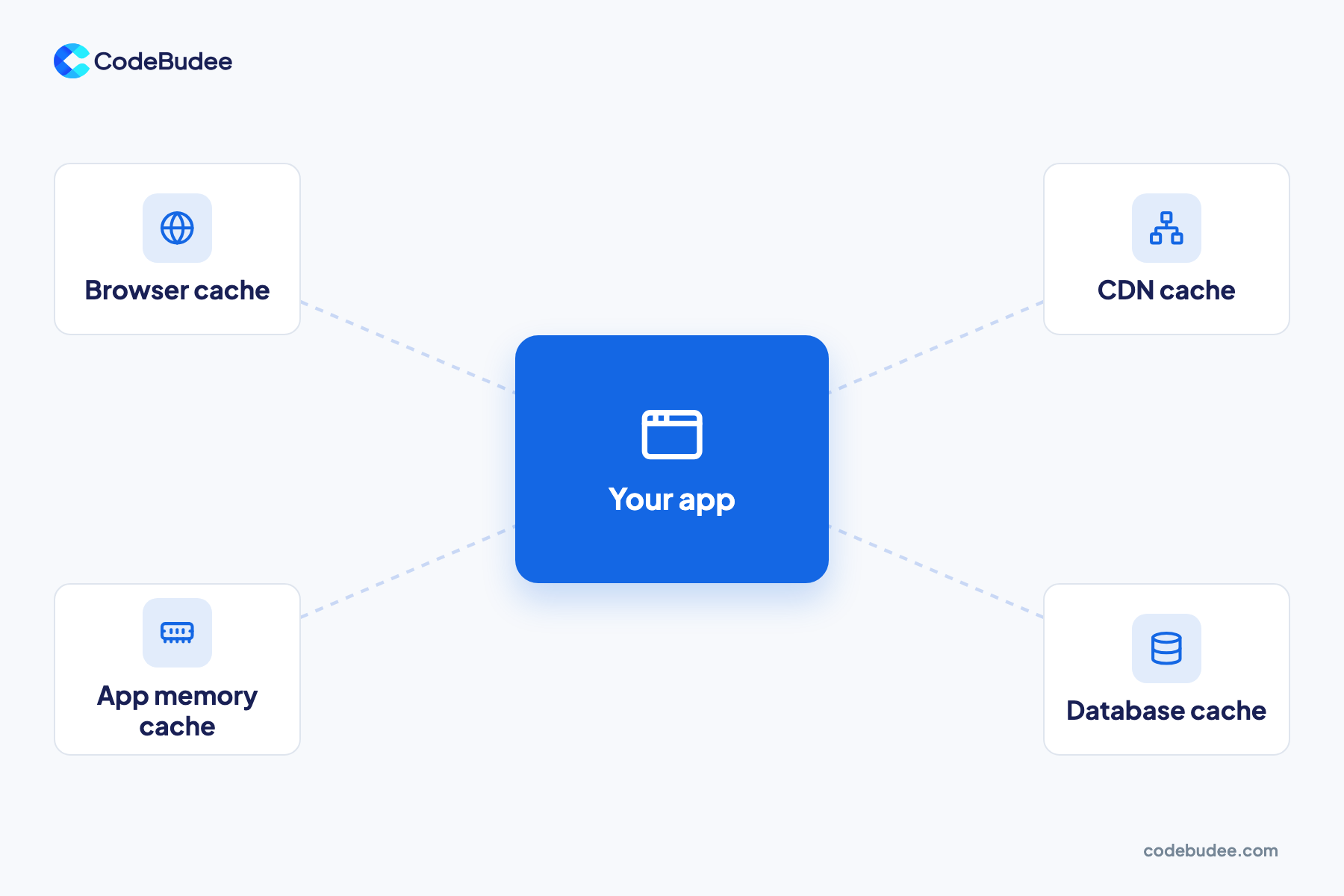
Caching happens at several layers between your customer and your data. The browser keeps copies on the customer's device. A CDN keeps copies on servers near the customer. Your app keeps data in memory, and the database keeps its own cache. A miss at any layer pushes the request one step further back.
Here is what each layer saves:
- Browser cache: images, styles and scripts on the customer's phone or laptop, so repeat visits load faster.
- CDN cache: a CDN (content delivery network) is a set of servers spread around the world. It keeps copies of your pages close to each visitor.
- App memory cache: your server keeps its most used answers in fast memory, such as a product list.
- Database cache: the database keeps recent results in memory instead of reading them from disk each time.
Inside the computer chip there are caches too, called CPU caches. Developers tune those for heavy number work. For most business apps, the four layers above matter more. When your system is spread across many servers, each layer needs a plan. Our guide to what a distributed system is explains how those parts fit together.
Why do cache misses slow your app down?
Each cache miss sends a request on a longer trip, often to the database. One miss is barely noticed. Thousands at once can overload the database, so every page slows down together. Slow pages cost money, because people buy less from sites that keep them waiting.
Speed and sales are closely linked, and the link is well measured. In Deloitte's 2020 study for Google, a 0.1 second faster mobile site changed buying. Retail conversions rose by 8.4% and average order value by 9.2%. Travel conversions rose by 10.1%.
According to Google's write-up of the study, it covered 37 brand sites and over 30 million user sessions. One of the four speed measures was server response time. A good cache can cut that server response time.
Google gives a simple target for that first response. Its guide to Time to First Byte says most sites should aim for 0.8 seconds or less. Time to First Byte (TTFB) is how long the browser waits before the server starts to answer. Many cache misses at busy times push that number up.
What is a good cache hit ratio?
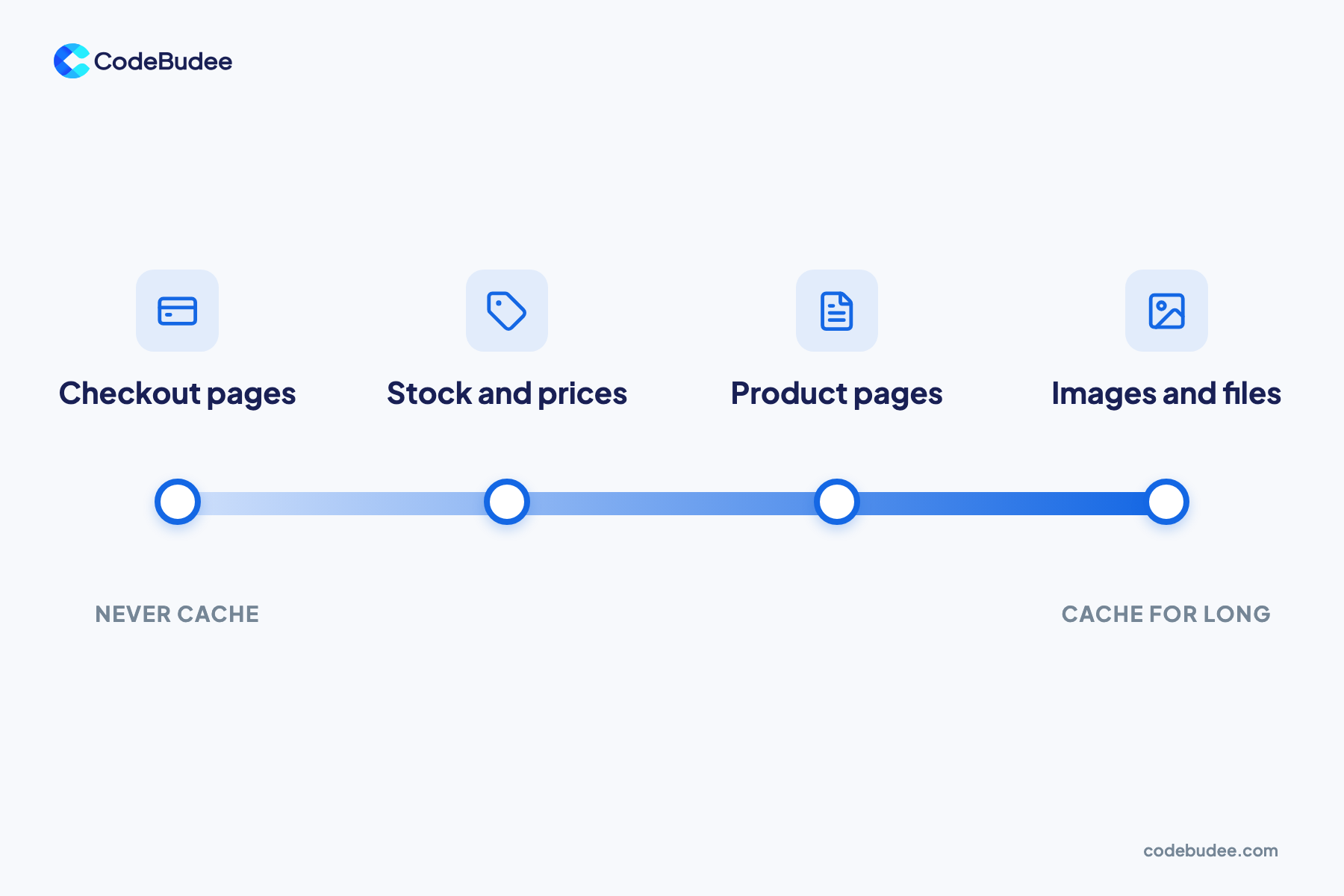
A cache hit ratio is the share of requests the cache answers on its own. You work it out as hits divided by all requests. There is no single good number for every app. Files that rarely change should almost always hit. Live data such as payments should never come from a cache.
For example, if 900 of 1,000 requests are hits, the hit ratio is 90%. Ask your team for this number at each layer.
Most websites do cache a lot. The HTTP Archive's 2021 Web Almanac found 89.7% of mobile responses were cacheable. Yet 25.1% of mobile requests used neither of the two main caching headers. These headers are labels that tell browsers how long to keep a copy. The most common setting kept a copy for 30 days.
Sort your data by how fast it changes:
- Never cache: checkout, payments and anything tied to one logged-in user.
- Cache for seconds or minutes: stock levels and prices that change during the day.
- Cache for hours or days: product pages and blog posts.
- Cache for a long time: images, fonts and other files that rarely change.
When can caching go wrong?
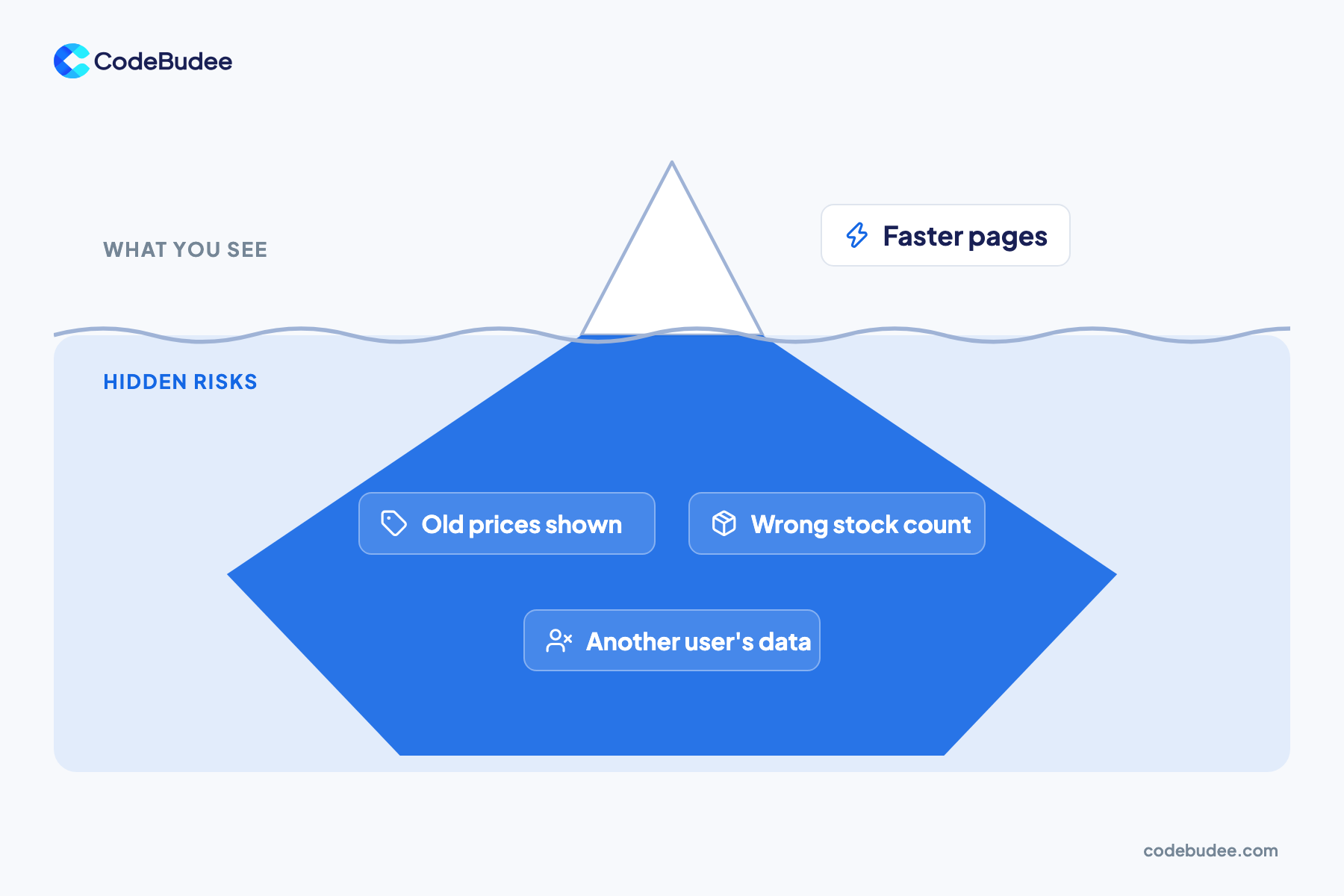
Caching goes wrong when a saved copy is out of date or saved in the wrong place. Customers then see old prices, the wrong stock count, or an order that seems lost. The worst case is a shared cache that stores one customer's private page and shows it to someone else.
Stale data (a saved copy that no longer matches the source) is the first problem. Say you change a price at 9am, but the cache keeps the old page until noon. Customers order at the old price, and your staff must sort it out by hand.
The second problem is more serious. MDN Web Docs warns that personal pages stored in a shared cache can be retrieved by other users. It calls this "unintentional information leakage". In plain words, a caching mistake can become a data leak. Our guide to what a data breach is covers what you must do if personal data gets out.
So treat caching as a design choice that needs a plan. Every cache needs a rule for when its copy is thrown away and fetched again.
What should you ask your software team?

Ask your team five plain questions about caching. Their answers show whether speed was planned or left to chance. A good team can name what is cached, for how long, and how fresh data reaches customers. They should also show you hit ratios and response times from real traffic.
- What do we cache, and at which layer? Expect a short list for each layer.
- How long does each copy live? Each kind of data should have its own time limit.
- What happens when data changes? Ask how a new price or stock count clears the old copy.
- Is any personal data ever cached in a shared cache? The answer should be a clear no.
- What are our hit ratio and response time at busy times? Ask for numbers from real customer traffic.
If the answers are vague, the problem may be deeper than caching. Caching often hides a slow database or an app that has outgrown its first design. Our guide to microservices best practices covers when to split a system that has grown too big. If the core needs a rebuild, custom web app development lets you plan speed and caching from day one.
Frequently asked questions
What is the difference between a cache hit and a cache miss?
With a cache hit, the saved copy was found, so the answer came back fast. A cache miss means no copy was found, so the system fetched the data from the slower source. After a miss, the system usually saves a copy. The next request for the same data is then a hit. A healthy system has far more hits than misses on popular pages.
What are the two types of cache?
Web caches come in two main types: private and shared. A private cache belongs to one user, such as their phone's browser. So it can hold personal pages. A shared cache, such as a CDN, sits between users and the server. It serves the same copy to many people. Personal data should never go into a shared cache.
Does clearing the cache make a website faster?
Not usually. Clearing your browser cache deletes the saved copies. The next visit must download everything again, so it is often slower. It can fix a page that shows old content or looks broken. If a site is slow for everyone, the problem sits on the server side. Only your software team can fix it there.
What are L1, L2 and L3 cache?
L1, L2 and L3 are caches inside a computer's processor (CPU). L1 is the smallest and fastest, and sits closest to each processor core. L2 is larger and a little slower. L3 is the largest of the three and is often shared by all the cores. Developers tune these for heavy number work, while business apps gain more from the web caches above.
Your next step
Each cache miss is a small event, but misses add up fast. When many happen at busy times, pages slow down and sales can drop. A good cache plan sorts data by how fast it changes. It keeps personal data out of shared caches and tracks real hit ratios.
Book a free consultation to talk through why your system slows down and how to plan its speed properly.