
Your board asks if you are using AI on your biggest projects. You open the project files. Costs sit in one spreadsheet. Site photos sit in a chat group. Reports arrive by email. AI can only work with data it can find. That is why AI in capital projects often starts with your data.
Key takeaways
- A capital project is a large, one-off build, such as a plant, a road or a building. AI helps most when it can read cost, schedule and site data together.
- Poor data is costly. Autodesk and FMI estimated that bad data cost the global construction industry $1.85 trillion in 2020.
- Scattered records stop AI from seeing the whole project. One shared system fixes that.
- Fix the data first, in five steps. Then add AI to the system you own.
- Buy a tool if your process is standard. Build your own if it is not.
What can AI do in a capital project?

AI in capital projects means software that reads project data and helps people decide. It can flag cost risks, spot likely delays and find facts in long reports. It does not replace project managers. It gives them an earlier warning, if the data behind it is complete and current.
Think of it as a fast reader. It reads costs, schedules, site reports and change requests, and it looks for patterns. A fast reader is only useful if the pages exist in one place. If half your records live in someone's inbox, the reader never sees them.
Ask yourself: can any tool see my whole project?
Why does AI stall on messy project data?
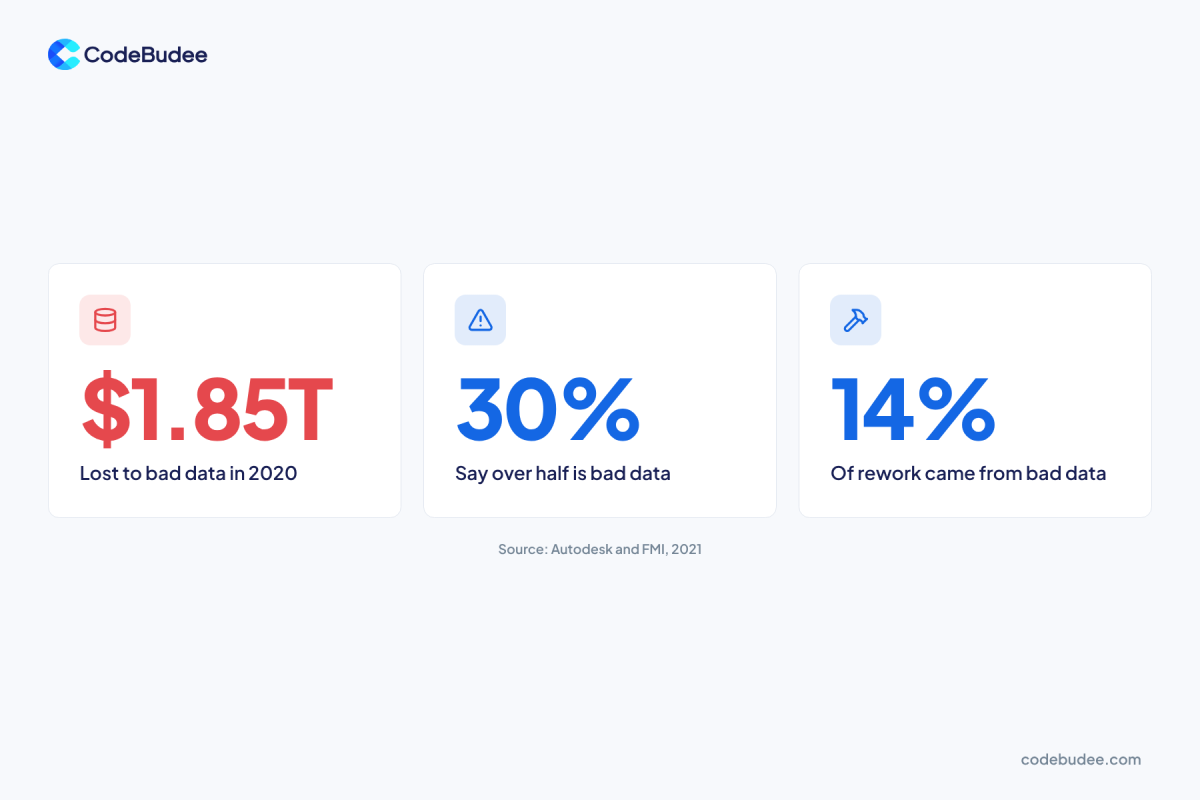
AI stalls because it learns from your records, and wrong or missing records give wrong answers. The cost of this is large. In 2021, Autodesk and FMI reported a survey of more than 3,900 construction professionals. They estimated that bad data may have cost the global industry $1.85 trillion in 2020.
That study defined bad data as data that is inaccurate, incomplete, inaccessible, inconsistent or late. It found that 30% of people said more than half of their project data is bad. It also found that decisions based on bad data accounted for 14% of all rework in 2020.
An earlier survey points the same way. In 2018, PlanGrid and FMI surveyed 599 construction leaders. They estimated that poor project data represents a cost of $14.3 billion in the United States alone.
These are industry surveys. They show where the pain usually sits. To test your own records, read our guide to signs your data is not ready for AI.
Where does project data get lost?
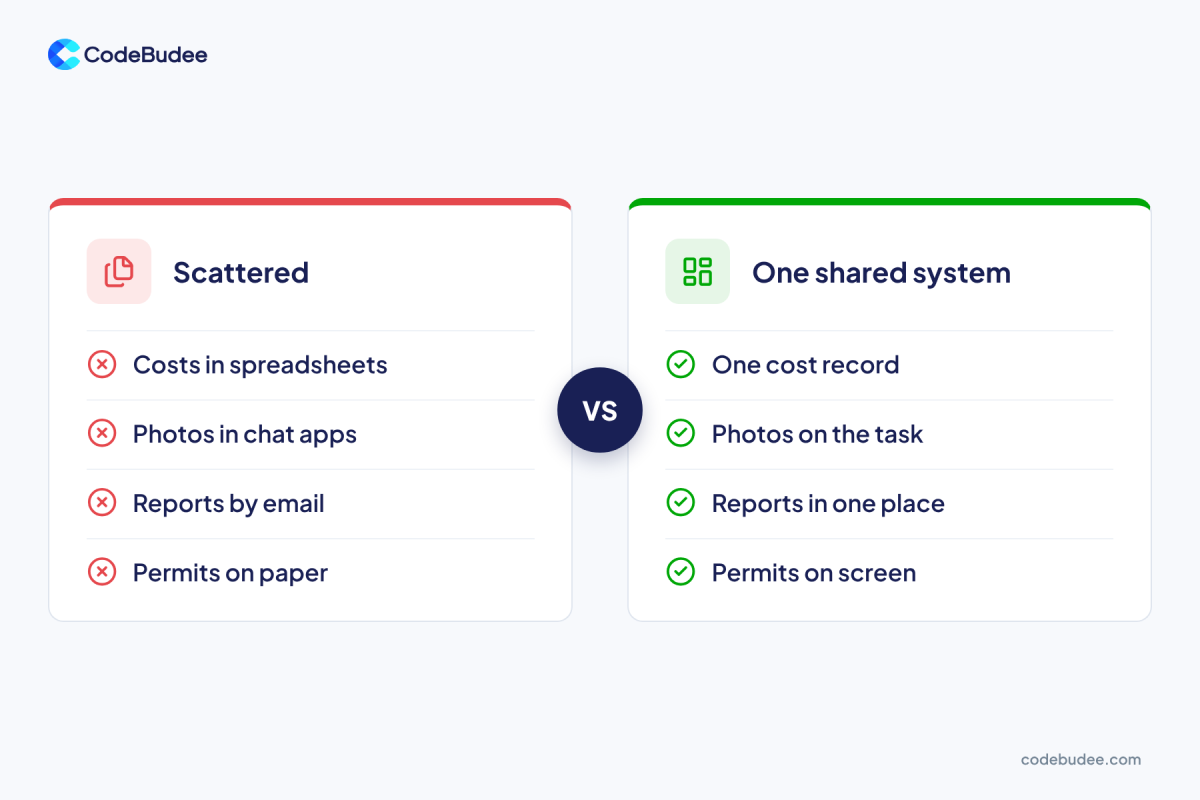
Project data gets lost where people record it in different places. Costs go in spreadsheets, photos go in chat apps, reports go by email and permits stay on paper. Each place is fine alone. Together, no one can see the whole project, and neither can AI.
Capital projects make this worse because many parties work on them. Owners, contractors, suppliers and advisers each keep their own records. A change on site can reach the cost sheet late.
Look for these signs in your own projects:
- Two cost totals: the finance team and the site team quote different numbers.
- Late news: a change order is known on site long before the budget shows it.
- Lost evidence: nobody can find the photo or sign-off that settles a dispute.
- Double typing: staff copy the same figures from one file into another.
This is the same "type it in twice" tax we describe in our guide to master data management. Bad entries are often the start of it. Our piece on data quality management shows how to catch them.
Why is the project software itself a risk?
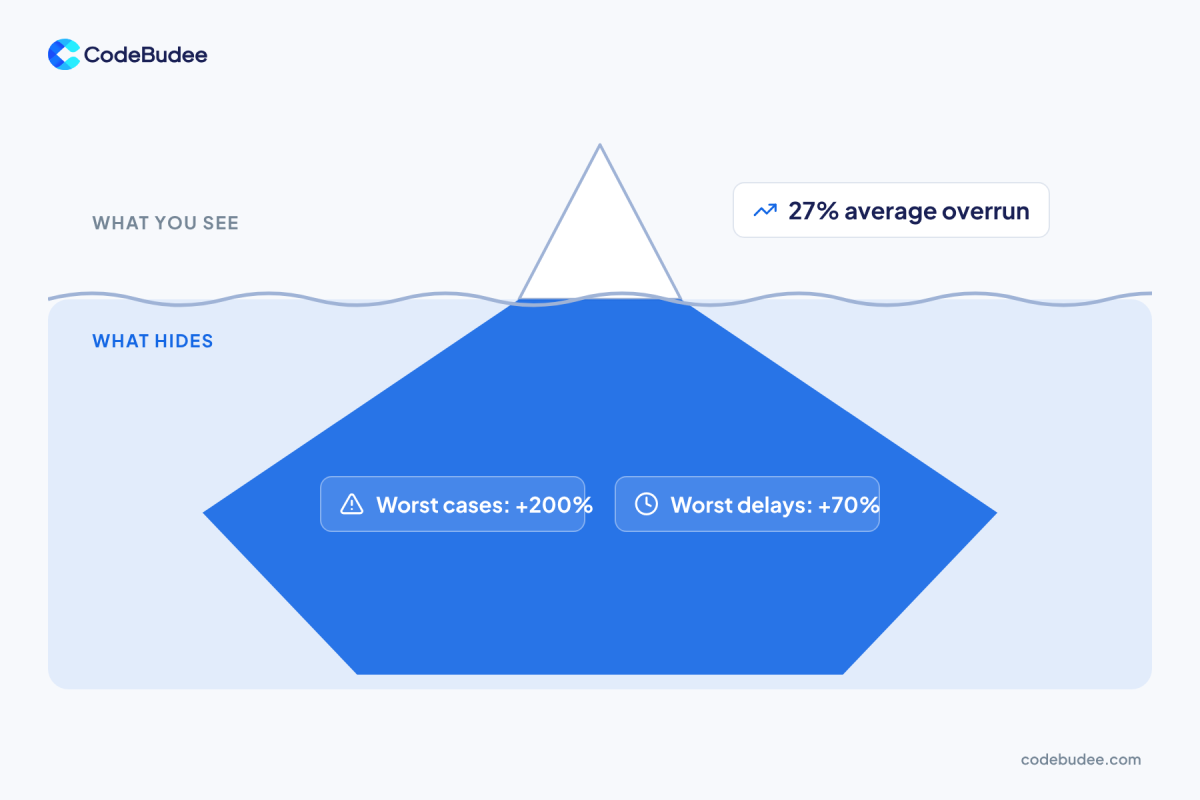
Your project software can overrun too. It is a project in its own right. A study of 1,471 IT projects, by Bent Flyvbjerg and Alexander Budzier, found an average cost overrun of 27%. That average hides a long tail.
One project in six was what the authors call a black swan. These ran about 200% over budget on average. They ran almost 70% behind schedule. The study is about IT projects, not construction, but a data system is an IT project.
So the build needs care. Start small and prove one use before you widen it.
What should you fix before adding AI?
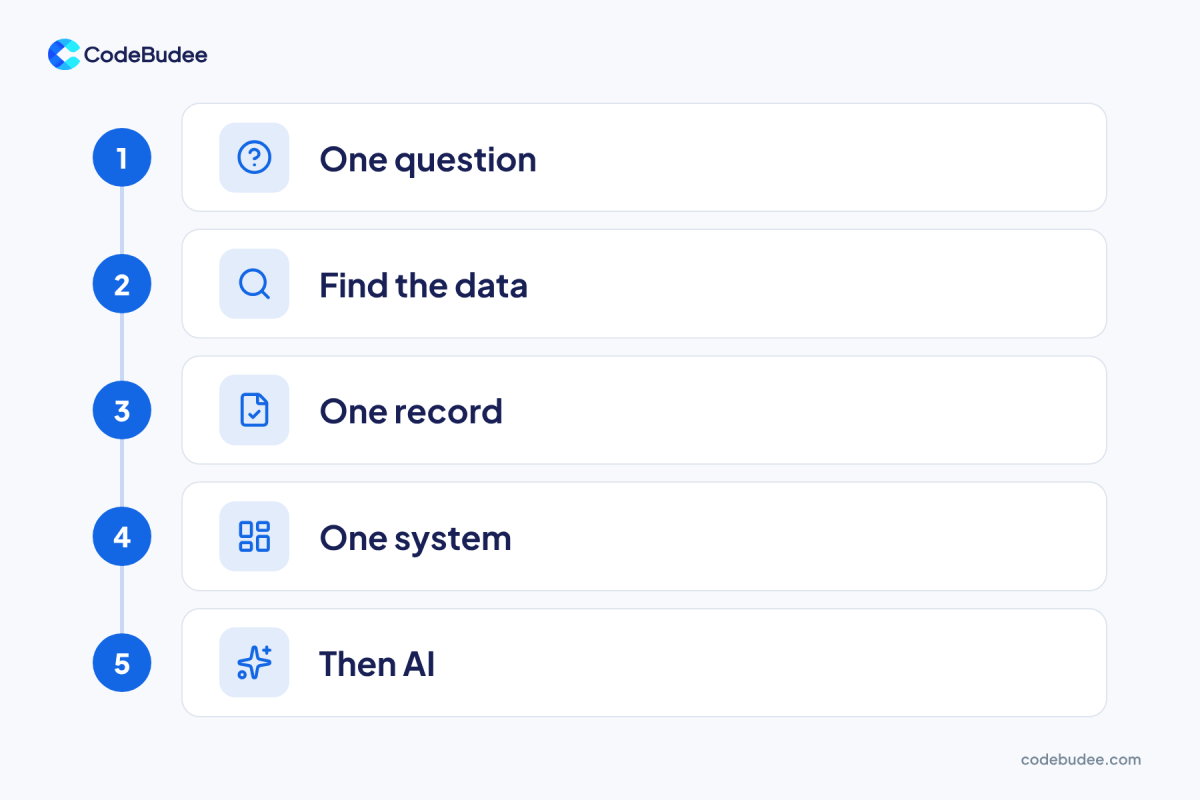
Fix the data in five steps, and add AI last. Start with one question, find where the data lives, agree one record, build one shared system, then add AI. The first three steps need no new software.
- Pick one question. For example: "Which packages are most likely to run late?" One question keeps the work small.
- Find the data. List where costs, schedules and site reports live today, and who owns each one.
- Agree one record. Decide what a correct work package, cost line or change order looks like.
- Build one shared system. Let staff enter each record in one place only, with checks that stop bad entries.
- Then add AI. Let it read the shared records and answer your one question first.
Step 4 is where most plans stall. Many teams stay on spreadsheets because they are easy to start. We explain why that stops working in 5 reasons to replace Excel with web apps.
Should you buy a tool or build your own project system?
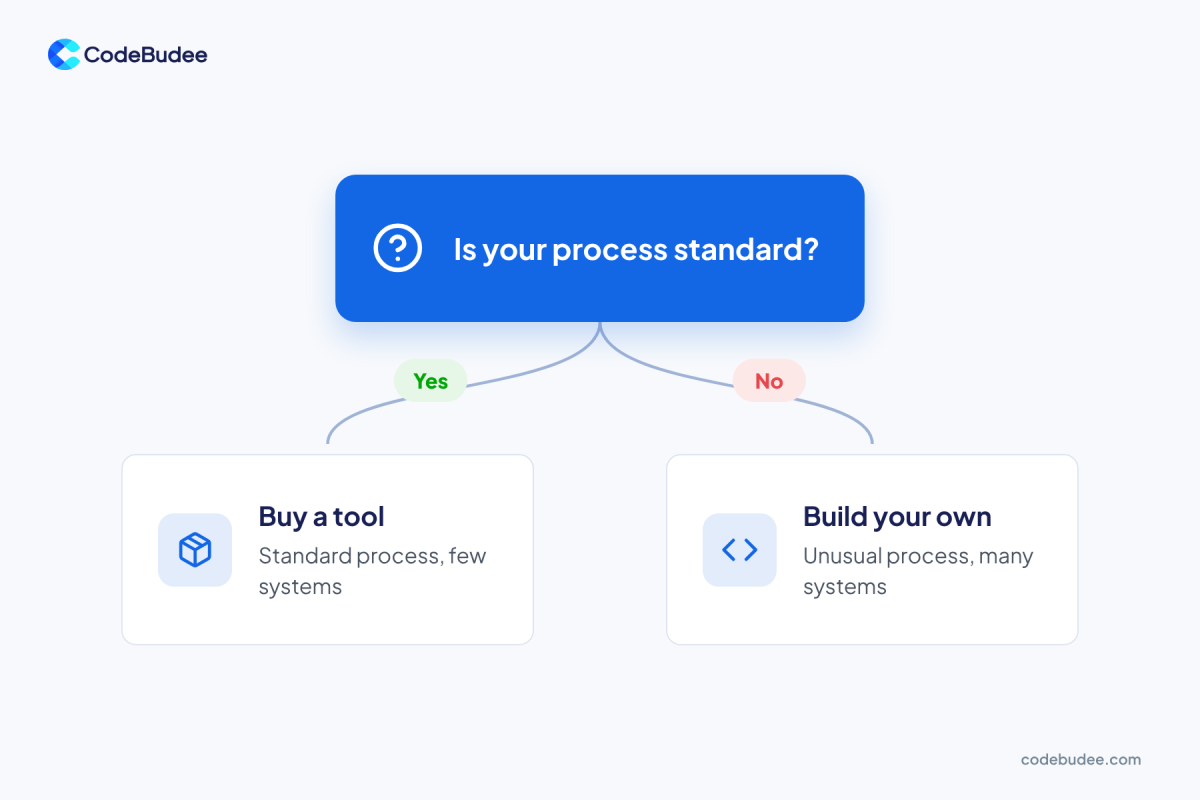
Buy a tool if your process is standard and you run few systems. Build your own if your process is unusual, or if many systems hold the same records. The more you must bend your work to fit a tool, the stronger the case for building.
Buy a tool when:
- Your way of running projects is common in your industry.
- You run two or three standard systems that connect easily.
- You have an IT team to run and update the tool.
Build your own when:
- Your approvals, cost rules or reports are unusual.
- Many small systems and spreadsheets hold the same records.
- You want to own the system and shape it as your work changes.
Bottom line: if a tool fits with little change, buy it. If you would change how you work to fit it, build.
A team that builds custom web applications can give you one shared project system. AI can be built in from the start. At CodeBudee, you own 100% of the source code, handed over at the end. We build new AI-powered systems. We do not add AI to someone else's existing software.
Frequently asked questions
Is AI useful in capital projects?
Yes, when it can see clean, current data. It can flag cost risks, likely delays and key facts in long documents. It still needs people to decide. If your records are scattered or wrong, it will give weak answers.
What is a capital project?
A capital project is a large, one-off build that a company pays for up front. It then uses the result for years. Examples are a factory, a road, a data centre or an office tower. These projects have many parties, large budgets and long timelines.
Do we need new software before we use AI?
Not always. First list where your project data lives and agree one correct record for each item. If your tools do not connect, a shared system usually helps more than another AI tool.
What is the first step?
Pick one question that matters, such as which work packages may run late. Then find every file that holds data for it. That list shows how scattered your data is. It also tells you what a shared system must hold.
Your next step
Start with one question and one list. Write down where your project data lives this week. If it sits in many places, you have found the real limit on AI. Fix that, and every later tool works better.
If you want one shared system for your projects, book a free consultation to talk it through.