An email arrives from a supplier you have paid for years. It says their bank account has changed. The invoice looks right, the amount looks right, and your team pays it. Weeks later, the real supplier asks why they were never paid.
Stopping that moment is the job of invoice fraud prevention. Most advice lists red flags for staff to spot. This guide goes one step further. It shows 6 controls your accounts payable (AP) system should enforce. Then a busy person on a Friday afternoon is not your last line of defence.
Key takeaways
- Invoice fraud is a fake, changed or inflated bill that your business pays through its normal AP process.
- Most organisations face payments fraud attempts, and email tricks are the top route.
- Staff training helps, but checks that live in your system catch what tired people miss.
- Malaysian e-invoicing gives each invoice a unique ID, but it does not check bank details or deliveries.
- Buy a packaged AP tool when your flow is standard. Build the controls in when your work spans several systems.
What is invoice fraud, and how does it reach accounts payable?

Invoice fraud is when someone tricks your business into paying a bill it does not owe. The bill may come from a fake supplier, carry changed bank details, or charge twice. It reaches accounts payable (AP), the team or system that pays suppliers, because it looks like normal work.
There are four common types:
- Fake supplier: a company that does not exist sends a bill for work never done.
- Changed bank details: a fraudster poses as a real supplier and asks you to pay a new account.
- Duplicate or inflated bill: the same invoice is sent twice, or the price is raised quietly.
- Insider billing: a staff member sets up a supplier and bills the company.
Insider billing is common and slow to spot. In the ACFE's Occupational Fraud 2026 report, billing schemes made up 21% of cases. Their median loss was US$90,000, and they ran a median of 14 months before anyone noticed.
Why are red flags and staff training not enough?
Red flags and training depend on one person noticing something odd at the right moment. Fraudsters copy real suppliers, real email threads and real invoice layouts, so the odd thing is often missing. A system check runs on every invoice, every time, whether the person paying is new, rushed or on leave.
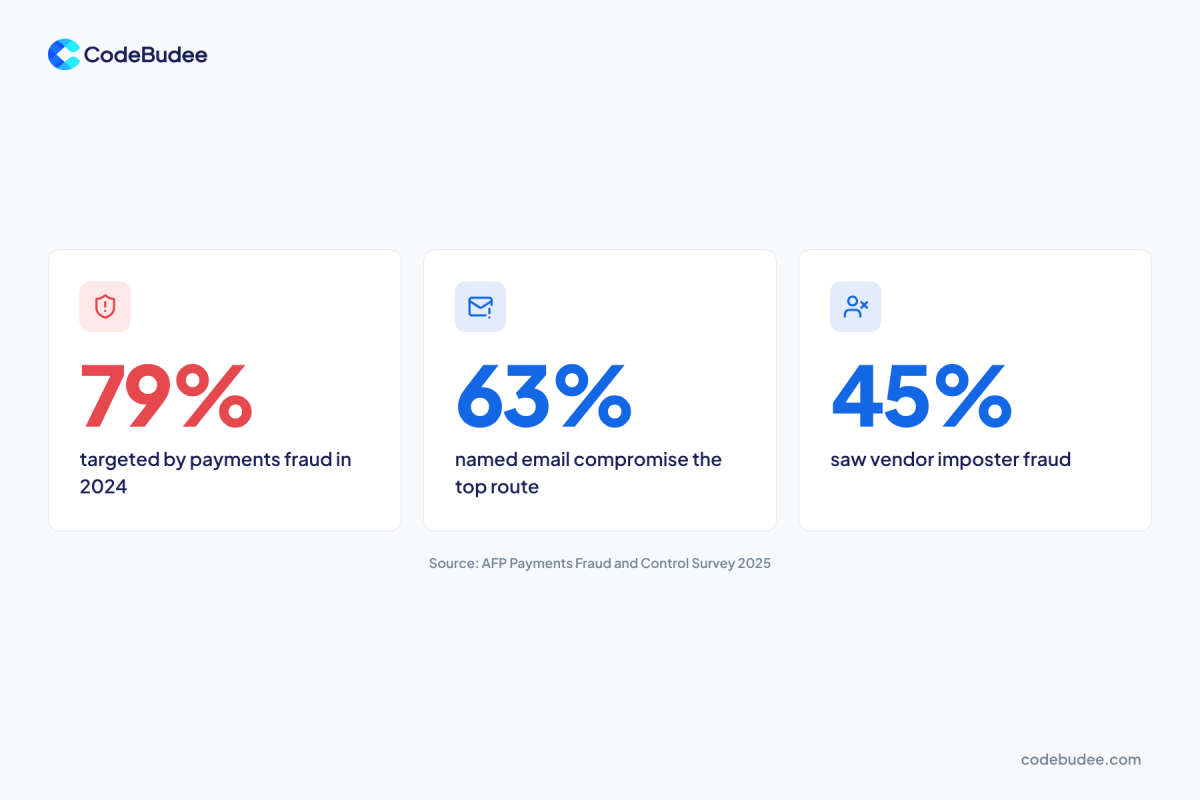
Businesses are tested often. The 2025 AFP Payments Fraud and Control Survey asked 521 corporate practitioners about 2024:
- 79% said their organisation faced attempted or actual payments fraud.
- 63% named business email compromise (BEC) as the top route. BEC is when a fraudster takes over or copies a real business email to ask for payment.
- 45% reported vendor imposter fraud.
Losses are large too. The FBI's 2024 Internet Crime Report recorded US$2.77 billion lost to BEC from 21,442 complaints. And the ACFE report found a lack of internal controls was the top weakness, behind 33% of cases.
The weak point is the process. It lets one email change where money goes.
Which 6 controls stop most invoice fraud?
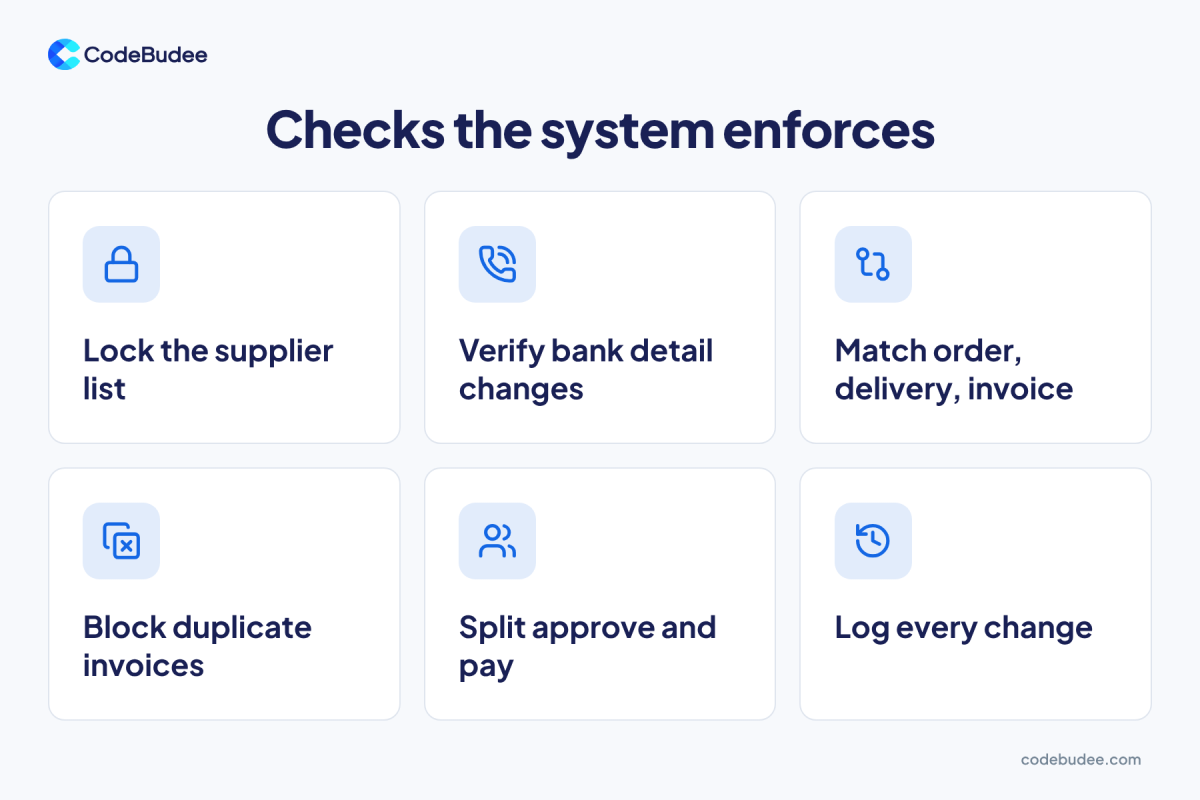
Good controls make the system refuse a risky payment until the right check is done. Six controls cover the common types of fraud. They are a locked supplier list, bank change call-backs, three-way matching, duplicate blocking, split duties and a change log. Each one closes a gap a single email can open.
- Lock the supplier list: only a named person can add a supplier or edit one. Every new supplier needs a second approver.
- Call back on bank changes: a new bank account stays on hold until someone calls the supplier. Use a number already on file. Never use the number in the email.
- Match order, delivery and invoice: the system pays only when the bill matches an order and a delivery record. This is called a three-way match.
- Block duplicate invoices: the system flags the same supplier, amount and invoice number before anyone pays twice.
- Split approve and pay: the person who approves a bill is never the person who releases the payment. Large amounts need two approvers.
- Log every change: the system records who changed what, and when. It alerts a manager when bank details change close to a payment run.
These controls work best inside one connected system. When orders, deliveries and payments sit in separate tools, staff check them by hand, and gaps return. If your team still copies data between tools, our guide to business process optimisation shows where to start.
Does Malaysian e-invoicing stop fake invoices?
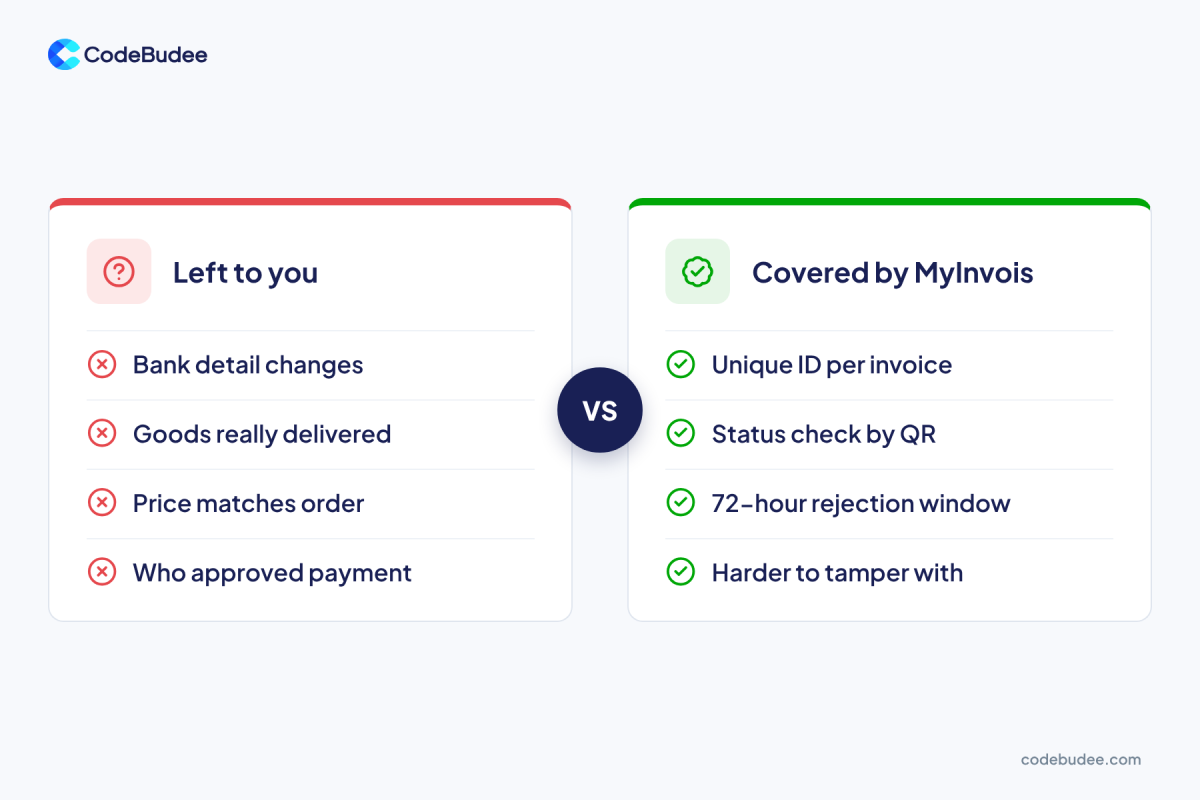
Malaysian e-invoicing makes fake invoices harder, but it does not stop all invoice fraud. LHDN gives each validated e-invoice a unique ID and a QR code you can check on the MyInvois Portal. It does not check bank details, deliveries, prices or who approved the payment.
LHDN's IRBM e-Invoice Guideline (version 4.8) sets out what you get:
- A unique ID: each validated e-invoice gets an IRBM Unique Identifier Number. LHDN says this "will reduce instances of tampering with the e-Invoice."
- A status check: the QR code can confirm the e-invoice exists. It also shows its status on the MyInvois Portal.
- A short window: a buyer can ask to reject an e-invoice with errors within 72 hours of validation.
That 72-hour window matters for fraud prevention. Your AP system should match each supplier e-invoice to an order. It should flag problems inside those 72 hours. A paper or PDF bill with no valid ID should go on hold for a check.
If you want the full flow, see how e-invoicing works in Malaysia. The six controls above still do the work e-invoicing leaves to you.
Should you buy an AP tool or build the controls in?
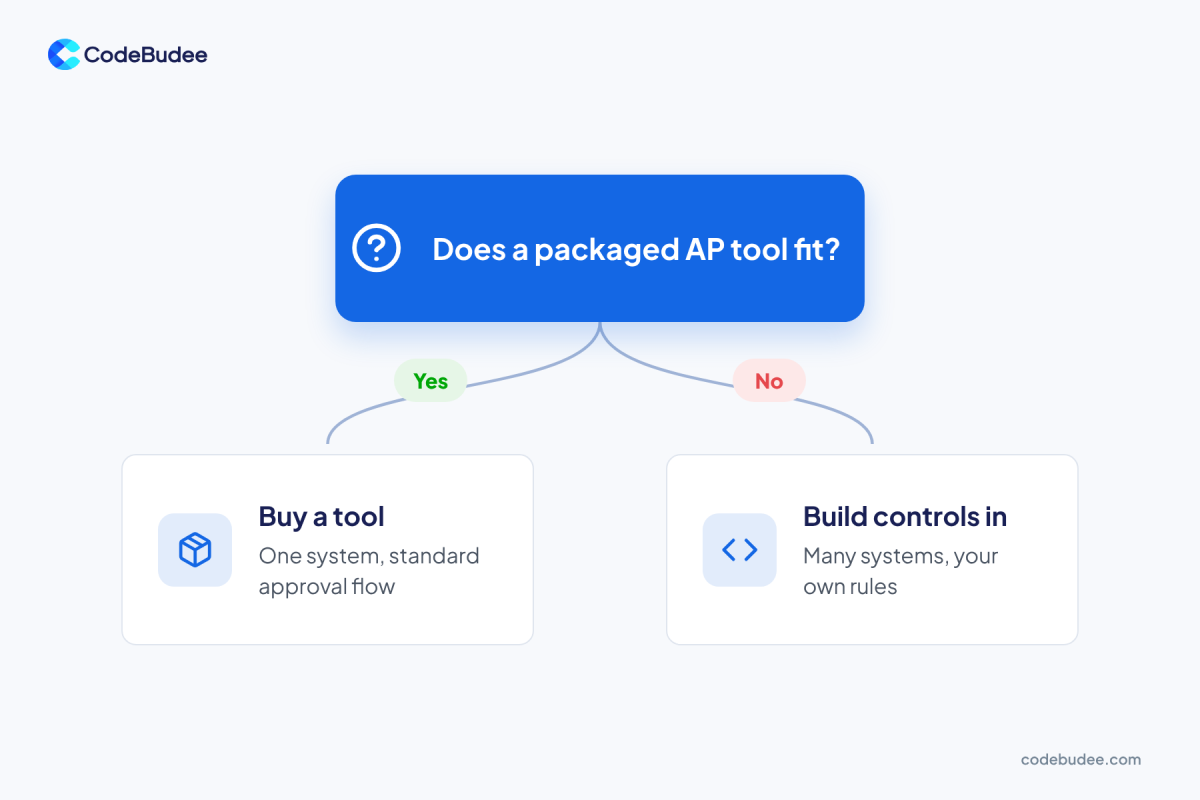
Buy a packaged AP tool when your business runs one accounting system and a standard approval flow. Build the controls into your own system when your work spans several tools. The same goes when your approval rules do not fit a template. The aim is the same: checks the system enforces, not checks people remember.
Buy a tool if:
- You use one accounting system for orders, bills and payments.
- Your approval steps match what the tool offers.
- You can live with its limits on alerts and reports.
Build the controls in if:
- Orders sit in one system, deliveries in another and payments in a third.
- You need your own rules, such as limits by branch or by supplier type.
- You want the e-invoice check, three-way match and payment hold in one place.
A connected system also makes the payment side safer. Our guide to payment processing systems explains what happens after money leaves your account.
We have built e-invoicing into a custom system before. For a Malaysian moneylender, we built a custom loan management platform with LHDN MyInvois e-invoicing inside it. Statutory reporting went from about a week to instant. In our custom web app development projects, the checks live in the workflow. You also own the code.
Frequently asked questions
How do I check if a supplier's e-invoice is real?
Scan the QR code on the e-invoice. According to LHDN's e-Invoice Guideline, it can confirm the e-invoice exists and show its status on the MyInvois Portal. If the portal shows no record, or a cancelled status, put the bill on hold. Then ask the supplier for the validated copy.
What is the most common type of invoice fraud?
Business email compromise is the most common route. In the 2025 AFP survey, 63% of organisations named it the top route for payments fraud in 2024. The fraudster poses as a real supplier and asks you to pay a new bank account. The call-back control above is built for exactly this trick.
Can AI catch invoice fraud?
AI can help spot odd amounts, new bank accounts or unusual timing, but few firms use it yet. The 2026 AFP survey found only 17% of organisations use AI against payments fraud. AI works best on top of clean data and basic controls. Without a locked supplier list and three-way match, it has little to check against.
What should we do if we paid a fake invoice?
Call your bank at once and ask them to stop or recall the payment. Speed matters, because money moves on quickly. Then report it to the police, lock the supplier record and keep every email and file. After that, look at which control was missing and add it to your system.
Your next step
Invoice fraud prevention works best when checks live in your system, not in someone's memory. Start with the six controls. Lock the supplier list, call back on bank changes and match every invoice. Then block duplicates, split duties and log changes. Then use your e-invoice data inside the 72-hour window.
If your orders, deliveries and payments sit in separate tools, those checks are hard to enforce. Book a free consultation to talk through how your AP process could run on one connected system.