A property company asks its software vendor for the features it needs. Months later, the vendor says it cannot be done. That is when many operations leaders start looking at a bigger platform, such as an IWMS.
In short, an IWMS is one platform that runs your property, space, maintenance and energy work together. This guide explains what it covers and how it differs from CAFM. It shows what a suite leaves to you. It also gives a simple rule for when to buy one or build your own.
Key takeaways
- An IWMS (integrated workplace management system) brings property, projects, space, maintenance and energy into one platform.
- CAFM software runs day-to-day facilities work. An IWMS adds leases, capital projects and energy on top.
- Office space and building energy decisions now need real data, and Malaysia's energy efficiency law adds reporting duties.
- A suite does not connect itself to your other systems. Plan for links, data clean-up and training.
- Buy a suite for a large property portfolio. Build a focused system when you have fewer sites or unusual workflows.
What is an IWMS?
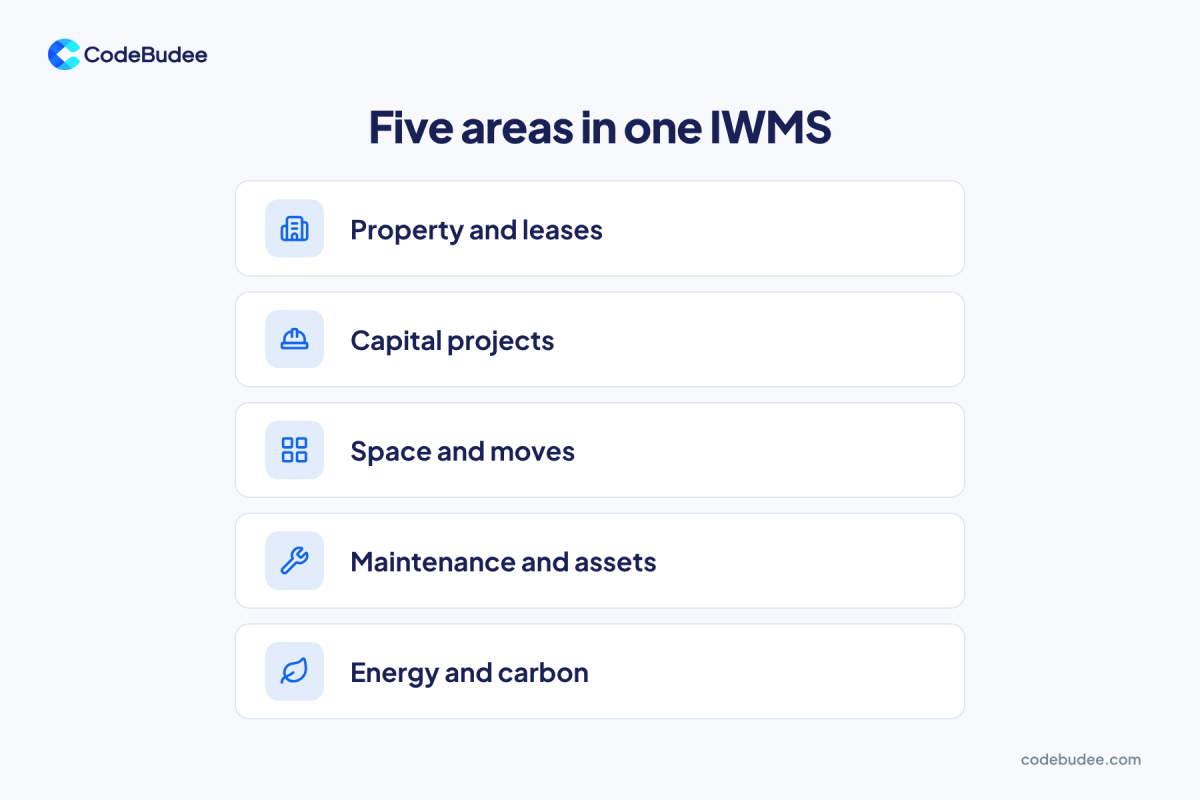
An integrated workplace management system (IWMS) runs real estate and facilities work on one platform. It keeps one shared database and replaces several separate tools. Leases and repairs no longer live in different systems. Every team works from the same records about your buildings.
Gartner first defined the term in 2004. IBM's guide to IWMS lists the five areas Gartner expects it to cover:
- Property and real estate: leases, rent and lease accounting.
- Capital projects: planning and costing new builds or office refits.
- Facilities: space planning, moves and how much space is used.
- Operations and maintenance: assets, repairs and outside contractors.
- Sustainability and energy: energy use and carbon tracking.
Shared data is where the value comes from. When a lease ends, the space plan, the repair schedule and the energy report all see the same change.
What is the difference between CAFM and IWMS?
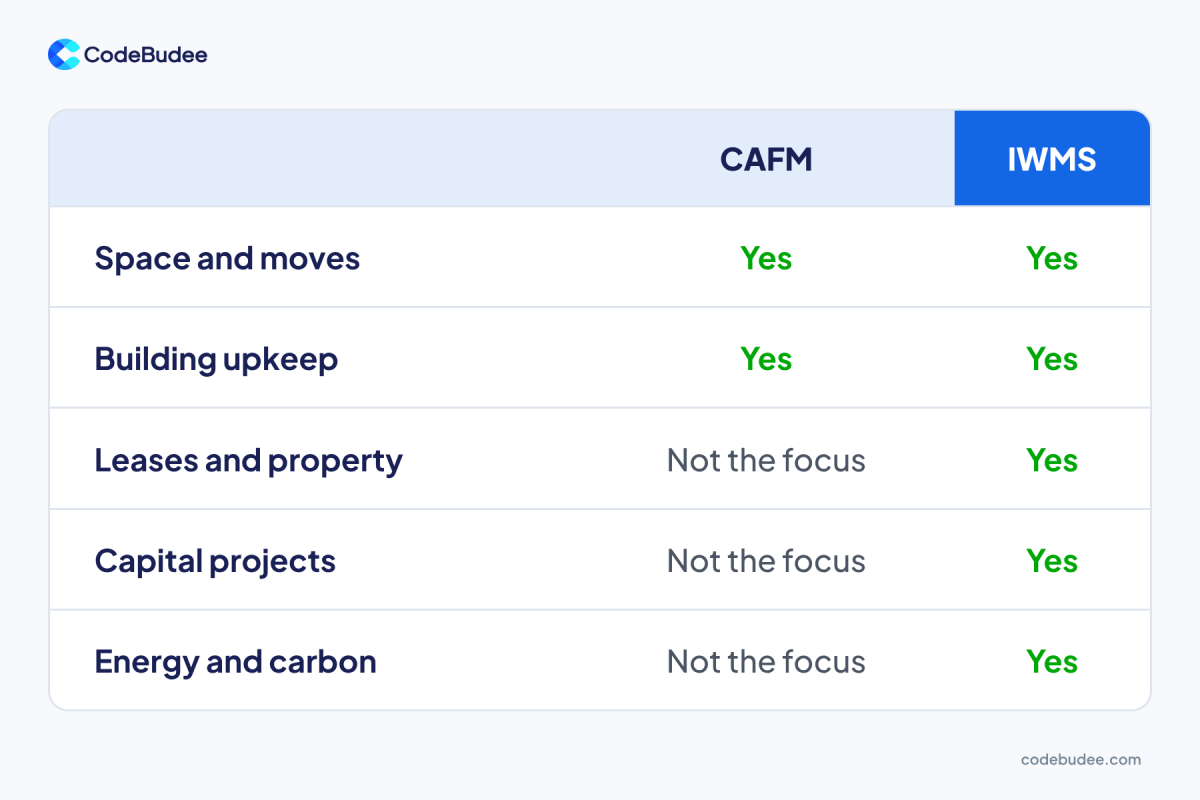
CAFM (computer-aided facility management) software helps you manage and maintain the physical side of your buildings. An IWMS is built on the same ideas, then adds leases, capital projects and energy. IBM notes that an IWMS combines CAFM and CMMS (computerised maintenance management system) tools into one platform.
Here is the plain split:
- CAFM: floor plans, space, moves and day-to-day building upkeep. A good fit when one facilities team runs a few buildings.
- CMMS: work orders, asset records and planned maintenance. A good fit when repairs and equipment are the main job.
- IWMS: all of the above, plus leases, capital projects and energy, across the whole property portfolio.
Bottom line: if your pain is daily facilities work, CAFM may be enough. If leases, projects and energy all depend on the same building data, you are in IWMS territory.
Why are companies looking at an IWMS now?
Companies are looking at an IWMS because decisions about office space and building energy now need real data. Return-to-office rules are changing how much space firms keep. In Malaysia, a new energy efficiency law also adds reporting duties for large energy users and buildings.
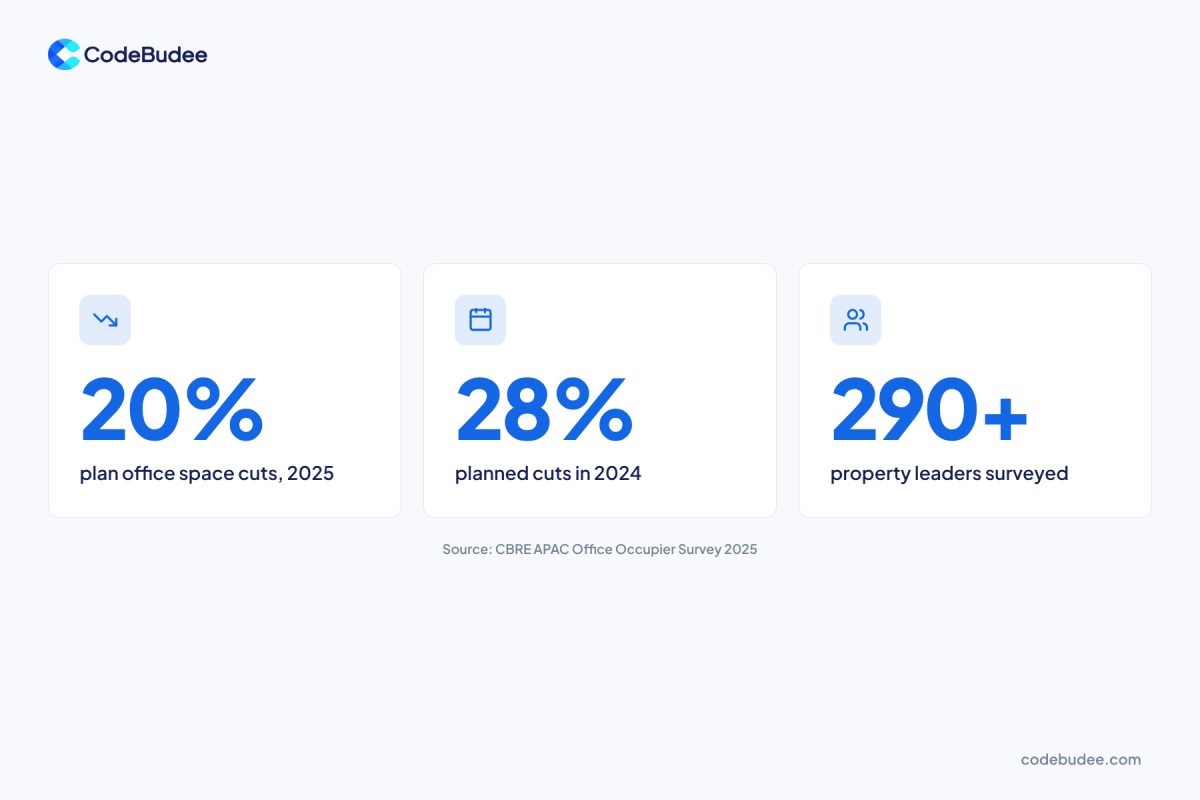
On space, CBRE's 2025 Asia Pacific Office Occupier Survey asked over 290 corporate real estate leaders about their plans. Only 20% planned to cut office space in 2025, down from 28% in 2024. Firms that keep their space want to know how well it is used.
On energy, Malaysia now has the Energy Efficiency and Conservation Act 2024. Its regulations took effect on 1 January 2025. The Energy Commission says energy users above a set level must appoint a registered energy manager. They also need an energy management system, yearly reports and energy audits. Buildings covered by the law must get and display an energy intensity label.
Good building data also pays back. The US Department of Energy says re-tuning a building's controls typically saves 5% to 25% of building energy. Re-tuning is a data-led review that finds and fixes waste in how equipment runs. You can only do it well when your building data sits in one place.
What does an IWMS not do for you?
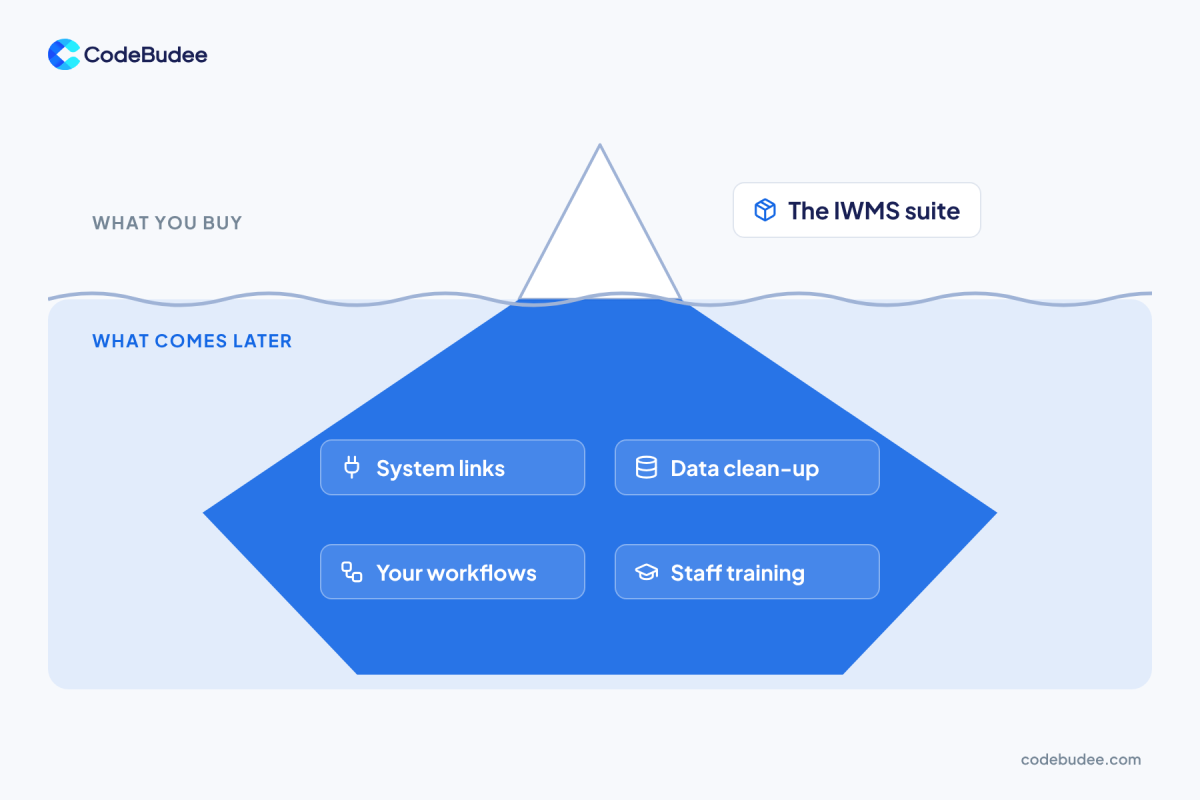
No IWMS connects itself to the rest of your business. Your finance, HR, access-card and booking systems still hold data the suite needs. Someone must link them and clean the old records. The suite must also fit how your teams work. Plan time and budget for these jobs before you sign.
This wider problem is common. The 2025 MuleSoft Connectivity Benchmark surveyed 1,050 IT leaders. Organisations use 897 applications on average, but only 29% are typically connected. And 90% of IT leaders say data silos are creating business challenges.
Data silos hold information locked in one tool, where other teams cannot reach it. Adding a big suite without links can create one more silo. Before you buy, list the work that comes after the licence:
- Links to other systems: finance for rent, HR for headcount, access cards for who uses which floor.
- Data clean-up: old leases, asset lists and floor plans in spreadsheets need checking before import.
- Your own workflows: approvals and service steps that the standard screens may not match.
- Staff training: the tool only helps if site teams use it every day.
Our guide to master data management explains how to keep one trusted record for each building, asset or lease.
Should you buy an IWMS or build your own system?
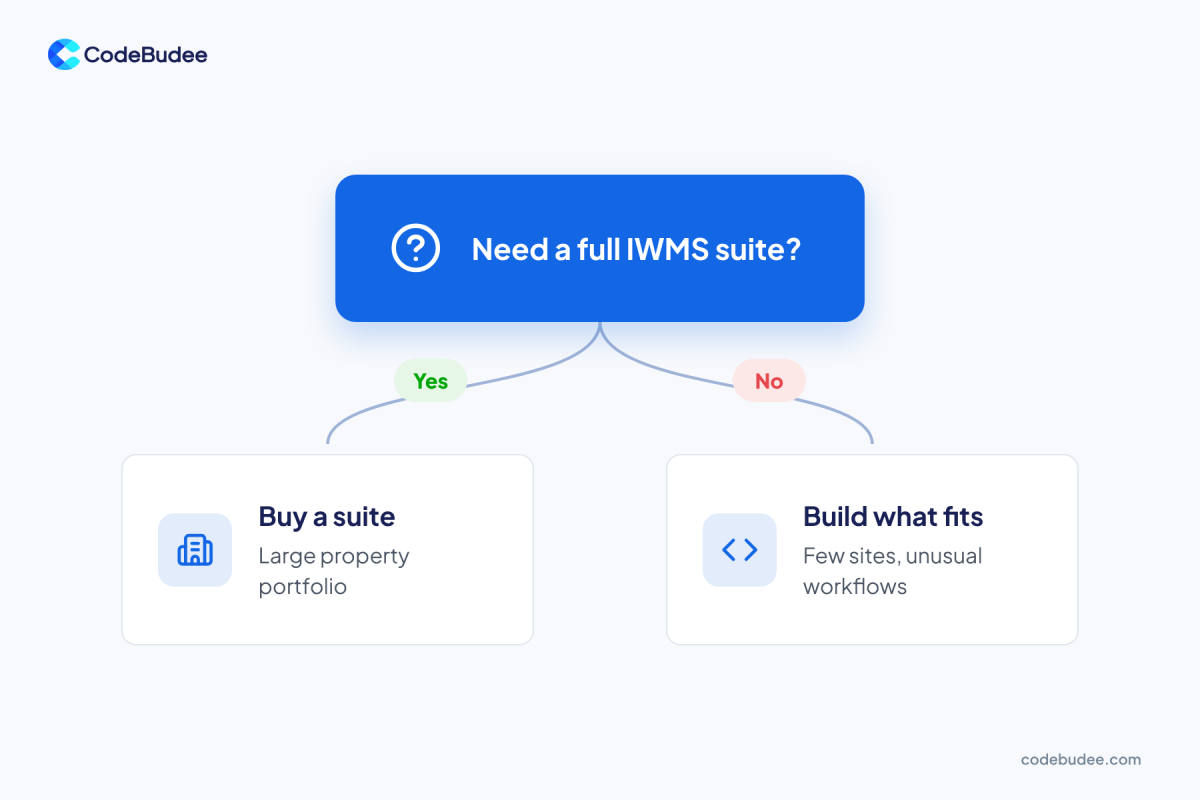
Buy an IWMS suite when you run a large property portfolio and need all five areas. Build a focused system when you have fewer sites or need only two or three areas. Building also fits when no template matches how you work. Many companies do both. They buy the core and build the links.
Use these questions to decide:
- How many sites and leases do you manage? Many sites across several countries point to a suite. A handful of buildings often does not.
- Which of the five areas do you need? If you only need space and maintenance, a full suite means paying for parts you will not use.
- How unusual is your work? Site visits with no signal, special approval steps or your own service rules may not fit standard screens.
- What must it connect to? Count the systems that must share data with it. Each one is a link to build and look after.
- Who will change it later? Check whether the vendor will add the features you need, or whether you can change the system yourself.
Verdict: a suite gives you breadth fast. A custom system gives you a close fit and full control. Weighing the cost of a build? Our guide to what sets the price of custom software breaks it down. For the wider tool picture, see what IT management software covers and misses.
How CodeBudee approaches this
We start with how your teams work on site, then decide what to buy and what to build. Wise World is an Australian property agency. Its rented property system could not be changed to fit how the team works. We built them their own property management system instead.
Its mobile app works on site with no wifi, for signed agreements and move-in and move-out photos. The website and the system stay in sync. The client owns the system outright. You can see more in our work.
You get a clear, itemised quote with no hidden costs, and you own 100% of the source code. Learn more about our custom web app development.
Frequently asked questions
What does IWMS stand for?
IWMS stands for integrated workplace management system. It is software that puts leases, capital projects, space, maintenance and energy tracking on one platform. Gartner first defined the term in 2004. The word "integrated" is the point: every team works from the same building data instead of separate tools.
Do smaller companies need an IWMS?
Often not. A full IWMS suits companies with many sites, leases and facilities staff. A company with a few buildings may only need space booking and maintenance tracking. A smaller tool or a focused custom system can cover that need. You avoid paying for areas you will never use.
Can an IWMS connect to our ERP and HR systems?
Usually yes, but it takes work. Most suites share data through an API (a way for two systems to talk to each other). Someone still has to map the data, build the link and keep it running when either system changes. Plan and budget for this before you sign.
How much does an IWMS cost?
It depends on the vendor, the number of sites and users, and which areas you switch on. Ask each vendor for a full quote that includes setup, data import, links to your other systems and training. Compare that total, not only the yearly licence, with the cost of building only what you need.
Your next step
Done well, an IWMS gives your teams one shared view of your buildings. It works best when you know which areas you need and what it must connect to. Start by listing your sites, your systems and the work that slows your teams down.
Book a free consultation to talk through your workplace systems and whether to buy, build or mix both.