You keep hearing that other businesses now have their own AI agent. Now you want one too. But where do you start? Do you sign up for a tool, ask a team to build one, or try to make one yourself?
The answer is not the same for every business. A small shop that answers common questions needs something simple. A firm that wants an agent inside its own records needs more. This guide shows three ways to get an AI agent and which one fits which business. It ends with four checks to run before you spend anything.
Key takeaways
- An AI agent chooses its own next step. A chatbot or a fixed workflow does not.
- There are three ways to get one: a ready-made tool, a no-code builder or a custom build.
- Start with the simplest way that does the job. Move up only when you hit a real limit.
- Build your own when the agent must use private records or sit inside daily work.
- Before you start, pick one job, know your data, set limits and name an owner.
What is an AI agent, and what does "your own" mean?

An AI agent is a system that works through a task for you and decides each step itself. OpenAI describes agents as systems that independently accomplish tasks on your behalf. "Your own" means the agent knows your business and works with your data and your rules.
A simple chatbot is not an agent. The same OpenAI guide says apps that only answer questions do not count. They do not control the steps of a task.
Anthropic, another AI maker, splits the field in two. In a workflow, code sets the steps in advance. In an agent, the AI directs its own steps and picks its own tools. A workflow files every order email in the same folder. An agent reads an odd email, checks the order and decides whether to refund or ask a person.
What are the three ways to get your own AI agent?
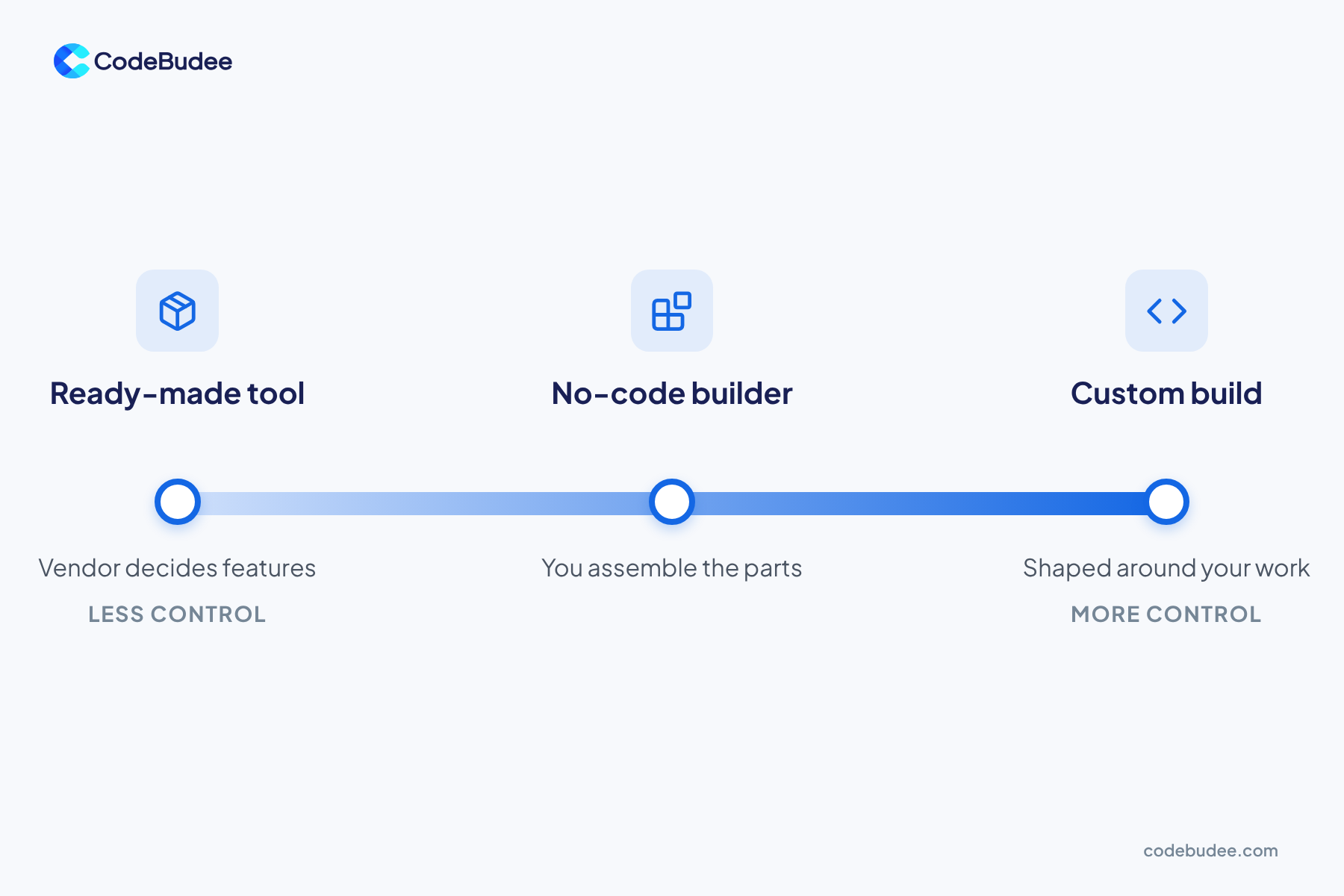
There are three ways to get an AI agent. Use a ready-made tool that already has agent features. Use a no-code builder to set one up yourself. Or ask a software team to build one around your systems. Each way trades effort for control. The more your agent must know about your business, the more control you need.
- Ready-made tool: A vendor built it and you rent it. It suits common jobs, such as answering routine questions. You get the features the vendor chose.
- No-code builder: You assemble the agent on screen from parts. You connect your own files and apps. It is a good way to test one idea. Limits show up when the job has many rules or many people depend on it.
- Custom build: A software team builds the agent around your data, your rules and your systems. It takes more planning. You decide how it works, and you can own what is built if the contract says so.
The price differs for each way. Our guide to what an AI agent costs walks through build, run and upkeep. The trade-off is much like the one in AI app builders versus custom apps.
Which way fits your business?
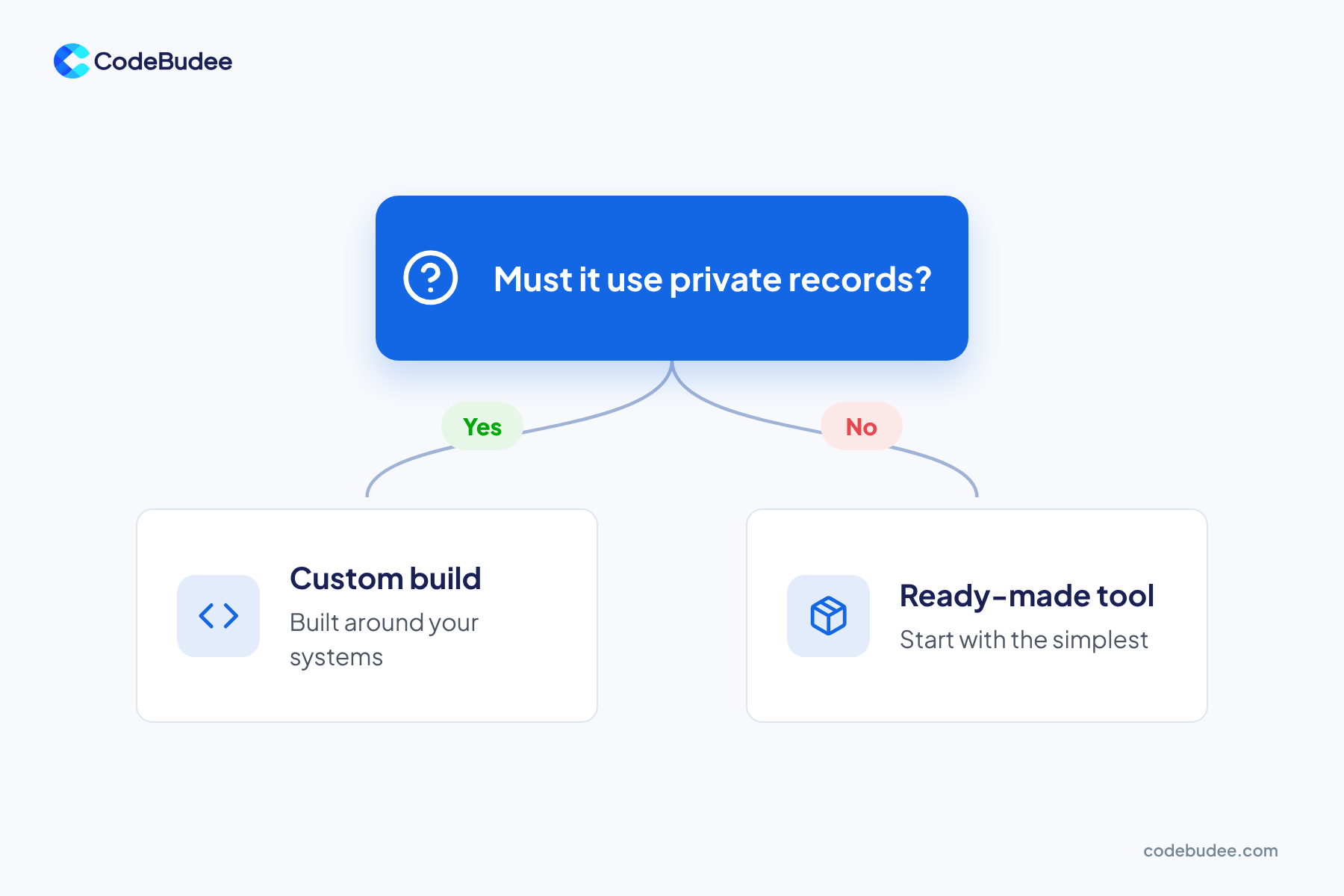
Start with the simplest way that does the job. Anthropic's engineers give the same advice: find the simplest solution and add complexity only when needed. Move to the next way only when you hit a limit you can name. Use these rules to choose.
- Pick a ready-made tool when the job is common and the data is not sensitive.
- Pick a no-code builder when you want to test one job with your own files before you commit.
- Pick a custom build when the agent must read private records or follow your own rules. Pick it too for a job your staff use every day.
OpenAI's guide adds a useful test. Agents suit work with hard judgment calls, rules that are hard to maintain, or lots of free text. If your job has none of these, a simple fixed workflow may be enough. That is cheaper and easier to check.
Is now a good time to get one?

Many businesses already use AI. Stanford's 2025 AI Index reports that 78% of organisations used AI in 2024, up from 55% the year before. That figure covers AI in general, not only agents. The same report says running a GPT-3.5-level model got more than 280 times cheaper. That drop ran from November 2022 to October 2024.
Cheaper AI does not make a build free. Someone still has to connect the agent to your data and check its work. So ask a better question: do we know the job we want it to do?
What should you check before you start?

Check four things before you pick a way: the job, your data, the limits and the owner. They matter more than the tool. A weak plan fails with any route. A clear plan works with a simple tool and gets better with a custom build.
- Pick one job: Write the task in one sentence, such as "sort new support emails and draft a reply". Start with that one.
- Know your data: List what the agent will read. Find out where it is stored and which country it goes to. Our guide to AI data residency explains why that matters.
- Set limits: Decide what the agent may do alone and when it must ask a person. Our list of AI agent security controls is a good place to begin.
- Name an owner: Choose one person who checks the agent's work every week.
How CodeBudee approaches this
We build new AI-powered systems with AI at the core, through our web application development service. We do not add AI to software that someone else built. You talk directly to the person leading the build. You get a clear, itemised quote with no hidden costs. And you own the code at the end.
Frequently asked questions
Is an AI agent the same as a chatbot?
No. A chatbot answers questions. An agent works through a task and decides its own steps, using tools along the way. OpenAI's guide says simple chatbots are not agents. Some chatbots do include agent features, so check what a product does.
Can I make an AI agent myself without coding?
Yes, for a small job. No-code builders let you set up an agent on screen and link your own files. This works well for a test. If the agent needs private records, strict rules or many users, the limits will appear. That is the time to talk to a software team.
Is it safe to give an agent my business data?
It depends on where the data goes and what the agent may do. Ask the vendor or builder where your data is stored and who can see it. Then set clear limits on the agent's actions. Keep a person in charge of anything that costs money or touches customers.
When should I move from a no-code builder to a custom build?
Move when you hit a limit you can name. Common limits are private records the builder cannot reach and rules too complex for screens. Another is a job so important that you need full control. Until then, keep the simple version running.
Your next step
Three ways lead to your own AI agent. Start with the simplest one that does the job. Write down one job, check your data, set limits and name an owner. If the job needs your private records or daily use, a custom build will fit better.
Book a free consultation to talk through the job you have in mind: https://www.codebudee.com/contact-us